EasyManua.ls Logo

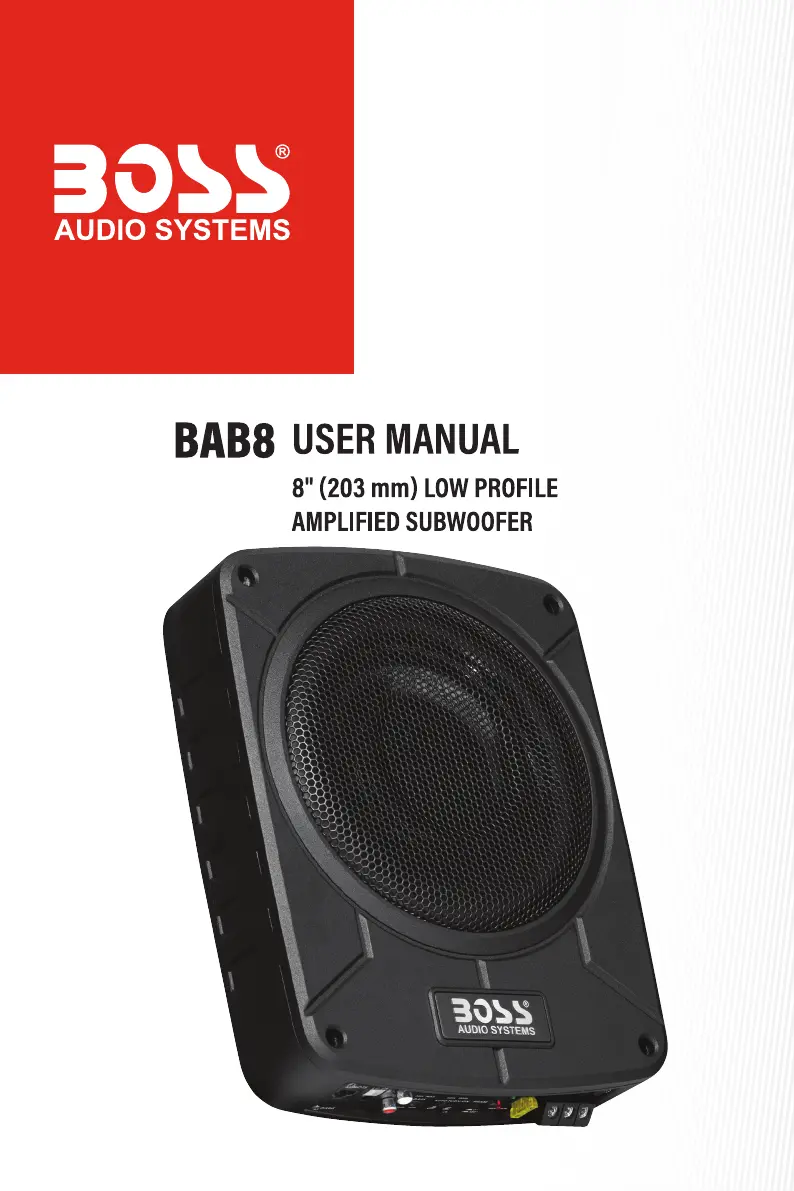
Boss Audio Systems BAB8 - User Manual

Boss Audio Systems BAB8
13 pages
Print Icon
To Next Page IconTo Next Page
Loading...
0522

Questions and Answers

  • C
    Carlos BensonAug 12, 2025
    What to do if my Boss Audio Systems BAB8 Subwoofer has distorted audio?
    • S
      Shawn PerkinsAug 13, 2025
      If your Boss Audio Systems Subwoofer produces distorted audio, verify that the input gain control matches the output level of your source unit, keeping the input gain level as low as possible. Also, inspect the speaker wires for any short circuits and check if the amplifier of the source unit is defective.
  • K
    Kevin DixonAug 16, 2025
    How to fix audio noise in my Boss Audio Systems BAB8?
    • J
      Jennifer MillerAug 16, 2025
      To address audio noise issues with your Boss Audio Systems Subwoofer: ensure power cables are kept separate from RCA cables, and RCA cables are away from other electrical cables in the vehicle. Use high-quality RCA cables. Check that the negative speaker wire isn't touching the vehicle chassis, the source unit is properly grounded, and if the noise comes from the source unit.
  • S
    sandersonAug 20, 2025
    What to do if my Boss Audio Systems BAB8 Subwoofer has no power/Green LED not lighting up?
    • N
      Nicole JacksonAug 20, 2025
      If your Boss Audio Systems Subwoofer isn't powering on and the green LED is not lit, ensure the subwoofer is properly grounded with a clean contact point on the vehicle chassis and a secure ground connection. Check all fuses and replace any faulty ones with the same type and rating. Confirm there's at least 12V battery power. If the red LED is lit, power off the subwoofer briefly, then power it on again. If using a high-level input connection, activate the auto power-on feature by pressing the AUTO TURN-ON switch on the subwoofer.
  • J
    Julie FergusonAug 25, 2025
    Why is my Boss Audio Systems Subwoofer getting very hot?
    • P
      pamelamartinAug 25, 2025
      If your Boss Audio Systems Subwoofer is overheating, ensure that the minimum speaker impedance for the subwoofer is correct. Also, check for good air circulation around the subwoofer; consider adding an external cooling fan if necessary.
  • D
    Daniel HillAug 28, 2025
    What to do if my Boss Audio Systems Subwoofer is in protection/Red LED lighting up?
    • W
      Wanda MartinAug 28, 2025
      If the red LED is illuminated on your Boss Audio Systems Subwoofer, it indicates protection mode. Try turning down the volume on your source unit to prevent overdriving. You can also try resetting the subwoofer by turning it off and on again. If the red LED persists, the subwoofer may be faulty and require servicing.
  • E
    edward18Aug 31, 2025
    What to do if my Boss Audio Systems BAB8 auto power on is not working?
    • L
      Lauren GarciaAug 31, 2025
      If the auto power-on feature isn't working on your Boss Audio Systems Subwoofer, first check that the high-level input connection is properly made. Ensure that the remote wire connection is not made. Then, verify that the auto power-on feature is activated by pressing the AUTO TURN-ON switch on the subwoofer.
  • R
    Richard MedinaSep 4, 2025
    What to do if my Boss Audio Systems Subwoofer has low output?
    • S
      stevenclarkSep 4, 2025
      If your Boss Audio Systems Subwoofer has low output, try adjusting the remote subwoofer control to increase the sound level. Also, check the input gain level and reset the input level control if it's too low. Finally, verify the frequency pass filter setting.
  • K
    Kristi ThomasSep 8, 2025
    What to do if my Boss Audio Systems BAB8 Subwoofer has no sound?
    • M
      Melissa RandallSep 8, 2025
      If your Boss Audio Systems Subwoofer isn't producing any sound, check that the audio input connection is correctly and securely made. If using a low-level input connection, ensure the RCA cables are correctly and securely plugged in. If using a high-level input connection, verify the connection with the speaker wires of your head unit.

Summary

Introduction

Package Contents

Important Information

Important Safety Precautions

Details crucial safety guidelines to prevent electric shock, damage, and ensure safe operation.

Installation Precautions

Provides warnings and best practices for safely installing the subwoofer in a vehicle.

Care of the Environment

Instructs users on proper disposal of the product and local recycling guidelines.

Panel Controls and Features

Ground Terminal

Connects the subwoofer to the vehicle's chassis for proper grounding.

Remote Terminal

Connects to the head unit's remote output for auto power on/off.

Battery Power Terminal

Connects the subwoofer to the positive terminal of the 12V vehicle battery.

Fuse Holder

Houses a 20A fuse for circuit protection; emphasizes using the correct type and rating.

Status Indicators

Explains the meaning of Green (power/operational) and Red (protection mode) LEDs.

Phase Control

Adjusts phase to improve bass response, compensating for time alignment issues.

Auto Power On

Enables automatic power on/off via high-level input, eliminating the need for a remote wire.

Low Pass Filter (LPF)

Sets the upper frequency limit for the subwoofer, allowing adjustment to suit audio system needs.

Bass Boost Control

Increases the output level of bass frequencies for enhanced low-end sound.

Input Gain Control

Adjusts the subwoofer's input level to match the source unit's output, preventing distortion.

Low-Level Input (RCA Input)

Connects to the head unit's RCA outputs for optimal audio signal input.

High-Level Input (Speaker Level Input)

Connects to the head unit's speaker wires for audio signal input when RCA outputs are unavailable.

Remote Subwoofer Control Port

Connects to the supplied control for independent subwoofer volume adjustment.

Subwoofer Setup Procedure

Protection Mode

Mounting

Wiring

Low-Level Input Wiring

Details how to connect the subwoofer using RCA cables from the head unit.

High-Level Input Wiring

Explains connecting the subwoofer via speaker wires from the head unit.

Power Connection

Remote Subwoofer Control Connection

Troubleshooting

Specifications

Boss Audio Systems BAB8 Specifications

General IconGeneral
BrandBoss Audio Systems
ModelBAB8
CategorySubwoofer
LanguageEnglish

Related product manuals