EasyManua.ls Logo

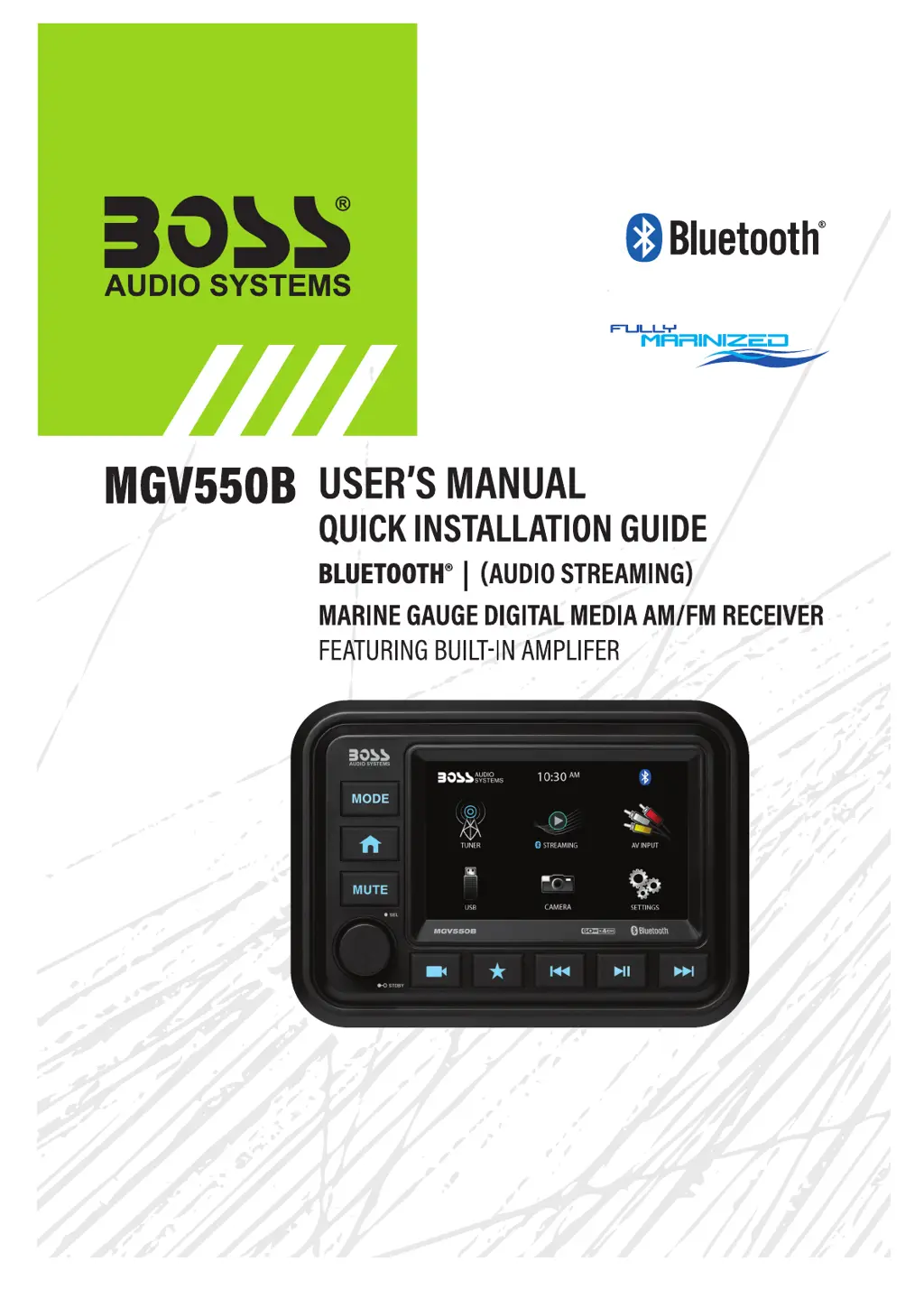
Boss Audio Systems MGV550B - User Manual

Boss Audio Systems MGV550B
16 pages
Print Icon
To Next Page IconTo Next Page
Loading...

Questions and Answers

  • L
    Laura PriceJul 28, 2025
    What to do if my Boss Audio Systems MGV550B Marine Audio unit will not turn on?
    • D
      Douglas MooreJul 28, 2025
      If your Boss Audio Systems Marine Audio unit won't turn on, there are a couple of things to check: * First, the fuse might be blown. Check it and replace it if necessary. * Second, make sure the ignition is turned to the 'on' position.
  • S
    Seth LittleAug 4, 2025
    Why is there no sound coming from my Boss Audio Systems MGV550B?
    • A
      Allison BarnettAug 4, 2025
      If you're not hearing any sound from your Boss Audio Systems Marine Audio, here are a few potential reasons: * A speaker might be blown. If so, replace the faulty speaker. * The volume might be set too low or muted. Increase the volume level. * The device connected to the system might be paused or muted. Check the playing and volume status of your device.
  • M
    Morgan KentAug 11, 2025
    What to do if my Boss Audio Systems Marine Audio unit has become unresponsive?
    • S
      Stephanie SummersAug 11, 2025
      If your Boss Audio Systems Marine Audio unit becomes unresponsive, it might be due to a few reasons: 1. A power glitch or interference. Try disconnecting the power for 10 seconds to reset the unit. 2. Low battery power. Charge the battery or run the engine to recharge it. 3. You may need to reset the main system.
  • A
    acainAug 19, 2025
    Why is the audio quality poor when using Bluetooth on my Boss Audio Systems MGV550B Marine Audio?
    • E
      elizabethwilliamsAug 19, 2025
      If you experience poor audio quality after connecting to your Boss Audio Systems Marine Audio via Bluetooth, it could be due to poor Bluetooth reception. Try moving the device closer to the audio system or removing any obstacles between the device and the system's antenna.

Summary

FCC Compliance Statement

Before You Start

Important Safety Precautions

Guidelines for safe operation to prevent injury or damage. Focuses on volume, hazardous situations, and product anomalies.

Installation Precautions

Advises consulting professional installers for safe and proper installation to avoid risks.

Troubleshooting Guide

Technical Support

Provides contact information for customer service and technical assistance.

Specifications

Suggested Mounting Methods

Wire Diagram

Getting Started

Button Control Functions

Audio and System Setup

Radio Operation

Bluetooth Operation

USB Operation

Aux-Input

Accessory

Camera

Boss Audio Systems MGV550B Specifications

General IconGeneral
BluetoothYes
USBYes
Auxiliary InputYes
WeatherproofYes
Display TypeLCD
Water ResistantYes
Waterproof RatingIPX6
DisplayLCD
Remote ControlYes
TypeMarine Audio Receiver
RMS Power20 Watts x 4 Channels

Related product manuals