It allows you to enter the
order
in
which
you
want
some
chapters/tracks
in
DVD/VCD/MP3/WMA/CD
to play.
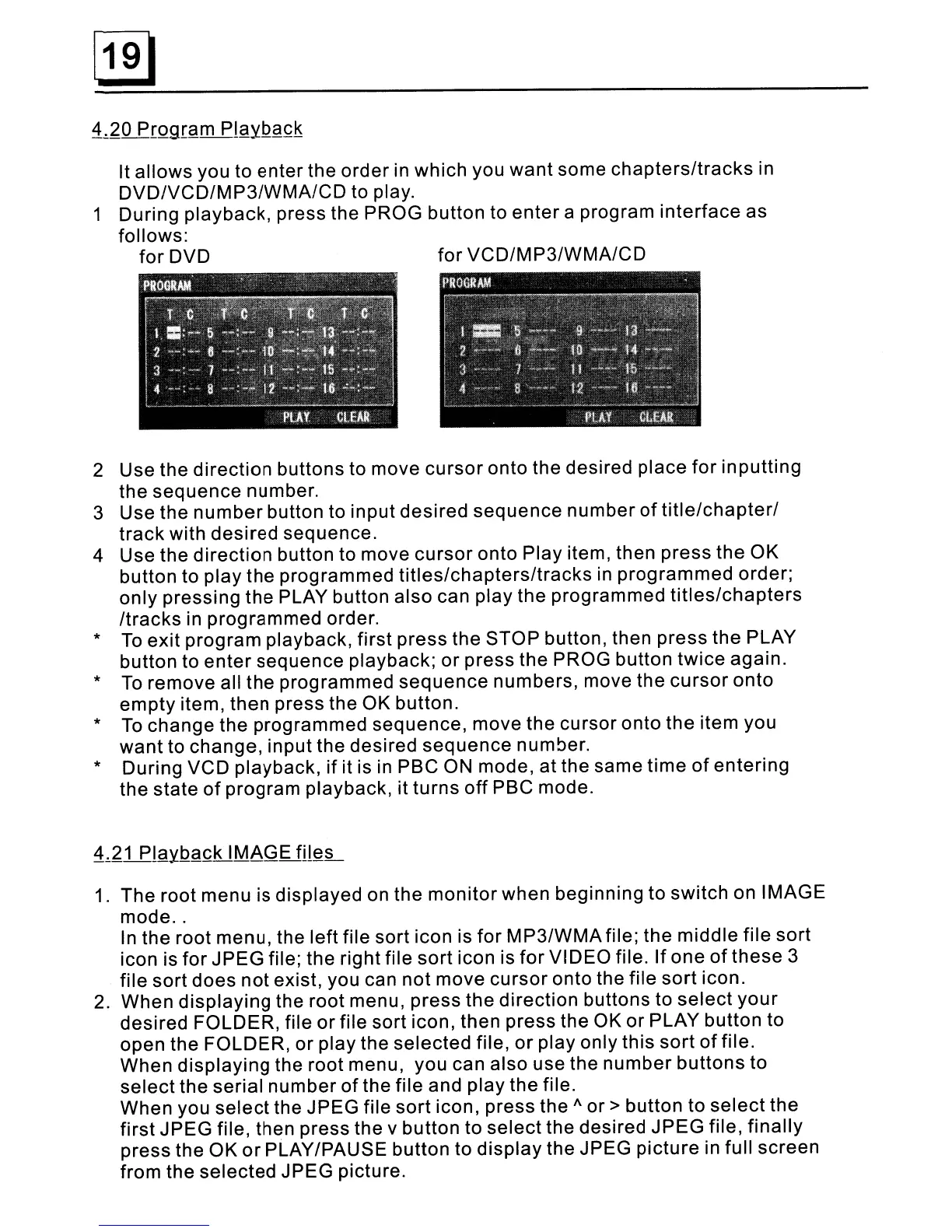
1 During playback, press the PROG button to
enter
a program
interface
as
follows:
for
DVD
for
VCD/MP3/WMA/CD
2 Use the
direction
buttons to move
cursor
onto the desired place
for
inputting
the
sequence
number.
3 Use the
number
button to input
desired
sequence
number
of
title/chapter/
track
with desired sequence.
4 Use the
direction
button to move
cursor
onto Play item, then press the OK
button to play the programmed
titles/chapters/tracks
in
programmed
order;
only
pressing the PLAY button also can play the programmed
titles/chapters
/tracks
in
programmed order.
*
To
exit
program playback, first press the STOP button, then
press
the PLAY
button to
enter
sequence playback;
or
press the PROG button
twice
again.
*
To
remove all the programmed
sequence
numbers, move the
cursor
onto
empty
item, then press the OK button.
*
To
change the programmed sequence, move the cursor
onto
the item you
want
to change, input the desired
sequence
number.
* During VCD playback,
if
it is
in
PSC ON mode,
at
the same
time
of
entering
the state
of
program playback, it
turns
off
PSC mode.
1. The root menu is displayed on the
monitor
when beginning to switch on IMAGE
mode
..
In
the root menu, the left file sort icon is
for
MP3/WMAfile; the middle
file
sort
icon is
for
JPEG
file; the right file
sort
icon is
for
VIDEO file.
If
one
of
these
3
file
sort
does
not
exist, you can not move
cursor
onto the file
sort
icon.
2. When
displaying
the root menu, press the direction buttons to
select
your
desired FOLDER, file
or
file sort icon, then press the OK
or
PLAY button to
open the FOLDER,
or
play the
selected
file,
or
play only this
sort
of
file.
When
displaying
the root menu, you can also use the
number
buttons to
select
the serial
number
of
the file and play the file.
When you
select
the JPEG file
sort
icon, press the A
or
> button to
select
the
first
JPEG file, then press the v button to
select
the desired
JPEG
file,
finally
press the OK
or
PLAY/PAUSE button to
display
the JPEG
picture
in full screen
from the selected JPEG picture.



 To Next Page