EasyManua.ls Logo

Boss BX-8 - Page 10

Boss BX-8
16 pages
Print Icon
To Next Page IconTo Next Page
To Previous Page IconTo Previous Page
Loading...
10
@
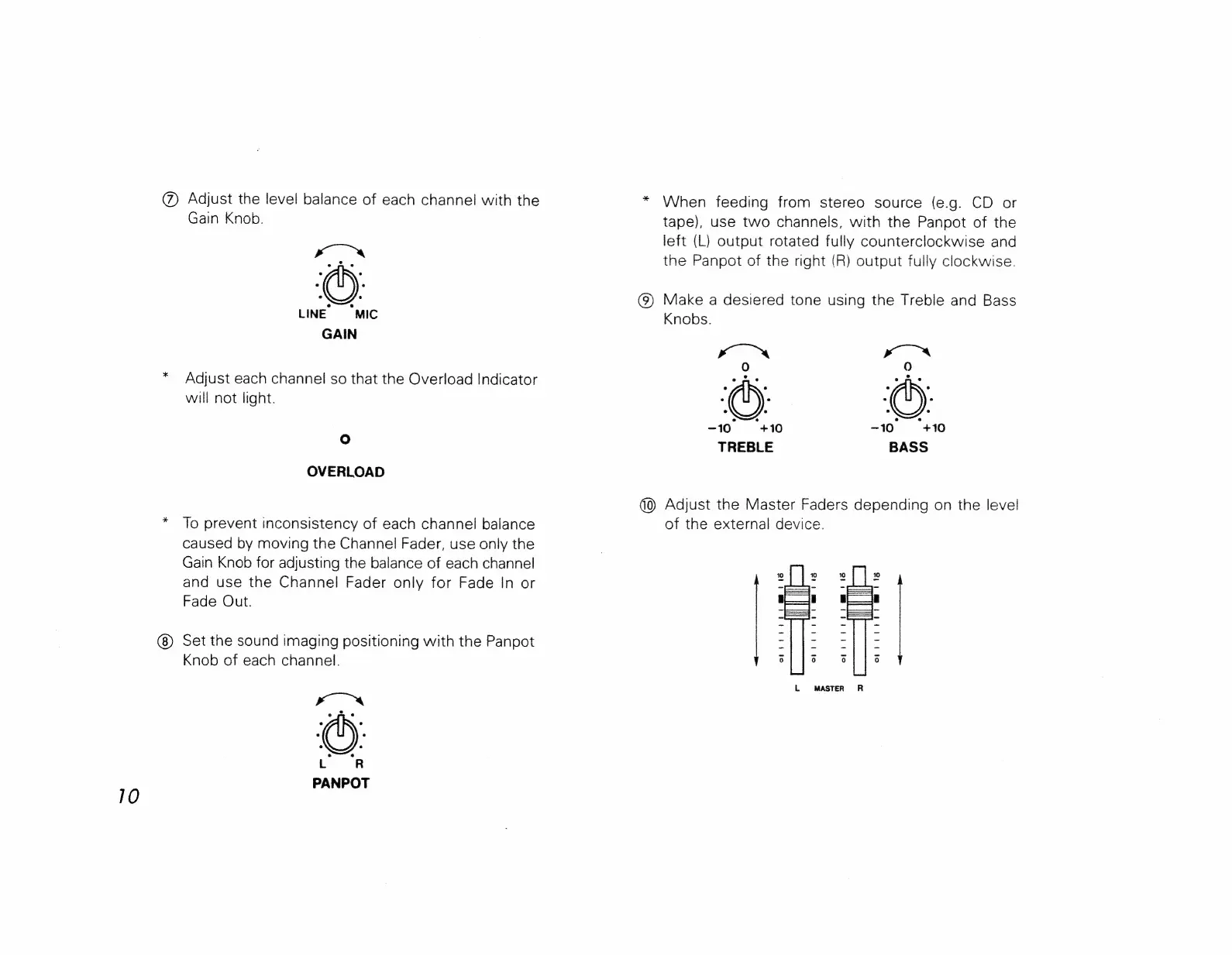
Adjust
the
level
balance
of
each
channel
with
the
Gain
Knob.
xO
LINE
‘MIC
GAIN
Adjust
each
channel
so that
the
Overload
Indicator
will
not
light.
OVERLOAD
To
prevent
inconsistency
of
each
channel
balance
caused
by
moving
the
Channel
Fader,
use
only
the
Gain
Knob
for
adjusting
the
balance
of
each
channel
and
use
the
Channel
Fader
only
for
Fade
In
or
Fade
Out.
Set
the
sound
imaging
positioning
with
the
Panpot
Knob
of
each
channel.
When
feeding
from
stereo
source
(e.g.
CD
or
tape),
use
two
channels,
with
the
Panpot
of
the
left
(L)
output
rotated
fully
counterclockwise
and
the
Panpot
of
the
right
(R)
output
fully
clockwise.
(9)
Make
a
desiered
tone
using
the
Treble
and
Bass
Knobs.
xo™
x“rté<s.
)
9)
-10
+10
~10
“+10
TREBLE
BASS
(0)
Adjust
the
Master
Faders
depending
on
the
level
of
the
external
device.
15
opi
tt
itt
mrad
orlitrt
Cm
ita
of;
ri
itt
moet
orb
rt
id
t
Metts
L
MASTER
R

Related product manuals