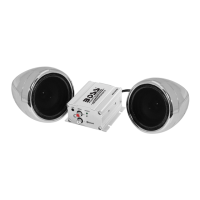
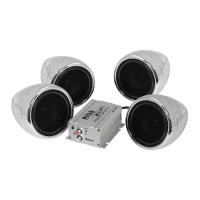
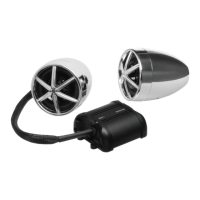
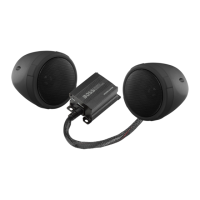
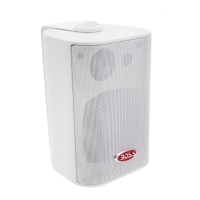
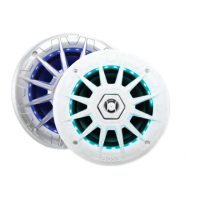
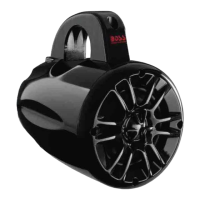
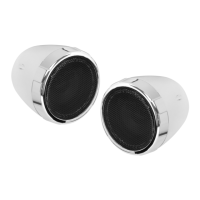
The BOSS AUDIO SYSTEMS MC425BA is a weather-rated speaker and amplifier system designed for motorcycles and UTVs, featuring built-in amplification and Bluetooth connectivity. This product consists of a pair of speaker pods that can be mounted on handlebars or cage bars ranging from 0.75” to 1.25” in diameter.
Function Description:
The primary function of the MC425BA is to provide audio playback from various sources, primarily via Bluetooth streaming and a 3.5mm auxiliary input. The integrated amplifier ensures that the speakers deliver clear and powerful sound. The system is designed to be water-resistant, making it suitable for outdoor use in various weather conditions, though it should never be submerged in water.
Usage Features:
-
Bluetooth Streaming: The MC425BA allows for wireless audio streaming from any Bluetooth-enabled mobile device (iOS or Android). To use this feature, users must first pair their mobile device with the system. Upon powering on, the product automatically enters Bluetooth mode. Users can then enable Bluetooth on their mobile device, search for "Boss Audio MC425BA," and select it to pair. If a password is required, "0000" should be entered. Only one device can be paired at a time. Once successfully paired, a confirmation tone is heard, and audio from the mobile device can be streamed. The system will automatically reconnect to a previously paired device when both are turned on. To switch Bluetooth sources, the current connection must be disconnected from the mobile device, and the pairing process repeated with the new device. For optimal audio performance, the volume on the mobile device should be set to maximum, and adjusted downwards if distortion occurs.
-
AUX Input: For devices without Bluetooth or when a wired connection is preferred, the MC425BA offers a 3.5mm audio input. Users can connect an external audio device, such as a mobile phone or MP3 player, using an appropriate audio cable (e.g., a 3.5mm audio cable for phones with a headphone jack, a USB-C to 3.5 audio cable for USB-C ports, or a Lightning to 3.5 audio cable for iPhones). After connecting, audio files from the external device will play through the speakers.
-
Inline Function Knob: The system includes an inline function knob that serves as both an ON/OFF control and a volume control. Users can rotate this knob to power the system on or off and to adjust the audio volume. This knob should be mounted in a safe, easily accessible location that does not interfere with the rider's ability to drive safely.
-
Power Connection Options: The MC425BA offers two main power connection options:
- Connection to Ignition Switch (Recommended): This method allows the speakers to be automatically powered on or off with the vehicle's ignition. It involves connecting the system's power cable harness to the vehicle's switched +12V and negative/ground wires in the ignition switch.
- Direct Connection to Vehicle Battery: This option provides constant power to the speakers. However, it's important to note that direct connection consumes battery power even when the vehicle is off. Therefore, users must remember to use the inline function knob to cut battery power when the speakers are not in use to prevent battery exhaustion.
-
Mounting: The speakers come with pre-attached clamp mounting kits. Installation involves finding a safe and ideal mounting location on the handlebar, ensuring the speakers do not obstruct the rider's view or any safety features. The clamps are fastened around the handlebar, with supplied rubber shims used to secure clamping and prevent abrasion. The mounting nuts are then re-fastened to tighten the clamp, and the speaker angle can be adjusted to point directly at the rider before final tightening.
Maintenance Features:
-
Water Resistance: The product is designed to be water-resistant against splashing water. However, it is crucial never to submerge the product in water.
-
Cleaning: To maintain the product, users should avoid using aggressive cleaning agents. Instead, the product should be cleaned with a dry, fiber-free cloth.
-
Fuse Replacement: In case of a blown inline fuse, it is important to replace it with a fuse of the same type and rating. Using a different type or rating can damage the product or vehicle, or even cause a fire.
-
Environmental Care: At the end of its life, the product should not be disposed of with normal household waste. Users are encouraged to follow local laws for disposing of electronic products to help preserve the environment.
-
Safety Precautions:
- Always ensure that connection cables are kept away from pinch points, moving parts, or hot exhausts.
- Do not install speakers where they might obstruct the rider's view or inhibit vehicle safety features (e.g., lights, horns, brake levers).
- Regularly check the mounting conditions (e.g., clamp fastening) of the speakers before each vehicle ride to ensure security.
- Avoid increasing speaker volume so high that ambient sounds cannot be heard, especially in potentially hazardous situations.
- Do not make adjustments to the product while driving or in other situations where distractions could be hazardous.
- Start volume at a low setting and gradually increase it to a comfortable level without distortion or ear discomfort.
- In case of smoke, strange noise, odor, or any other abnormal operational signs, disconnect the product from the power supply immediately and contact customer support. Continued use in such conditions can lead to permanent damage.
- Servicing should only be carried out by a qualified technician.
- Before installation or wiring, disconnect the negative terminal of the vehicle battery to prevent damage, fire, or injury. Reconnect it only after all wire connections are correctly and securely made.
- When operating the product, especially with direct battery connection, ensure the vehicle engine is running to avoid battery exhaustion.
The MC425BA is designed for ease of use and installation, providing a robust audio solution for riders who want to enjoy music on the go.


 To Next Page
 General