EasyManua.ls Logo

Boss MC470B - User Manual

Boss MC470B
11 pages
Print Icon
To Next Page IconTo Next Page
Loading...

Questions and Answers

  • C
    Christopher WatsonJul 30, 2025
    What to do if my Boss Speakers Bluetooth is not connected?
    • M
      Michelle WolfJul 30, 2025
      If the Bluetooth on your Boss Speakers is not connecting, try these steps: * Make sure Bluetooth is enabled on your mobile device. * Ensure your mobile device is within Bluetooth range. * Disconnect any other Bluetooth device that might be currently connected to the speakers.
  • J
    John RogersAug 7, 2025
    Why is there no power to my Boss Speakers?
    • C
      Christina RossAug 7, 2025
      If the Boss Speakers have no power and the POWER LED is not lit, try the following: * Ensure the product is turned on by rotating the inline power/volume knob. * Verify the power source connection is correctly and securely made, referring to the “Power Source Connection” section for details. * If connected to the ignition switch, turn on the vehicle’s ignition. * Check and replace the inline fuse with the same type and rating if it’s blown.
  • L
    Lisa FordAug 14, 2025
    How to fix poor audio quality from Bluetooth connection on Boss Speakers?
    • M
      Mark ScottAug 14, 2025
      If you are experiencing poor audio quality via Bluetooth connection on your Boss Speakers, move your mobile device closer to the speakers. Also, try removing any obstacles or sources of interference that might be affecting the Bluetooth reception.
  • H
    Heidi BlackburnAug 21, 2025
    What to do if there is no sound/no AUX input on my Boss MC470B?
    • A
      Andrew GrahamAug 21, 2025
      If there is no sound or AUX input on your Boss Speakers, check the connected device's volume level and playback status (e.g., pause or stop). Also, for 3.5mm audio input, ensure that the Bluetooth connection is disabled.

Summary

Introduction and Package Contents

Introduction

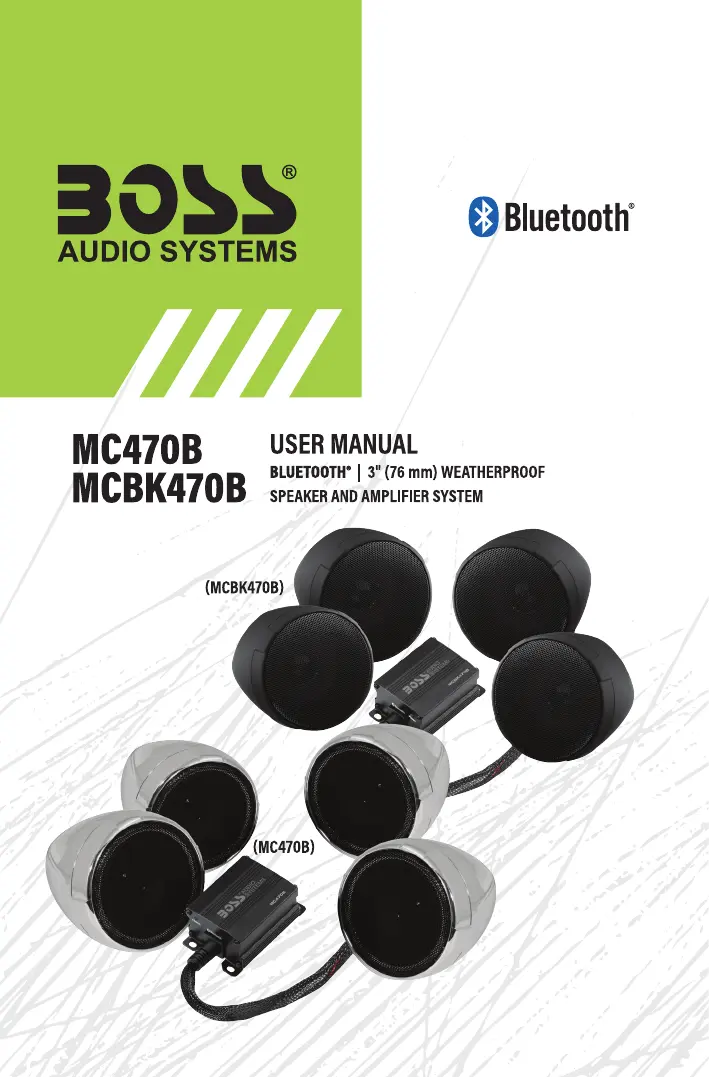
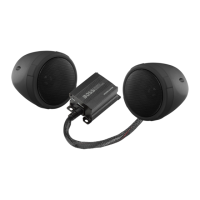
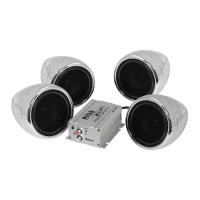
Overview of the Bluetooth speaker and amplifier system, its features, and intended use.

Package Contents

Lists all items included in the product package for user verification upon purchase.

Safety and Environmental Precautions

Important Safety Precautions

Guidelines for safe operation and handling of the product to prevent injury or damage.

Installation Precautions

Warnings and advice for safe and correct installation of the system.

Environmental Care

Guidance on proper disposal of electronic products to protect the environment.

Installation and Wiring

Mounting the Speaker Pods

Step-by-step guide to attach speaker pods to the handlebar using clamps.

Mounting the Amplifier

Instructions for securely installing the amplifier unit onto a suitable vehicle surface.

Mounting the Power;Volume Knob

Guidance on placing the power/volume knob in an accessible and safe location.

Wiring

Instructions for connecting the system's components to the vehicle's power source.

Power Source Connection

Details two methods for connecting the system to the vehicle's power supply.

Audio Features and Troubleshooting

Bluetooth Streaming

Guide on how to pair and stream audio wirelessly from a mobile device.

AUX Input

Instructions for connecting external audio devices using a 3.5mm audio cable.

Troubleshooting

Solutions for common issues like no power, no sound, Bluetooth connection problems.

Specifications

Boss MC470B Specifications

General IconGeneral
BrandBoss
ModelMC470B
CategorySpeakers
LanguageEnglish

Related product manuals