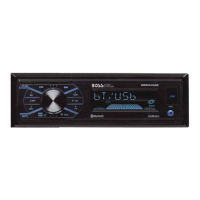
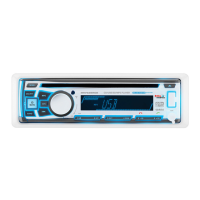
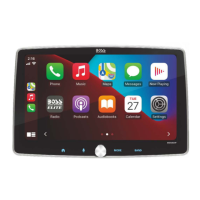
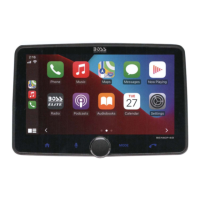
The BOSS Audio Systems MGV520B is a Bluetooth marine digital media AM/FM receiver, designed for use in marine environments with a weather-resistant IPX6 rating. It offers 240 watts of peak power and supports audio streaming via Bluetooth.
Function Description:
The MGV520B serves as a central audio unit for marine vehicles, ATVs, UTVs, and golf carts. It integrates AM/FM radio tuning, Bluetooth audio streaming, and USB media playback. The device features a user-friendly interface with a rotary knob and multiple buttons for control. It also supports auxiliary input (AUX IN) and has provisions for two camera inputs, allowing users to view rear camera images for enhanced safety and situational awareness. The star button on the unit has dual functionality: it can turn the auxiliary power on/off or activate/deactivate the camera display if set as a favorite in the camera menu.
Important Technical Specifications:
- Power Output: 240 Watts (Peak Power Rating: 60W per channel, 4 channels).
- Bluetooth: Version 5.0, with a range of 33 feet (10 meters). Supports A2DP profiles for audio streaming.
- FM Tuner Frequency Range:
- USA: 87.5~107.9MHz
- Europe, Asia, Australia: 87.5~108MHz
- Usable Sensitivity: 12dB (S/N=30dB)
- Bands: 3
- AM Tuner Frequency Range:
- USA: 530~1710KHz
- Europe, Asia, Australia: 522~1620KHz
- Usable Sensitivity: 40dB (S/N=20dB)
- Bands: 2
- USB Drive Media Supported: MP3 format, up to 32GB capacity. USB Output Voltage: 5VDC @ 1A.
- Chassis: Button Backlight Illumination: WHITE LED. F/R/S RCA Preamp Output: 2VRMS. RCA Input Impedance: 10kΩ.
- General:
- Power Source: 12VDC (12V ~ 16V allowable)
- Maximum Current Consumption: 15A
- Unit Weight: 2.29lbs/1.04kg
- Storage Temperature: -20℃ ~ 60℃
- Operation Temperature: -20℃ ~ 60℃
- Replacement Fuse: 15A
- Dimensions:
- Front Panel: 4.53" (115 mm) width, 4.25" (108 mm) height.
- Mounting Depth: 3.125" (79 mm) from the front panel to the back.
- Mounting Hole Diameter: 3" (76 mm).
Usage Features:
- Controls: The device features a rotary knob for volume control and EQ adjustments. Buttons include Power ON/OFF, Mode selection (RADIO-USB-BT-AUX/AV), Back to main menu, Video Input for rear view Camera, Lighting power supply output, Play/Stop, Track Skip (forward/backward), Fast Forward/Backward, Repeat ON/OFF, Mute, EQ presets (OFF-EQ1-EQ2-EQ3-EQ4-EQ5-EQ6), Band Switch (FM1-FM2-FM3-AM1-AM2), and Bluetooth disconnect.
- Radio Operation: Users can select RADIO mode, advance or skip previous stations, and recall or save presets by pressing and holding the desired preset button. The "APS" button allows for automatic scanning and storage of radio stations. Long pressing the track skip buttons initiates automatic up/down search for radio stations, with an "AUTO" and "MANUAL" search station switching mode.
- USB Operation: In USB mode, users can play/pause tracks, skip songs, or fast forward/backward through selections.
- Bluetooth Pairing: To pair a new device, users access Bluetooth Streaming via the MODE button. Android and iOS users follow specific steps to find "Boss Audio MGV520B" in their device's Bluetooth settings and enter the passcode "0000" if prompted. The unit automatically reconnects to the last paired device when powered on.
- Audio Settings: The system allows adjustment of Bass, Treble, Balance, Fader, and Subwoofer Volume (00-15). It also offers various EQ presets, Loudness control (ON/OFF), System Tone (ON/OFF), Stereo/Mono (ST ON/OFF), and Local/Distant (LOC ON/OFF) radio reception settings. Subwoofer filter frequencies can be set to 80Hz, 120Hz, or 160Hz.
- Camera Input: The device supports two cameras. Users can display the rear camera image by pressing a dedicated button. The unit can be configured to allow camera 1 or 2 as default.
Maintenance Features:
- Installation Precautions: It is recommended to consult a professional installer. The unit should be wired directly to the vehicle's battery, with the negative terminal disconnected first. An optional 15 Ampere fuse and fuse holder are suggested for the positive battery terminal. Ground cable length should be as short as possible, using high-quality copper wire. The unit is IPX6 weather-resistant but should not be submerged. Abrasive cleaning materials should not be used on the lens or bezel. Only provided installation parts should be used.
- Safety Precautions: Users are advised not to turn up the volume excessively, to use caution in hazardous situations, and not to operate mobile video equipment while driving. Volume should be increased slowly to avoid distortion or ear discomfort. In case of smoke, strange noises, or odor, power should be immediately turned off, and a BOSS AUDIO Service Center should be consulted to prevent permanent damage.
- Wiring: The manual provides a detailed wire diagram for proper installation, including connections for power, speakers, auxiliary input/output, video input, and USB.
- Troubleshooting Guide: A comprehensive guide addresses common issues such as the unit not turning on (blown fuse, ignition not engaged), no sound (blown speaker, low/muted volume, paused device), inability to pair Bluetooth (Bluetooth function not enabled, full BT memory), poor audio quality (poor BT reception), and unresponsive unit (power glitch, low battery, main system reset).
- Fuse Replacement: When replacing the fuse, ensure only the correct type is used and cover any disconnected leads with insulating tape to prevent short circuits.
- Grounding: The ground cable must be properly connected to metal parts of the vehicle's body frame or directly to the battery. Separate screws should be used for the unit's power amp ground and any second powered system ground to prevent fire or malfunction if a screw loosens.
- FCC Compliance: The device complies with FCC rules, but users are warned against unauthorized alterations that may result in hazardous radiation exposure. If interference occurs, relocating the antenna, increasing separation from the receiver, or connecting to a different circuit are suggested.

 Need help?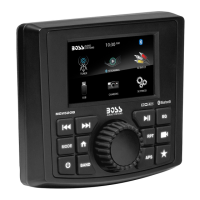

 To Next Page
 General