Need help?
Do you have a question about the Boss MR762BRGB and is the answer not in the manual?
Instructions on proper handling of discs to prevent damage and ensure playback.
General safety advice to reduce fire, electric shock risks, and general warnings.
Warnings related to lithium battery cells used in the remote control, including handling and disposal.
Steps to prepare for the installation process, including electrical connections and battery disconnection.
Specifies the required dashboard opening size for the unit.
Detailed steps for physically mounting the car radio unit into the dashboard.
Details the electrical connections for the car radio, including speaker and power wiring.
Instructions on how to remove the main unit from its mounting sleeve.
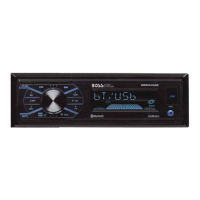
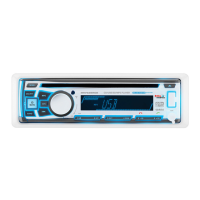
Identifies and describes the function of each button on the control panel.
Instructions on how to power the unit on and off using the front panel or remote.
How to control the audio volume using the knob or remote control.
Functionality for voice assistant access via Bluetooth.
Guide to accessing and adjusting various settings via the menu system.
Procedure for setting the clock time in 12 or 24-hour format.
How to switch between different audio sources like Radio, Disc, USB, AUX, and Bluetooth.
How to temporarily silence the audio output.
Information on connecting USB devices for playback or charging.
Instructions for removing the front panel for protection or access.
Location and purpose of the microphone for calls.
How to connect external audio devices via the AUX input.
Procedure to reset the unit to factory defaults in case of issues.
How to select the correct radio frequency band for your region.
Switching between FM1, FM2, FM3, AM1, and AM2 bands.
Steps for manually tuning radio frequencies up or down.
How to automatically scan for available radio stations.
Instructions for saving and retrieving favorite radio stations.
Using AMS to automatically store and scan preset stations.
How to select stations based on program type (Music/Speech).
Guide on inserting discs and USB devices for playback.
Instructions on how to eject discs and USB devices.
Controls for pausing and resuming playback.
Navigating between tracks on discs or USB devices.
How to fast forward or rewind through tracks.
Previewing the beginning of each track.
Setting repeat modes for tracks or folders.
Enabling random playback of all tracks.
Navigating through tracks and folders on discs or USB.
How to search and select specific MP3 tracks or files.
Connecting external audio devices using the 3.5mm or RCA inputs.
Steps to pair a mobile phone with the car audio system via Bluetooth.
How to switch audio source between the car system and a mobile phone during calls.
Instructions for making phone calls using the hands-free system.
How to stream audio wirelessly from a mobile device.
Using Push-To-Talk for smartphone voice assistant access.
Controlling the car audio system remotely via the iCar Link app.
Instruction to remove the battery insulating sheet for the remote to function.
Steps for replacing the remote control's battery.
Guidelines for operating the remote control effectively.
Detailed description of each button on the remote control.
Solutions for when the unit does not turn on.
Troubleshooting steps for disc loading and ejection issues.
Solutions for problems related to no audio output.
Reasons and fixes for audio skipping or interruptions.
How to resolve issues with unresponsive control panel buttons.
Solutions for poor or no radio signal reception.
How to fix issues with automatic station search not stopping.
Technical specifications for chassis dimensions, power, and current.
FM and AM radio frequency ranges, sensitivity, and IF frequency.
Details on supported audio formats, USB type, charging, and frequency response.
Bluetooth profiles supported and frequency range.

 To Next Page
 General