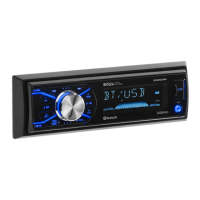
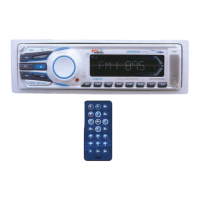
7. AUDIO OPERATIONS
4) AUDIO BUTTON
Press this button to select desired audio function.
While the selected function is displayed, turn Volume Knob to adjust the level within 5 seconds,
otherwise the unit will return to volume adjustment mode.
2) MUTE BUTTON (MUTE)
Press this button to mute the sound. Press it again to resume listening.
17) PRESET EQUALIZER BUTTON (EQ)
Press this button to toggle the following EQ settings:
At DSP OFF mode, EQ will be controlled by Bass/Treble setting.
13) BAND/LOUDNESS BUTTON (BAND/LOUD)
Press the Band/Loudness Button for couple of seconds to switch the loudness on or off. When
Loudness is on, display will show 'Loud On' for a few seconds.
ORDER OF FUNCTION:
VOLUME(VOL) -> BASS(BAS) -> TREBLE(TRE) ->BALANCE(BAL) ->FADER(FAD)
FLAT->CLASSICS->POP M->ROCK M->DSP OFF
10) VOLUME KNOB
E - 8
Turn this knob to adjust desired volume level.



 To Next Page