EasyManua.ls Logo

Boston Acoustics DT6000 - User Manual

Boston Acoustics DT6000
24 pages
Print Icon
To Next Page IconTo Next Page
Loading...
D i git alT h eater
6000
Integrated Home Theater System with Dolby
®
Digital Surround
BDT6000R (REV5).ƒ 11/22/99 5:45 PM Page 1
Question and Answer IconNeed help?

Do you have a question about the Boston Acoustics DT6000 and is the answer not in the manual?

Summary

Important Safety Instructions

Regulatory Compliance Statements

American Users

FCC compliance for digital devices in residential installations.

Canadian Users

Radio noise emission limits for digital apparatus in Canada.

European User Compliance

Japanese User Compliance

Australian and New Zealand User Compliance

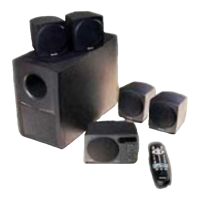
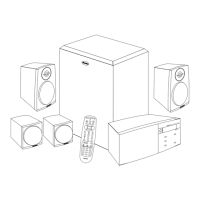
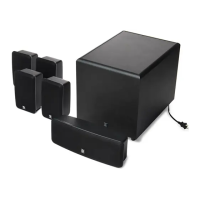
This Package Contains

Specifications

System Description

Dolby Digital Decoder

State-of-the-art decoder for digital audio streams.

Center Channel Unit

Integrated unit with center speaker, LED display, and IR receiver.

DigitalTheater 6000 Subwoofer

Provides dramatic bass impact with a 6.5-inch bass driver.

Digital Theater 6000 Satellites

Four satellite speakers for surround sound channels.

System Placement Guide

Center Channel Placement

Position the center channel speaker flush with the television front.

Subwoofer Placement

Corner placement provides most bass output; out-of-sight is acceptable.

Front Satellite Speaker Placement

Place front speakers to the sides of the monitor or TV.

Wall-mounting Satellite Speakers

Facing Out

Instructions for mounting satellite speakers facing outwards.

Satellite Speaker Mounting - Facing Up

AC Power Connection

Speaker Connection

Center Channel Speaker Connection

Connecting the center channel speaker to the subwoofer.

Satellite Speaker Connections

Source Connection

DVD Input

Connect DVD player's digital output to the subwoofer's digital terminal.

DSS Input

Connect DSS unit's digital output to the subwoofer's optical terminal.

VCR and Audio Input

Connect analog sources like TV, VCR, or CD player to the subwoofer.

LED Display Panel On Center Channel Unit

Numerical Level Indicator

Shows master volume and individual speaker trim levels.

Dolby Digital Mode

Indicates Dolby Digital signal detection.

2-channel Mode

Indicates 2-channel stereo operation.

Pro Logic Mode

Indicates surround sound processing.

LED Display Panel Functions

Night Mode

Reduces dynamic range for listening at low volumes.

Input Selection Indicator

Shows the selected audio/video source.

Speaker Status LEDs

Indicate active speakers during test tone and trim level setting.

Universal Remote Control Operation

Power and Device Controls

Controls for Boston Power, other devices, and input selection.

Volume, Channel, and Mute

Adjusts system volume, channels, and mute function.

Playback and Mode Settings

Controls VCR playback, surround modes, night mode, and test tone.

Numeric Keypad and Navigation

Used for programming remote, entering channels, and navigating.

Programming the Universal Remote

Button Reassignment for Remote Control

System Initial Setup - Test Tone

Adjusting Speaker and Subwoofer Volume

Watching a Movie on DVD

Watching TV from DSS

Listening to Music on CD via DVD Player

Listening to Music on CD Player

Watching a Movie on VCR

Limited Warranty Information

Service Assistance and Contact

Boston Acoustics DT6000 Specifications

General IconGeneral
BrandBoston Acoustics
ModelDT6000
CategoryHome Theater System
LanguageEnglish

Related product manuals