EasyManua.ls Logo

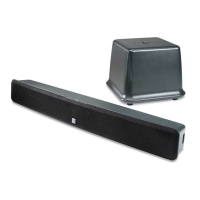
Boston Acoustics TVee 22 - User Manual

Boston Acoustics TVee 22
70 pages
Print Icon
To Next Page IconTo Next Page
Loading...
User Manual
TVee
Model 22

Questions and Answers

  • A
    Alexandra ClarkJul 29, 2025
    Why is there no sound coming from my Boston Acoustics Home Theater System?
    • M
      Michael SimpsonJul 29, 2025
      If you can't hear any sound from your Boston Acoustics Home Theater System, try these steps: First, increase the volume using the Volume Up button on the remote or the sound bar. Second, make sure the sound bar isn't muted by pressing the MUTE button on the remote. Third, select a different input source by pressing INPUT on the remote or the sound bar. Fourth, check the audio output setting, and set the source to output PCM. Also, confirm that the audio output setting is set to FIXED or STANDARD, not VARIABLE. Finally, ensure that the volume on your source device is turned up and that the device is not muted. Some TVs do not pass through digital audio, so connect directly to your Blu-ray or other source.
  • B
    Benjamin VasquezAug 4, 2025
    Why do I hear buzzing or humming from my Boston Acoustics TVee 22 Home Theater System?
    • K
      Kristi JohnsonAug 4, 2025
      If you hear buzzing or humming from your Boston Acoustics Home Theater System, ensure all cables and wires are securely connected. Then, try connecting a different source device (TV, Blu-ray player, etc) to see if the buzzing persists. You can also connect your device to a different input on the sound bar.
  • J
    Jennifer BrennanAug 9, 2025
    How to fix no power on my Boston Acoustics Home Theater System?
    • S
      Shannon ParkerAug 9, 2025
      If your Boston Acoustics Home Theater System has no power, first press the POWER button on the remote control or on the top of your sound bar. Second, ensure the power cord is securely connected. Third, plug a different device into the electrical outlet to verify that the outlet is working correctly.
  • E
    Eric JohnsonAug 16, 2025
    What to do if the remote isn't working for my Boston Acoustics TVee 22?
    • L
      lydia11Aug 16, 2025
      If the remote for your Boston Acoustics Home Theater System isn’t working, try replacing the remote batteries with new ones. Also, point the remote directly at the center of the Sound Bar when pressing a button. If you are using a Bluetooth connection, some of the buttons on the remote may not be supported by the streaming application.
  • C
    Cassandra DanielAug 22, 2025
    How to factory reset Boston Acoustics TVee 22 Home Theater System?
    • H
      haydenmicheleAug 22, 2025
      To perform a factory reset on your Boston Acoustics Home Theater System, press and hold the Bluetooth and Input buttons until the white light flashes 3 times, then release the buttons. The light will turn off, indicating the reset sequence has started.

Summary

Position Your Sound Bar

Connecting the TV

Optical Connection

Details how to connect the sound bar to a TV using an optical cable.

Connect the Power

Set Up the Remote

Verify the Connections

Remote Control Features

Remote Control Button Functions

Explains the function of each button on the remote control.

Remote Control Learning Function

Entering Remote Control Learning Mode

Guides on using the remote control learning feature for TV integration.

Clearing Learned Remote Control Codes

Guides on using the remote control learning feature for TV integration.

Tips and Troubleshooting

Safety Precautions

Important Safety Instructions

Limited 30-Day Consumer Warranty

Boston Acoustics TVee 22 Specifications

General IconGeneral
TypeSoundbar
Channels2.1
BluetoothYes
Weight4.4 lbs
Total Power30W
SubwooferWireless
InputsOptical

Related product manuals