Operation
MENU UP DOWN ENTER
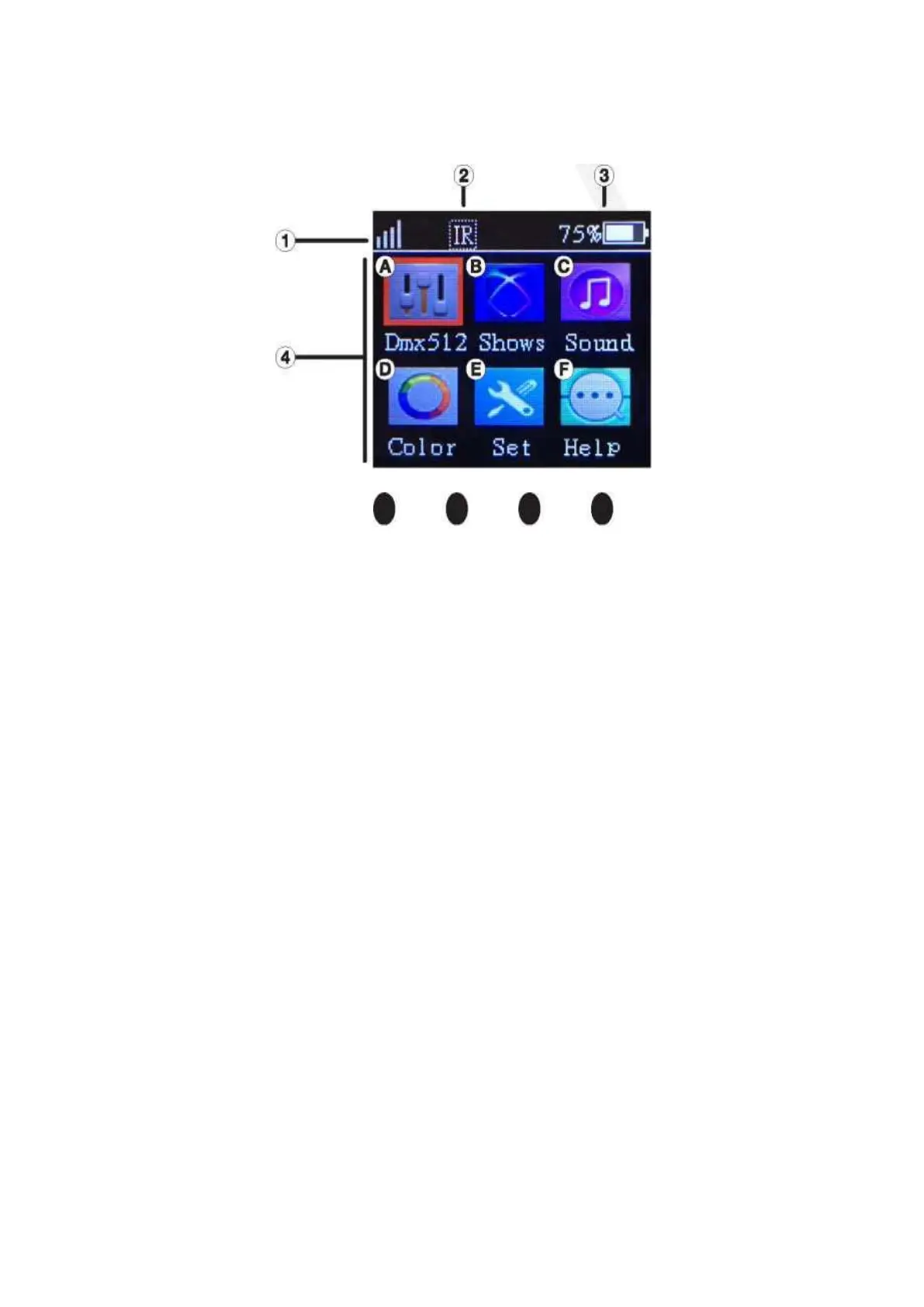
There are four touch buttons under the LCD display: Menu, Down, Up, Enter. Normally, the LCD will
display the current DMX address code of the fixture. At this time, press Menu to enter the main
menu. Use the Up or Down buttons to navigate to the desired functions. Press Enter to select the
function you want to set up. Once the item has been selected, press Up or Down to scroll through
the various options. To select an option, press the Enter button. Then use the Up and Down buttons
to adjust the option settings. Once the adjustment is done, press Menu to exit back to the options
screen. Press Menu again to return to the main menu, and yet again to return to the start-up screen
displaying the DMX address code.
1. Wireless DMX signal strength
2. IR On/Off indicator. When the function is off, the IR icon will not be displayed.
3.
Battery power indicators



 To Next Page