EasyManua.ls Logo

BougeRV FLASH-300 - Operating Instructions; Power and LED Controls; Port Activation; Frequency Switching

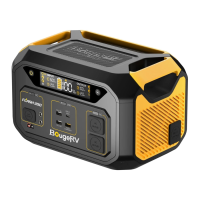
BougeRV FLASH-300
20 pages
Print Icon
To Next Page IconTo Next Page
To Previous Page IconTo Previous Page
Loading...
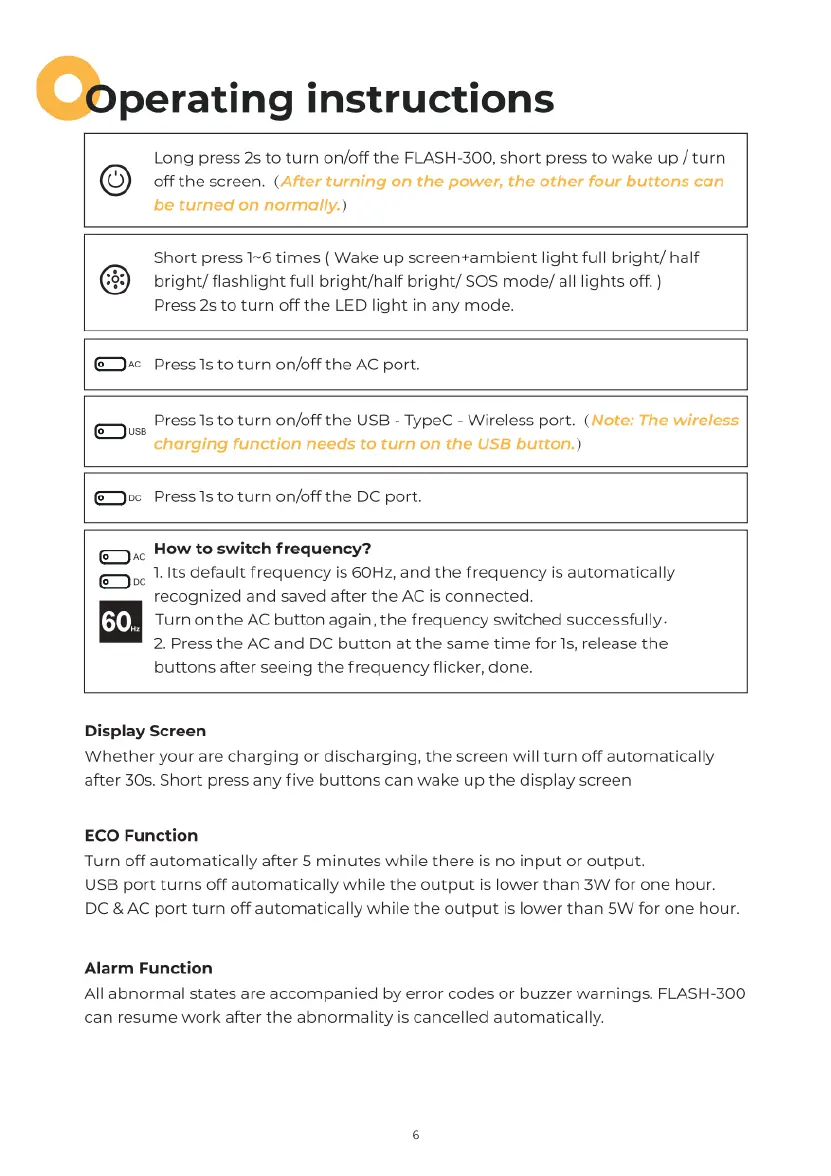
O)perating
instructions
Long
press
2s
to
turn
on/off
the
FLASH-300,
short press
to
wake
up
/
turn
off
the
screen.
(After
turning
on the
power,
the
other
four
buttons
can
be
turned
on
normally.)
Short
press
1~6
times
(
Wake
up
screen+ambient
light
full
bright/
half
bright/
flashlight
full
bright/half
bright/
SOS
mode/
all
lights
off.
)
Press
25
to
turn
off
the
LED
light
in
any
mode.
@+
Press
Is
to
turn
on/off
the
AC
port.
Press
s
to
turn
on/off
the
USB
-
TypeC
-
Wireless
port.
(Note:
The
wireless
charging
function
needs
to
turn on the
USB
button.)
@Dec
Presslsto
turn
on/off
the
DC
port.
.
How
to
switch
frequency?
.
1.
Its
default
frequency
is
60Hz, and
the
frequency
is
automatically
recognized
and saved
after
the
AC
is
connected.
m
Turn
on
the
AC
button
again,
the
frequency
switched
successfully
2.
Press
the
AC
and
DC
button
at
the
same
time
for
Ts,
release
the
buttons
after
seeing
the
frequency
flicker,
done.
Display
Screen
Whether
your
are
charging
or
discharging,
the
screen
will
turn
off
automatically
after
30s.
Short
press
any
five
buttons
can
wake
up
the
display
screen
ECO
Function
Turn
off
automatically
after
5
minutes
while there
is
no
input
or
output.
USB
port
turns
off
automatically
while
the
output
is
lower
than
3W
for
one
hour.
DC
&
AC
port
turn
off
automatically
while
the
output
is
lower
than
5W
for
one
hour.
Alarm
Function
All
abnormal
states
are
accompanied
by
error
codes
or
buzzer
warnings.
FLASH-300
can
resume
work
after
the
abnormality
is
cancelled
automatically.