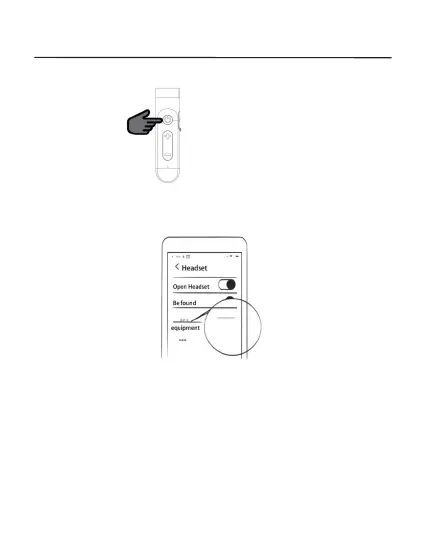
Press and hold 5s
Under power-off status, press and hold the MFB until the indicator light
eshes red and blue alternatively, then the Headset enters the
pairing mode.
NOTE: The headset will power off
automatically 3 minutes without
connection.
PAIRING STEPS
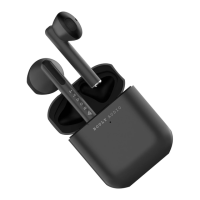
Turn on Bluetooth on your mobile, and the Model No. of the Headset, and
connect. Turn off Bluetooth of the mobile, and repeat the step above to
connect with the second mobile.


 To Next Page