Product Specification
How to Use Your Earbuds ?
Touch Controls
The Touch Area (Multi-Functional Touch Panel) is located in the
upper part of the earbuds handle.
Case Indicator
Light
Multifunctional
Touch
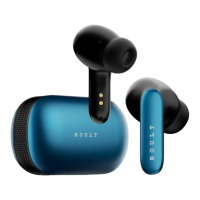
Product Name – TWS Bluetooth Headset
Model – Boult Audio AirBass
Bluetooth Range - ~10m/33ft (without any obstacles)
Earbuds Charging Time – 60 mins
Frequency Range - 20Hz - 20KHz
Technology - HFP/HSP/A2DP/AVRCP
Input - DC5V = 1A
Charging Case
Earbuds
Type C Charging Cable
Manual
Extra Pair of Eartips
Warranty Card
LED Functions
Charing The Case
Front LED flashes green continuously
Wearing Earbuds
The earbud marked with L is worn on the left ear and the earbud
marked with R is worn on the right ear.
Case Fully Charged
Front LED goes OFF
What’s in the Box ?
Know your Earbuds
Power ON:
Auto: Open the charging case and take out the earbuds to
Power ON.
Manually: Tap and hold the multifunction button (MFB) for 3
seconds.
Power OFF
Auto: Place both the earbuds in the charging case, close the lid.
Manually: Hold MFB for 5 seconds.
Power ON/OFF:
User Manual
Charging the buds
LEDs stays white
Pairing the buds
LEDs flashes white continuously

 Need help?

 To Next Page
 General