EasyManua.ls Logo

BOW HB092 - User Manual

BOW HB092
4 pages
Print Icon
To Next Page IconTo Next Page
Loading...
HB092
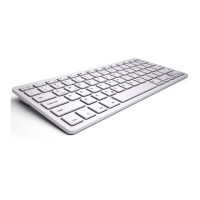
Bluetooth Keyboard for Android/Windows/IOS tablets & laptops
Packing contents:
1. Cordless keyboard
2. USB power charging cable
3. User manual
Bluetooth Keyboard Specification
1. Built-in Broadcom Bluetooth 3.0 keyboard.
2. Modern slim keyboard backside with brushed steel.
3. Chocolate keycap with scissors structure, good touch feeling.
4. Suitable for Android/Windows/IOS tablets, laptops, desktops, and all smartphones.
5. Built-in rechargeable lithium battery, last for approximately 60hours per charge.
6. Light weight, quiet keystrokes, water-proof, dust-proof.
7. Energy saving keyboard sleep mode.
8. Keyboard size: 281.7*135*4.3MM
Bluetooth Keyboard Specification and Pairing Instruction
Bluetooth Keyboard Specification
1. Bluetooth 3.0 interface standard
2. Operating Distance to 10 meters
3. Modulating System: GFSK
4. Operation Voltage: 3.0-4.2V
5. Working Current: <2.5mA
6. Standby Current: 0.3-0.5mA
7. Sleeping Current<40uA
8. Charging Current: >200uA
9. Standby Time: >100 days
10. Charging Time: >2hours
11. Lithium Battery Capacity:110mAH
12. Uninterrupted Working Time: > 64hours
13. Lithium Battery Life:3year
14. Lithium Battery Specification:38*20*35mm
15. Key Strength: 50g~80g
16. Key life: <3 million strokes
17. Operating Temperature:-10-+55 C
Bluetooth Keyboard Pairing
Step 1: Turn on the power toggle switch. The state indicator light will be on for 10 seconds, and
then the light will go off.
Step2: Press on“FN+C”button together on keyboard, the indicator light will be blinking.
Step3: Turn on Bluetooth setting in your device, your device will automatically find “Bluetooth
3.0 Keyboard”, then connect it.
Step4: Device showed Bluetooth had connected, keyboard state indicator light will turn off.
FCC ID:2AC9LHB092
Question and Answer IconNeed help?

Do you have a question about the BOW HB092 and is the answer not in the manual?

Overview

This document describes the HB092 Bluetooth Keyboard, a cordless keyboard designed for use with Android, Windows, and iOS tablets, laptops, desktops, and smartphones.

Function Description:

The HB092 is a wireless keyboard that connects via Bluetooth 3.0. It features a modern, slim design with a brushed steel backside and chocolate keycaps with a scissors structure, providing a good tactile feel. The keyboard is designed for quiet keystrokes and is water-proof and dust-proof. It includes an energy-saving sleep mode to conserve battery life. The keyboard supports multimedia keys, which can be accessed by long-pressing the "Fn" key in combination with F1-F12 and insert keys, primarily for Android system multimedia operations.

Important Technical Specifications:

  • Model: HB092
  • FCC ID: 2AC9LHB092
  • Bluetooth Standard: Bluetooth 3.0 interface
  • Operating Distance: Up to 10 meters
  • Modulating System: GFSK
  • Operation Voltage: 3.0-4.2V
  • Working Current: <2.5mA
  • Standby Current: 0.3-0.5mA
  • Sleeping Current: <40uA
  • Charging Current: >200uA
  • Standby Time: >100 days
  • Charging Time: >2 hours
  • Lithium Battery Capacity: 110mAH
  • Uninterrupted Working Time: >64 hours
  • Lithium Battery Life: 3 years
  • Lithium Battery Specification: 382035mm
  • Key Strength: 50g-80g
  • Key Life: <3 million strokes
  • Operating Temperature: -10°C to +55°C
  • Keyboard Size: 281.71354.3MM
  • Material: The keyboard case is made from steel with a high-grade finish.
  • Environmental Compliance: The product contains certain hazardous substances, with some components exceeding SJ/T11363-2006 Standards limits for lead (Pb) in cable, PWAs, and meter parts. However, all ingredients marked with 'X' in the form are up to ROHS standards, complying with the European directive 2002/95/EC on the restriction of the use of certain hazardous substances in electronic equipment.

Usage Features:

  • Pairing:
    1. Turn on the power toggle switch; the state indicator light will illuminate for 10 seconds and then turn off.
    2. Press "FN+C" simultaneously on the keyboard; the indicator light will blink.
    3. Enable Bluetooth on your device; it will automatically find "Bluetooth 3.0 Keyboard." Select it to connect.
    4. Once connected, the keyboard state indicator light will turn off.
  • Battery: The keyboard features a long-lasting rechargeable lithium battery with no memory effect, allowing it to be charged at any time. It can provide approximately 60 hours of use per charge. To extend service life, it is recommended to turn off the keyboard when not in use for extended periods.
  • Charging: When the battery is low, the power indicator light will blink. To charge, connect the USB-B end of the native USB power cable to the keyboard's charging interface and the USB-A end to a power adapter or computer's USB interface. The red indicator light will stay on during charging and turn green once fully charged.
  • Energy Saving Sleep Mode: The keyboard enters sleep mode after 10 minutes of inactivity, and the power indicator light turns off. To reactivate, press any key and wait 3 seconds.
  • Special Features: The keyboard case includes four rubber feet on the corners to prevent scratching.

Maintenance Features:

  • Cleaning: The silicone keyboard can be cleaned with water, alcohol, or alcohol-based disinfectant.
  • Troubleshooting (Unable to connect):
    • Ensure the power switch is on.
    • Verify the keyboard is within operating distance (10 meters).
    • Check if the battery is charged.
    • Confirm Bluetooth is enabled on your device.
    • Ensure the wireless keyboard is connected and paired with your device.
  • Troubleshooting (Unable to Charge Keyboard):
    • Ensure the USB power cable is properly connected to both the keyboard and the power source.
    • Verify the wall charger is plugged into a power outlet.
  • Safety Cautions:
    • Keep the keyboard away from sharp objects.
    • Do not place heavy objects on top of the keyboard.
    • Do not microwave the item.
    • Do not force or distort the keyboard.
    • Keep away from oil, chemicals, or any other organic liquids.
  • Battery Disposal: To dispose of the battery, insert a screwdriver between the plastic top and metal case, pry up and remove the plastic top (which will destroy the keyboard), turn the top over, remove tape from the battery, separate the battery from the circuit board, and dispose of the battery according to local laws. Recycle remaining keyboard parts.

FCC Compliance:

This device complies with Part 15 of the FCC Rules. Operation is subject to two conditions: (1) this device may not cause harmful interference, and (2) this device must accept any interference received, including interference that may cause undesired operation. Changes or modifications not expressly approved by the responsible party could void the user's authority to operate the equipment. If the equipment causes harmful interference, users are encouraged to try reorienting the receiving antenna, increasing separation between equipment and receiver, connecting the equipment to a different circuit, or consulting a dealer/radio/TV technician.
BOW HB092 Specifications

General IconGeneral
BrandBOW
ModelHB092
CategoryKeyboard
LanguageEnglish

Related product manuals