EasyManua.ls Logo

BOW HB098 - User Manual

BOW HB098
4 pages
Print Icon
To Next Page IconTo Next Page
Loading...
HB098
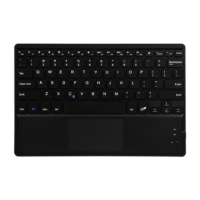
Bluetooth Keyboard for Android/Windows/IOS tablets & laptops
Packing contents:
1. Cordless keyboard
2.
User manual
Bluetooth Keyboard Specification
1. Built-in Broadcom Bluetooth 3.0 keyboard.
2. Modern slim keyboard backside with brushed steel.
3. Chocolate keycap with scissors structure, good touch feeling.
4. Suitable for Android/Windows/IOS tablets, laptops, desktops, and all smartphones.
5.
6.
Light weight, quiet keystrokes, water-proof, dust-proof.
Keyboard size: 281.7*135*4.3MM
Bluetooth Keyboard Specification and Pairing Instruction
Bluetooth Keyboard Specification
1. Bluetooth 3.0 interface standard
2. Operating Distance to 10 meters
3. Modulating System: GFSK
4. Operation Voltage: 3.0-4.2V
5. Working Current: <2.5mA
6. Standby Current: 0.3-0.5mA
7. Sleeping Current<40uA
8.
9.
Standby Time: >100 days
10.
11.
12.
Uninterrupted Working Time: > 64hours
Key Strength: 50g~80g
Key life: <3 million strokes
Operating Temperature:-10-+55 C
Bluetooth Keyboard Pairing
Step 1: Turn on the power toggle switch. The state indicator light will be on for 10 seconds, and
then the light will go off.
Step2: Press on“FN+C”button together on keyboard, the indicator light will be blinking.
Step3: Turn on Bluetooth setting in your device, your device will automatically find “Bluetooth
3.0 Keyboard”, then connect it.
Step4: Device showed Bluetooth had connected, keyboard state indicator light will turn off.
FCC ID:2AC9LHB098

Questions and Answers

Summary

Packing Contents

Bluetooth Keyboard Specifications

General Features

Highlights key features like broadcom Bluetooth 3.0, slim design, chocolate keycaps, and compatibility with multiple devices.

Bluetooth Keyboard Specifications and Pairing Instructions

Detailed Bluetooth Keyboard Specifications

Provides detailed technical specs: interface, operating distance, voltage, current, standby time, working time, key strength, and temperature.

Bluetooth Keyboard Pairing

Step-by-step instructions on how to turn on the keyboard and pair it with a device via Bluetooth.

Special Notes and Safety Information

Energy Saving Sleep Mode

Explains how the keyboard enters sleep mode after inactivity and how to wake it up.

Safety Precautions

Lists essential safety warnings, including keeping the item away from sharp objects, heavy objects, and chemicals.

Cleaning Instructions

Guidance on how to clean the silicone keyboard using water or alcohol-based disinfectant.

Troubleshooting Connectivity

Provides steps to resolve issues when the keyboard is unable to connect to a device.

Product Information and Disposal

Special Keys Description

Details the use of Fn key combinations with F1-F12 and Insert for multimedia operations.

Special Features and Options

Describes the keyboard case material, finish, and the function of rubber feet for scratch prevention.

Product End of Life: Battery Disposal

Step-by-step guide on how to safely remove and dispose of the keyboard battery according to local laws.

Table of Toxic and Hazardous Substances

Lists the content of toxic and hazardous substances in various keyboard components as per standards.

FCC Compliance

FCC Rules Compliance Statement

States the device complies with FCC part 15 rules and the conditions for operation, including interference.

BOW HB098 Specifications

General IconGeneral
ConnectivityBluetooth 3.0
Operating RangeUp to 10 meters
Key MaterialABS
BacklightNo
CompatibilityiOS, Android, Windows
Keyboard LayoutQWERTY

Related product manuals