EasyManua.ls Logo

BOW HB088 - User Manual

BOW HB088
3 pages
Print Icon
To Next Page IconTo Next Page
Loading...
User Manual
HB088
Thank you for using BOW keyboard, please reading the usage specification carful before you use
it.
Product
1. power
Turn on when sliding on-off to left, turn off when sliding on-off right.
2. power supply pilot lamp: the pilot lamp will be green at most 5 second when turn on the
power, then extinguish.
Capital and small letter pilot lamp: click CAPS LOCK keycap to cut the capital and small letter.
When the pilot lamp is blue, it is capital form.
3 . MICRO battery charging joint: only for keyboard
4. battery charging pilot lamp : when charging , the lamp is red, when saturation, the lamp is
green. Unpin the line of charging , the lamp extinguish.
The keyboard of shortcut key
Turn on multimedia pause/play last
Next up volume down volume
Mute browser search
Favorite turn off insert
Screen shot page up page down
Delete backwards head page foot page
Code connect
Remarks: all of those keycaps of shortcut key must use with FN keycap together, like Fn+
( except the code connect key) .
The keyboard characteristic
1, exclusive using can adopt to tablet PC, all-in-one computer, table model computer and so on.
2,it has adapter conceal function, so , it I s easy to carry with you when you go out.
Question and Answer IconNeed help?

Do you have a question about the BOW HB088 and is the answer not in the manual?

Summary

Product Features and Operation

Power and Indicator Lights

Details power on/off switch, pilot lamp behavior, and capital letter indicator status.

Charging Port and Battery Indicator

Specifies the MICRO USB charging joint and the battery charging pilot lamp behavior.

Keyboard Shortcut Functions

Multimedia and Navigation Shortcuts

Lists shortcut keys for multimedia, navigation, and browser functions, noting FN key requirement.

Keyboard Characteristics and Design

Device Compatibility and Portability

Highlights compatibility with various devices and the adapter conceal function for portability.

Ergonomic Keycap Design

Describes the ergonomic keycap design, touching feel, and R angle for visual effect.

Keyboard Technical Parameters

Electrical and Lifespan Specifications

Lists parameters like starting up current, sleeping current, battery capacity, and key life.

Safety Precautions and Warnings

General Safety and Danger Warnings

Provides warnings regarding fire, electric shock, and specific dangers like high temperature.

Handling and Environmental Safety

Advises on keeping the device away from tools, radiation, stress, and chemicals.

Battery Charging Procedure

Charging Connection and Indicator

Explains how to connect the charger and the behavior of the charging indicator lamp.

FCC Compliance Information

Class B Digital Device Compliance

Details FCC rules, limits for digital devices, and conditions for operation to avoid interference.

Modifications and User Authority

States that unauthorized modifications can void user authority to operate the equipment.

Manufacturer Information

Company and Contact Details

Provides company name, website, QQ group, and service hotline for BOW and Hastech.

Overview

This document describes the BOW HB088 keyboard, a wireless peripheral designed for various computing devices.

Function Description:

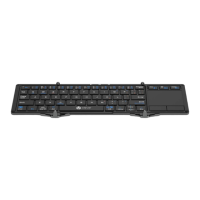
The BOW HB088 is a wireless keyboard primarily designed for use with tablet PCs, all-in-one computers, and desktop computers. Its main function is to provide an input interface for typing and controlling these devices. The keyboard features a standard QWERTY layout with additional shortcut keys for multimedia control and system functions. It operates wirelessly, offering convenience and portability. The device incorporates an adapter conceal function, making it easy to carry.
Important Technical Specifications:

  • Battery: Lithium battery 3.7V 280mA.
  • Key Life: 3 million strokes.
  • Power Management: Includes starting up current, waiting current, sleeping current, sleeping time, working current (Cap for on), awaken current, and awaken ways. Specific current values are not provided in the manual.
  • Connectivity: Wireless, with a code connect function.
  • Structure: All-in-one pothook style and scissor foot style structure, designed for light key vigor and high keycap smoothness and stability.
  • Ergonomics: Keycaps are designed ergonomically to improve finger feel, and the R angle of keycaps enhances visual effect.

Usage Features:

  • Power On/Off: The keyboard is powered on by sliding the switch to the left and off by sliding it to the right.
  • Power Indicator: A green pilot lamp illuminates for up to 5 seconds when the power is turned on, then extinguishes.
  • Capital/Small Letter Indicator: Clicking the CAPS LOCK keycap toggles between capital and small letters. A blue pilot lamp indicates capital form.
  • Charging Port: A MICRO USB joint is provided for battery charging.
  • Charging Indicator: The charging lamp is red when charging and turns green when fully charged (saturation). It extinguishes when the charging cable is disconnected.
  • Shortcut Keys: The keyboard includes various shortcut keys for functions such as:
    • Multimedia control (pause/play, up volume, down volume, last, next, mute)
    • Browser
    • Search
    • Turn off
    • Insert
    • Screen shot
    • Page up
    • Page down
    • Delete backwards
    • Head page
    • Foot page
    • Code connect
    • All shortcut keys, except the code connect key, must be used in conjunction with the "Fn" key (e.g., Fn + [shortcut key]).
  • Code Connect: The keyboard can be put into code connect mode by clicking ESC+Q.
  • Compatibility: Designed for tablet PCs, all-in-one computers, and desktop computers.

Maintenance Features:

  • Battery Charging: When the battery's electric quantity is low, the lamp will "glint with green" (likely flash green) to indicate the need for charging.
    • To charge, connect the original USB B port to the keyboard's charging port.
    • Connect the USB A port to a power adapter or a computer's USB port.
    • During charging, the lamp will be red. It will extinguish once charging is complete (equilibration).
  • Safety Precautions:
    • Avoid unsafe usage to prevent fire, electric shock, or keyboard breakdown.
    • Keep away from high temperatures.
    • Keep away from sharp tools.
    • Keep away from radiation (e.g., microwave).
    • Do not extrude, shock, or curve the device.
    • Keep away from oil, chemicals, and organic solvents.
  • FCC Compliance: The device complies with Part 15 of the FCC Rules, indicating it has been tested and found to meet limits for a Class B digital device. Users are advised on measures to correct potential interference, such as reorienting antennas or increasing separation from other equipment. Modifications not expressly approved by the responsible party could void the user's authority to operate the equipment.

BOW HB088 Specifications

General IconGeneral
BrandBOW
ModelHB088
CategoryKeyboard
LanguageEnglish

Related product manuals