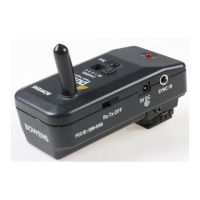
Rx Card ‘Learn mode’ operation.
Follow the set-up instructions to put the card in
‘learn mode’.
These settings are stored in the card and retained
until changed.
The card settings can only be changed during the
first 10 seconds after powering on the monolight.
If no change is required then wait at least 10
seconds before operating the radio transmitter.
If the settings require changing then repeat the
set-up sequence.
Depending on the current card setting, one of
the following will occur.
1.If the channel and studio setting received from
the transmitter are the same as that currently
set in the card then the card will switch to OFF.
2.If the channel and studio setting received from
the transmitter are different then the new
channel will be saved and the card set to ON.
3.If no valid signal, or less than 4 valid signals are
received while in ‘learn mode’ then the current
channel and studio settings will be retained
and the card set to ON.
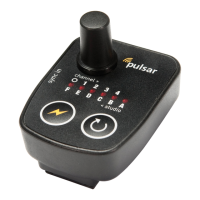
Channel Select:
To select a CHANNEL, press the select button.
This will show the channel that is selected by
flashing the LED under that number. Press the
button while the LED is flashing to scroll through
the channels, left to right from O-4 (All -4), stop
pressing the button once the desired channel is
selected. This channel setting is then stored in
the memory.
The selected channel LED will light when the unit
is triggered to confirm a signal has been sent.
Studio Select:
To select a STUDIO, press and hold the select
button for 2 seconds, the LEDs will light from
side to side and stop on the currently set studio.
Release the button and use single button presses
to scroll through the studios, right to left from A-
F, stop pressing the button once the desired
studio is selected. After 5 seconds the LEDs will
scroll, side to side.
The studio setting is now stored in the memory.
Pulsar Tx Instructions.
Symbol Key:
Flash Test
Select


 To Next Page
 Loading...