9
Quick Start Guide
Bowens.co.uk XMT user guide
Quick Start Guide
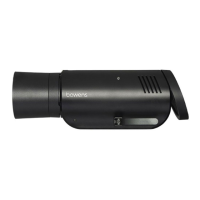
Stand Mounting
1. Pull the Angle Adjustment Latch away from the unit to unlock the Stand Mount.
2. Remove the Stand Mount from the storage channel.
3. Place the XMT500 on top of a suitable support stand.
4. Secure the XMT500 in place by turning the Stand Mount Thumbscrew.
5. Adjust the XMT500 to the desired angle and close the Angle Adjustment Latch to lock in
place.
Reflector Removal and Mounting
1. To remove a relector/ light modifier, pull the Modifier Release Latch away from the front
end of the unit.
2. Turn the modifier and pull away from the main unit.
3. To attach a modifier, align the reflector mount with the mount on the flash head, push
together and turn to click/lock in place.
Umbrella Mounting
1. Open your chosen umbrella and slide it into the umbrella mount.
2. Once in the desired position turn the thumb screw to lock in place.
Power
• To turn the power ON, press and hold the POWER button.
• To turn the power OFF, press and hold the POWER button.



 To Next Page