User’s Manual
5
Operation ( Sleep / Awake Mode )
With the device charged, the Bowex Boost
™
device is active and is either in Sleep or
Awake mode. Be sure to switch it between modes for more accurate activity details for the
time of day.
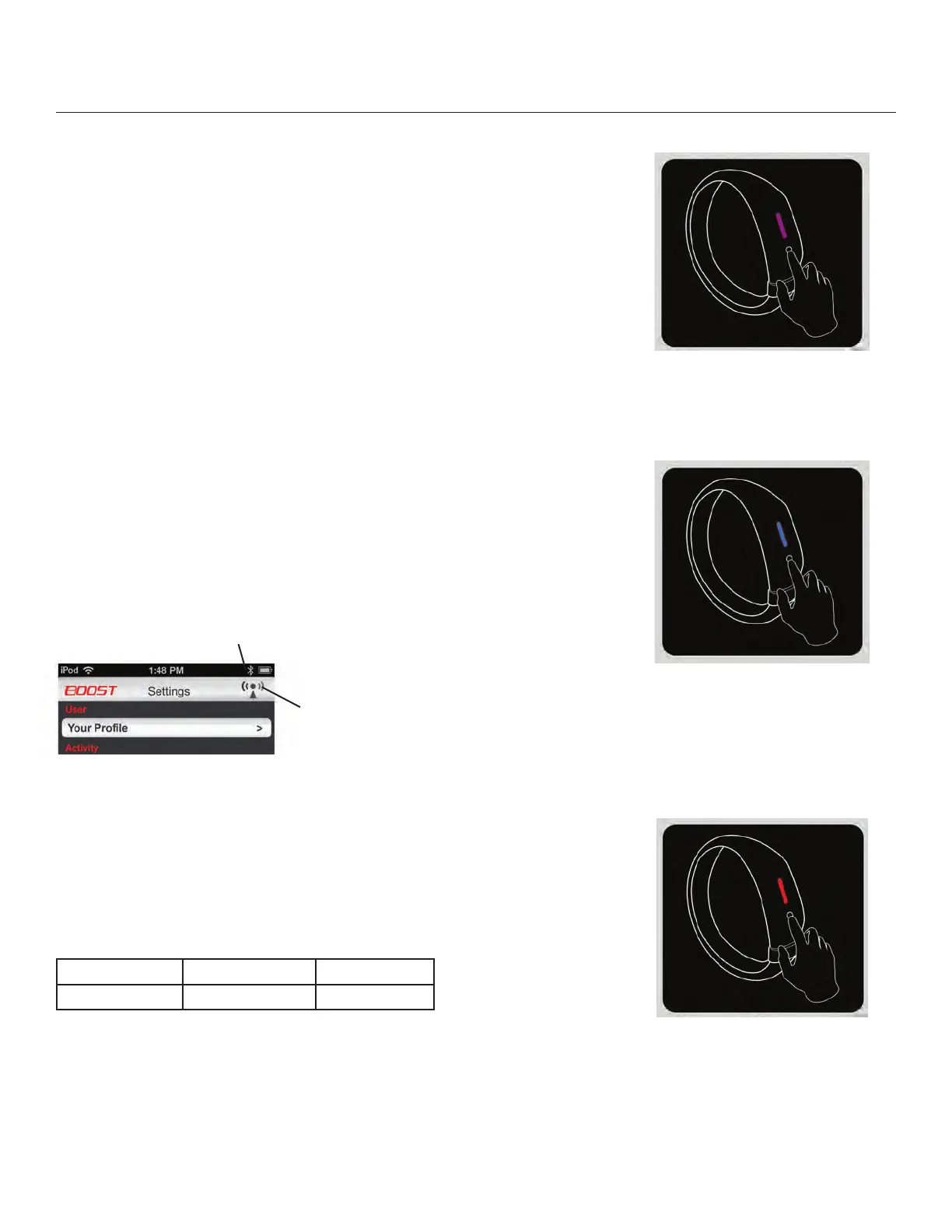
Before sleeping, put the device into Sleep mode. Push and hold down the button for 3
seconds. The purple LED will activate for 2 seconds to conrm that the device is in Sleep
mode.
Note: if you push the button and the purple LED shows for 2 seconds, the device is in
Sleep mode.
When you wake up, put the device into Awake mode. Push and hold down the button until
the purple LED ashes two times.
Syncing the Bowflex Boost
™
Device
To sync your Bowex Boost
™
device, place it near your iProduct and push and hold down
the button for 5 seconds. The LED will shift from red to a purple to blue, and then blink
blue as the information is exported to your iProduct.
Note: Be sure that your iProduct is set to receive a Bluetooth
®
transmission.
As the App receives the information, the Bluetooth
®
icon will begin to ash. After a few
seconds the Sync icon will ash, and then the Activity totals will be updated with the new
information in about 20 seconds.
Achievements and Goal Indicator
While in Awake mode, your Bowex Boost
™
device can quickly tell you how close you are
toward your goal by the color of the LED. From red to green, your Bowex Boost
™
device
will be subtly encouraging you along with your activity. The chart will help you see where
you are in relation to your goal.
Simply push the button to see the indicator light up with your current activity achievement
level color:
RED LED YELLOW LED GREEN LED
0-50% 51-99% 100%
Operations
Bluetooth
®
icon
Sync icon


 To Next Page
 Loading...