User’s Manual
8
Maintenance
Equipment must be regularly examined for damage and repairs. The owner is responsible to make sure that regular maintenance
is done. Worn or damaged components must be repaired or replaced immediately. Only manufacturer supplied components can
be used to maintain and repair the equipment.
This product, its packaging, and components contain chemicals known to the State of California to cause cancer, birth
defects, or reproductive harm. This Notice is provided in accordance with California’s Proposition 65. If you would like
additional information, please refer to our website at www.nautilus.com/prop65.
Daily: Examine the exercise device and charging pod for loose, broken, damaged, or worn parts. Do not use if found
in this condition. Repair or replace all parts at rst sign of wear or damage. After each workout, use a clean,
dry cloth to wipe the device. Keep the charging pod clean and dry.
Weekly: Clean the device fully with a clean cloth lightly dampened with warm water and a small amount of mild soap.
Wipe dry with a separate cloth.
Note: Do not use petroleum based products or cleansers containing enzymes.
NOTICE: Do not clean with a petroleum based solvent or an automotive cleaner.
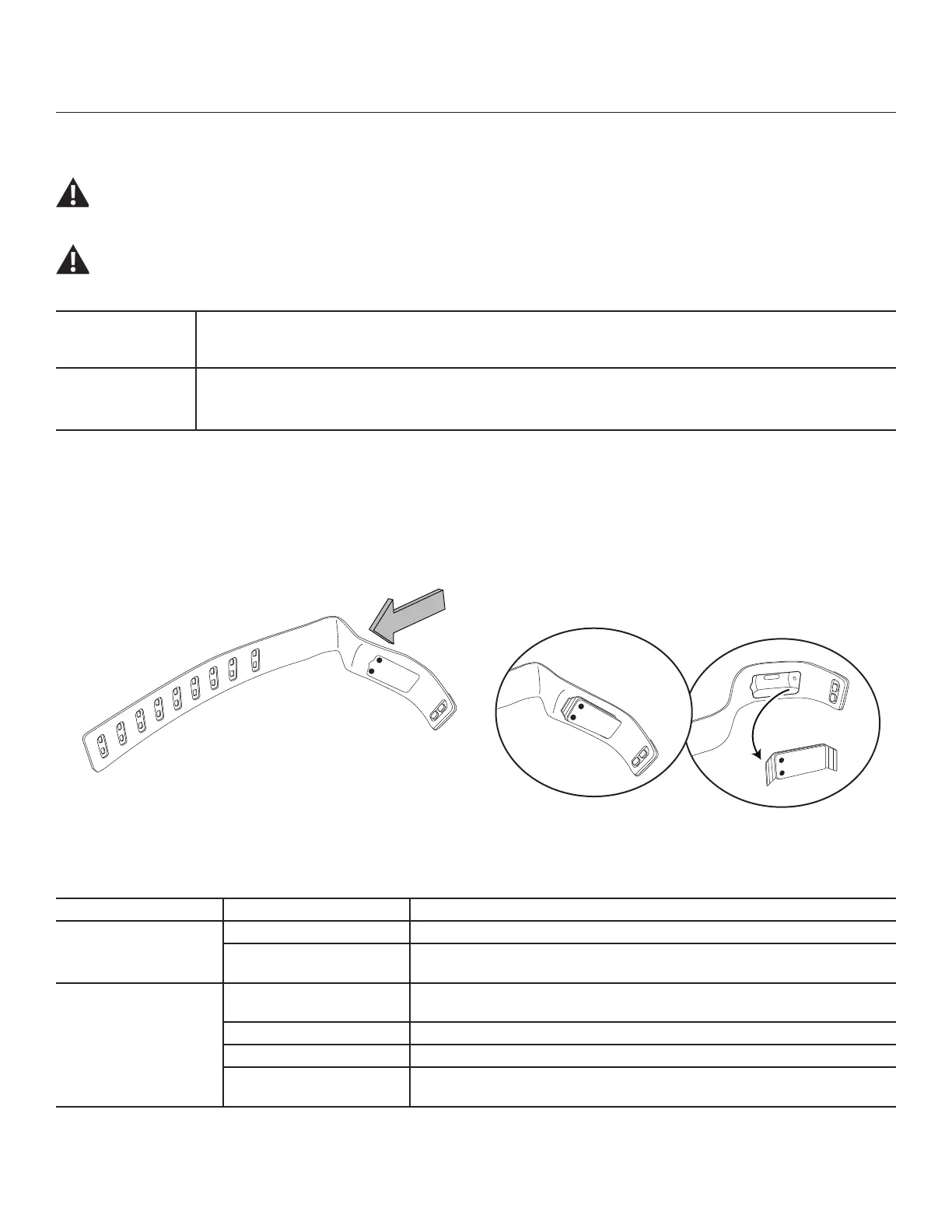
Cleaning the strap
The Module can be removed from the device to allow the inside of the strap to be washed. Use a clean cloth lightly dampened with
warm water and a small amount of mild soap. Be sure the strap is fully dry before replacing the Module, and to orient it correctly in the
strap.
Maintenance / Troubleshooting
Troubleshooting
Condition/Problem Things to Check Solution
Device does not charge Power Supply Check to see if the USB device has power
Charging Nodes Inspect the Charging Nodes on the Charger and device, be sure they are
clear of debris
Device does not sync
with iProduct
Correct app installed? Install the “Bowex Boost” app from the iTunes
®
store.
Proximity to iProduct Place the iProduct closer to the device and try again.
Bluetooth
®
4.0 BLE enabled Be sure Bluetooth
®
4.0 BLE has been activated on the iProduct.
Charge Be sure the device has an adequate charge to allow syncing. If unsure,
charge and try again.


 To Next Page
 Loading...