
 Need help?
Do you have a question about the Bowflex SelectTech 560 and is the answer not in the manual?
Locate and record safety warning labels and the unique serial number for product identification and support.
Connect via Bluetooth, use the Fitness Trainer App for workouts, tracking, and features like 6-Week Challenge.
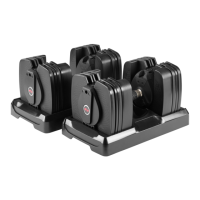
Familiarize yourself with the dumbbell's function, including safe removal and weight selection.
Install AAA batteries into the sensor assembly and secure it to the dumbbell base.
Download, pair the app, and ensure a clear workout space for safe and effective use.
Learn the function of the locking mechanism for weight plate selection and retention.
Perform tests to ensure the locking mechanism operates correctly for safe dumbbell use.
Clean the dumbbell assembly with a damp cloth; avoid solvents and do not disassemble.
Understand the battery icon for low power and proper battery replacement procedures.
Understand who is covered, what the product warranty covers, and its terms.
Learn user obligations for warranty, and what damages or conditions are excluded from coverage.
Follow procedures to contact Nautilus for warranty service and support for purchased products.
 General
| Brand | Bowflex |
|---|---|
| Model | SelectTech 560 |
| Category | Accessories |
| Language | English |

 To Next Page