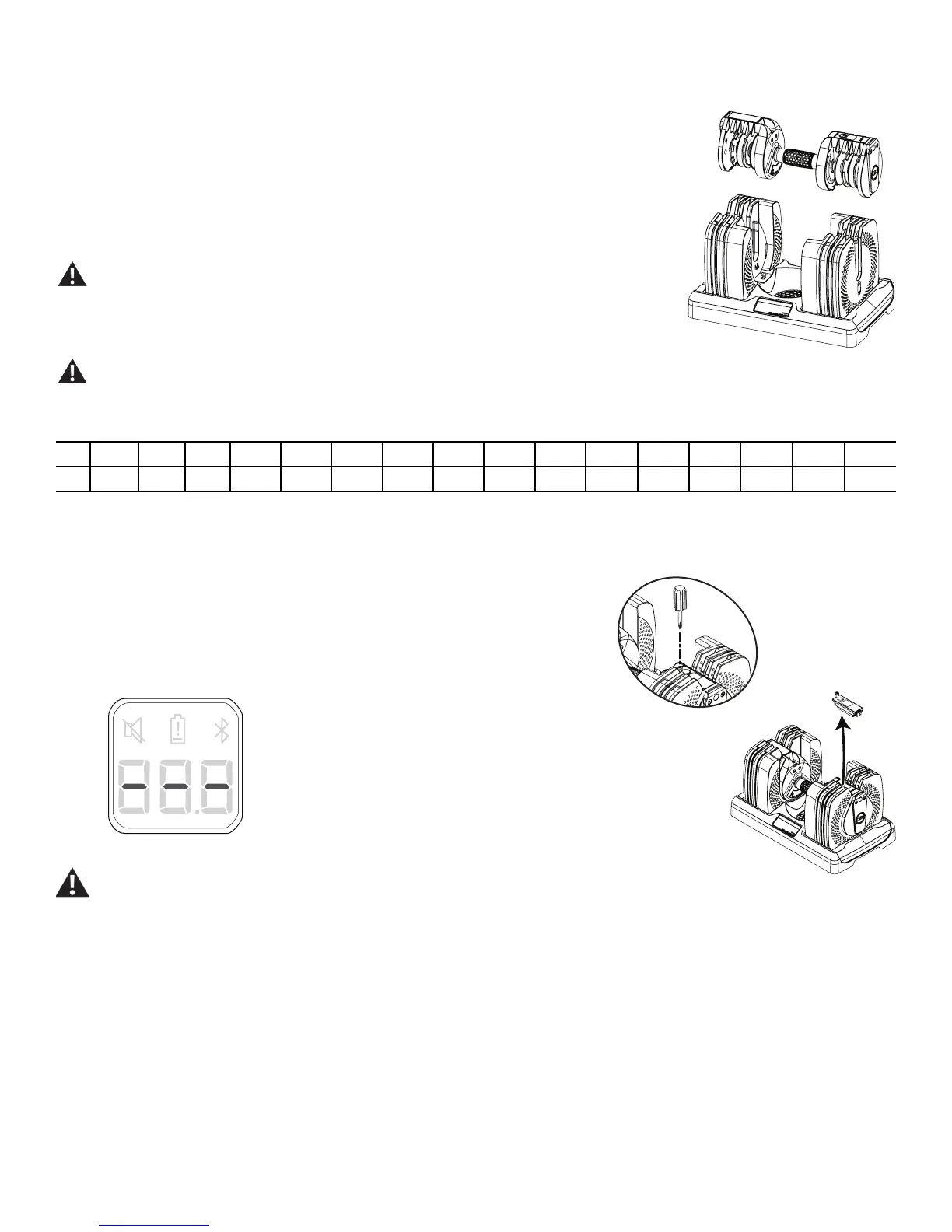
5. With the Adjustment Grip set to 5, pull the Handle Assembly straight up from the Base. This will
remove only the Handle Assembly from the Base, and let all of the Weight Plates stay in the Base.
The Handle Assembly without plates gives the initial weight of 5 lbs (2.3 kg).
6. The dumbbell Weight Plates are symmetrical. The handle is inserted with either end facing the user.
NOTICE: When you remove the dumbbell from the Base or return it to the Base, use a vertical motion,
perpendicular to the Base. Do not tilt the dumbbell or move it laterally (parallel to the Base)
until it is fully clear of the unselected weight plates.
Do not lean on the dumbbell handles or use them to support your body weight, such as using
them as a base to perform a push up. Doing so will damage the weight plates and/or the locking
mechanisms, and can cause the weight plates to disengage (drop) from the handle without
warning. This can cause serious injury, and will void the warranty.
Inspect the dumbbells prior to each use. Do not use a dumbbell with worn or damaged parts.
Contact Customer Service for repair information.
There are 16 weight increments:
lbs 5 7.5 10 12.5 15 17.5 20 22.5 25 30 35 40 45 50 55 60
kg 2.3 3.4 4.5 5.7 6.8 7.9 9.1 10.2 11.3 13.6 15.9 18.4 20.4 22.7 24.9 27.2
Getting Started (Battery Installation)
1. Using a small Screwdriver, loosen the screw on the Sensor Assembly and remove it from
the dumbbell.
2. Insert the AAA (LR03) batteries into the Sensor Assembly. The display will show three
dashes with power supplied.
Do not mix old and new batteries.
Do not mix alkaline, standard (carbon-zinc), or rechargeable (Ni-Cd, Ni-MH, etc) batteries.
3. Insert the outer part of the Sensor Assembly, and then pivot it into the Dumbbell.
4. Using a Screwdriver, secure the Sensor Assembly to the Dumbbell.
5. Download the free Bowflex 3DT™ App to your Bluetooth
®
enabled smart device. The App is available on Google Play
™
and iTunes
®
.
6. Open the App and pair your Bluetooth
®
enabled smart device to the Bowflex
®
SelectTech
®
560 Dumbbell.
Note: When synced, the dumbbell will display the Bluetooth
®
icon.
7. Be sure the workout area is clear of obstacles or bystanders.
Assembly / Owner’s Manual
6


 To Next Page