10
Connection and Setting
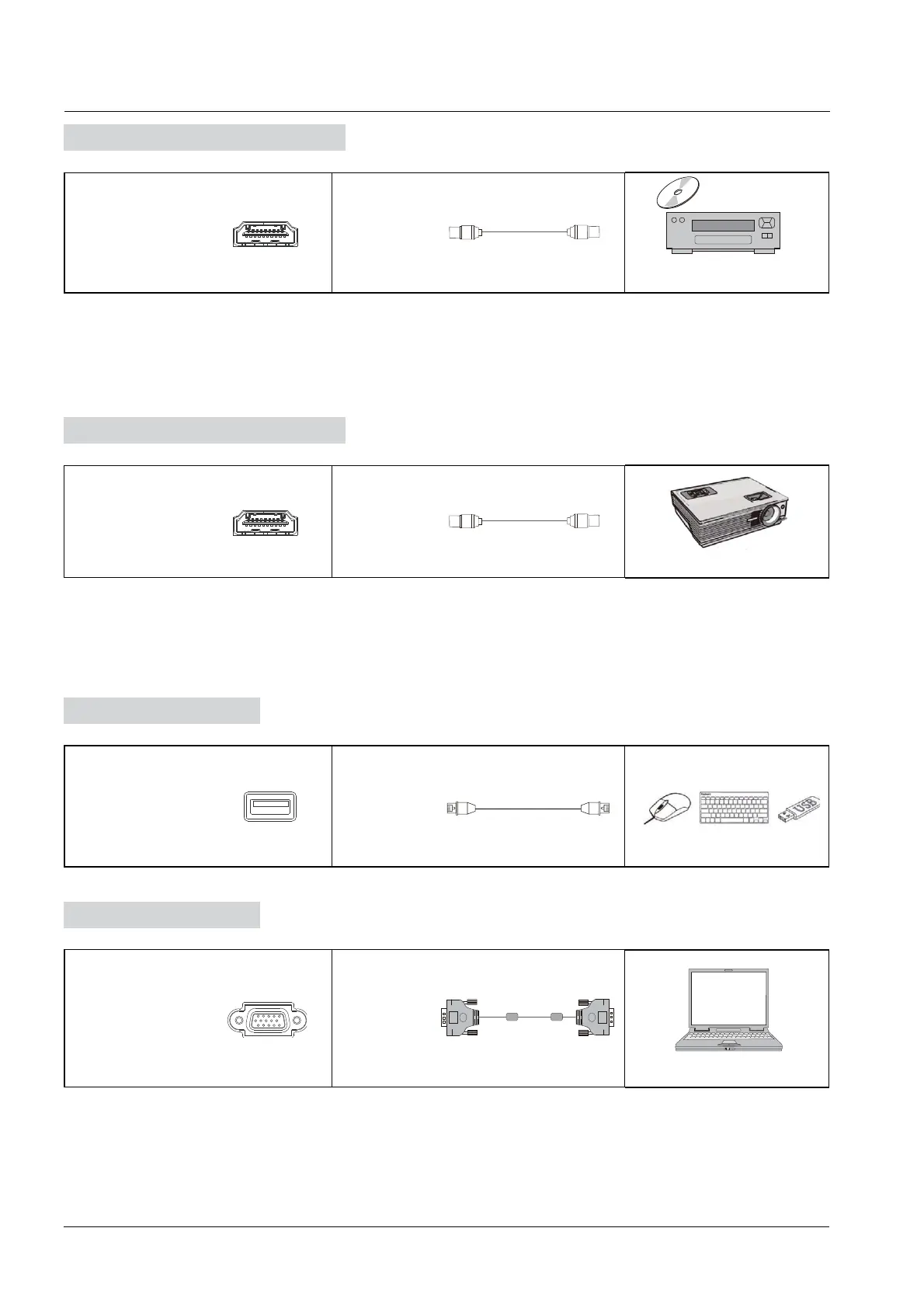
1) Use HDMI cable to connect audio and video equipment with HDMI output.
2) After cable connection, plug in power cord, and switch power on.
3) Press POWER to turn equipment on.
4) Press INPUT key to switch to HDMI port.
1) Use HDMI cable to connect audio and video equipment with HDMI input.
2) After cable connection, plug in power cord, and switch power on
3) Press POWER to turn equipment on
After using serial port cable to connect central control equipment and machine, certain function
of the machine can be controlled via central control equipment, such as: machine ON/OFF, and
adjustment of sound volume, etc.
Audio and Video Equipment
Audio and Video Equipment
RS232 Connection
HDMI HDMI cable
DVD Disc Player
HDMI HDMI cable
Projector
RS232
Serial Port
cable
Projector
USB Connection
USB USB cable
Internet


 To Next Page