19
Android Function
> How to connect with the IFP?
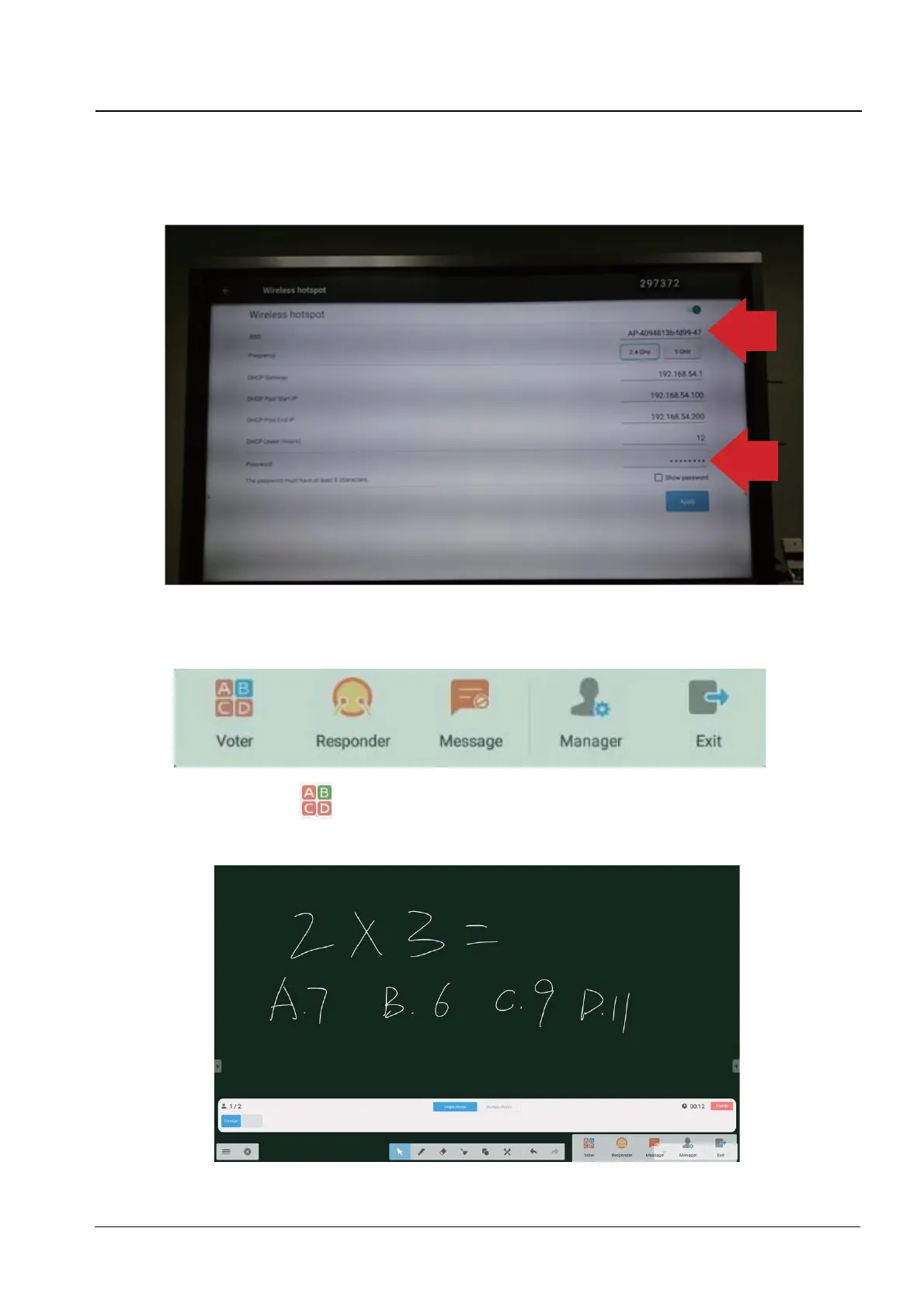
Click “Settings > Wirekess hotspot”and make sure that the mobil device are on the same
/$1ZLWK,)3:KHQ¿QLVHGVHWWLQJSOHDVHXVHWKHPRELOGHYLFHWRVFDQWKH45FRGHRQWKH
screen.
> Enter the class
After most of students joined the class, you can click the “ENTER THE CLASS” button to
enter the class. Then button panel as above will show.
(1) Voter : Click the
button, and the answer bar appears on the lowest corner of the
teaching interface. Click “single choice” or “multiple choice” to select the question
type.


 To Next Page