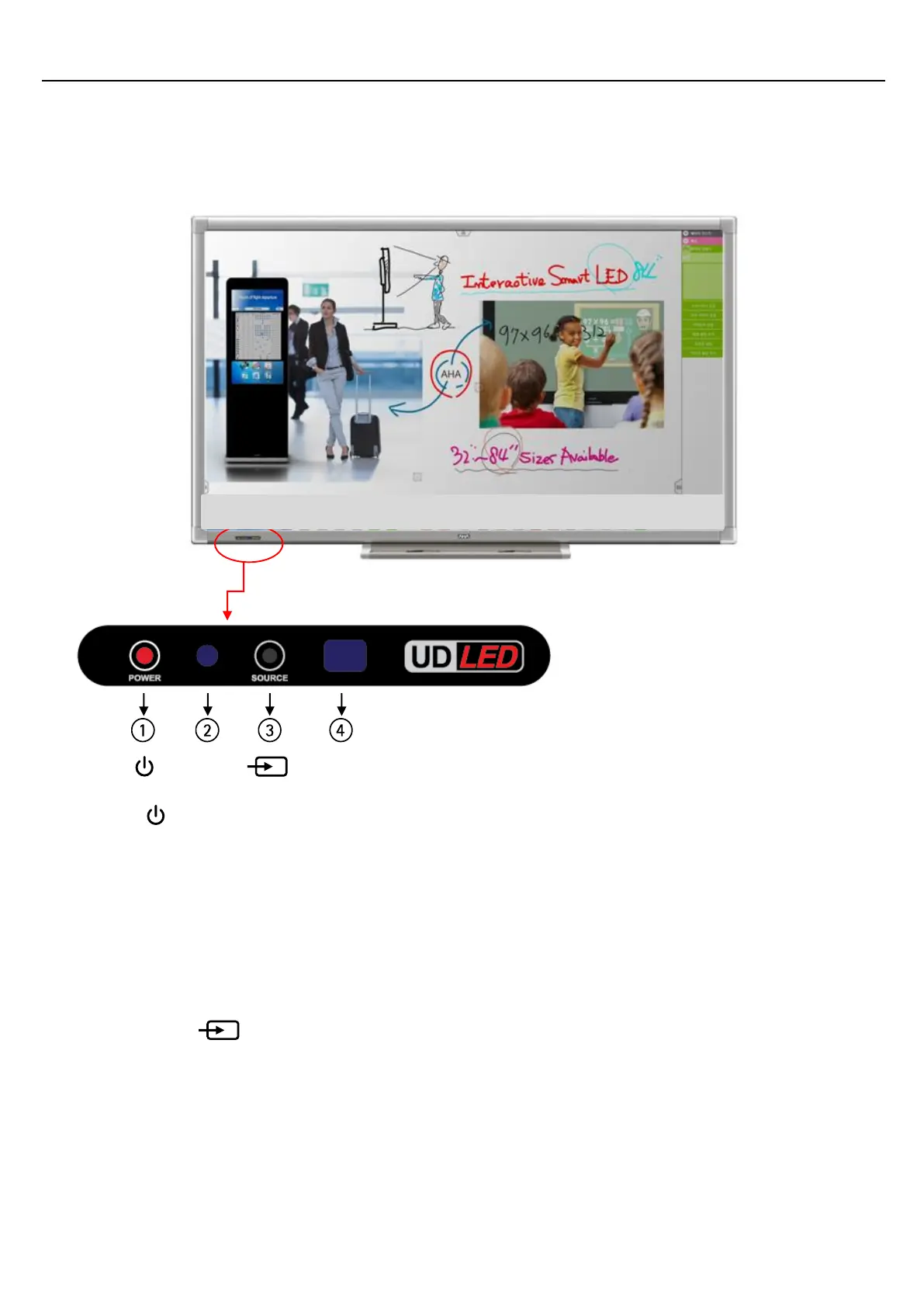
Front
1) POWER( )
Turns the LED Display On/Off.
2) LED
Shows Power ON mode -- BLUE
Shows Power Saver mode by blinking RED.
Shows Power OFF mode -- RED.
3) SOURCE (INPUT )
Switches from PC mode to Video mode.
Changing the source is only allowed for external devices that are connected to the LED Display at the time.
4) IR Sensor
Aim the remote control towards the IR sensor to send commands using your display’s remote control.


 To Next Page