Connection
Connecting a Computer
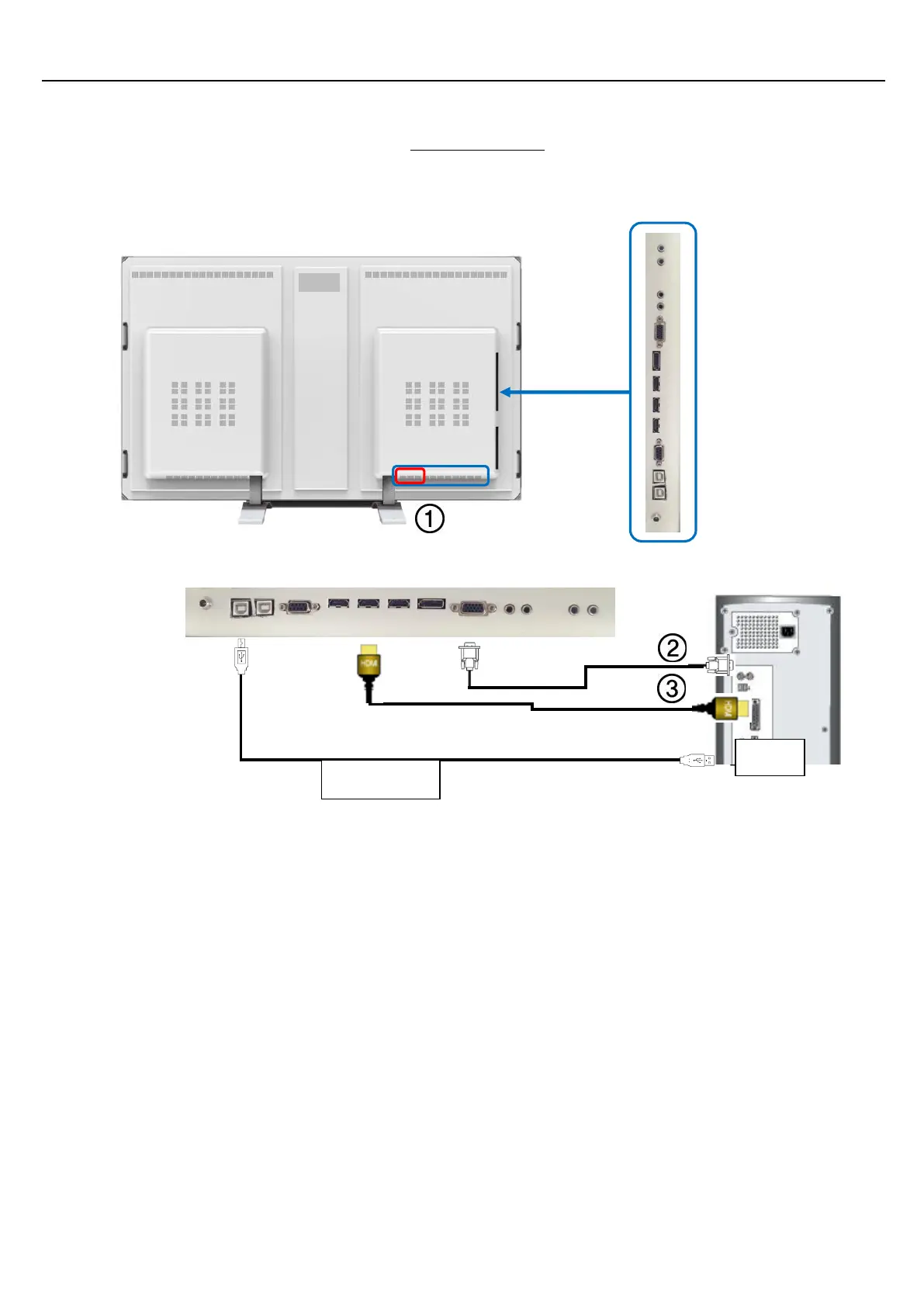
1. Connect the LED display’s power cord to the display and the appropriate electrical plug. Turn the display
on by pressing the Power button on the display or remote.
2. Using the D-sub (Analog) connector on the video card: Connect the D-sub to the 15-pin, RGB port on
the back of your LED Display and the 15 pin D-sub port on the computer.
3. Using the HDMI(DVI) connector on the video card: Connect the HDMI(DVI) Cable to the HDMI (HDCP)
port on the back of your LED Display and the HDMI(DVI) port on the computer.
4. Using the USB (TOUCH) connector on the PC USB terminal: Connect the USB(A-B) Cable to the USB port
on the back of your LED Display and the USB port on the computer.


 To Next Page