Press ◁ or the Menu Button to move or go back
to the previous menu options.
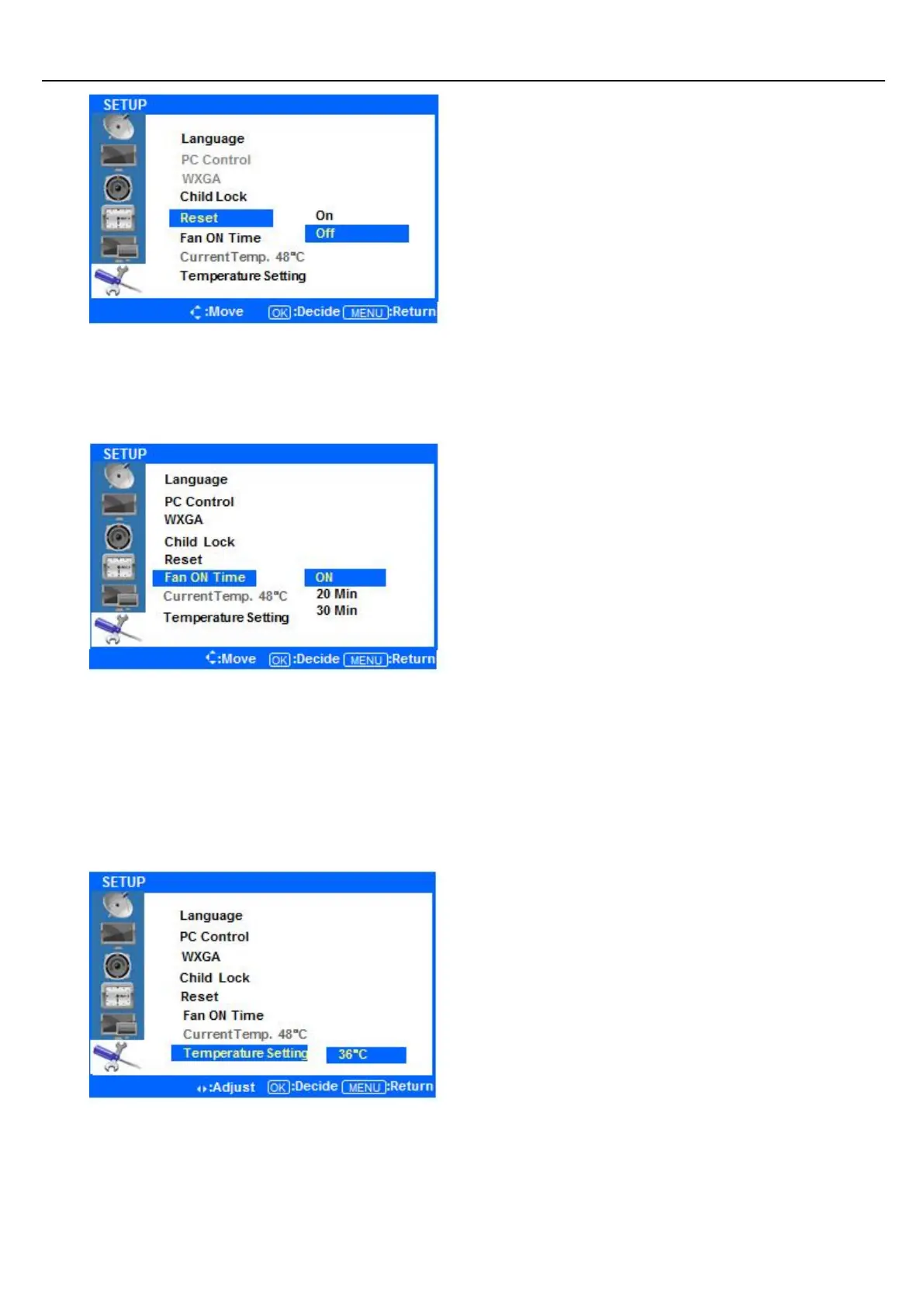
Press the ▲/ ▼buttons to highlight Reset. Press
the ENTER Button.
Press the ▲/▼ buttons to select On Off, and press
the ENTER button to confirm. Selecting Reset On
will return all OSD menu settings to their factory
defaults. Selecting Reset Off will cancel and exit the
menu.
Press ◁ or the Menu Button to move or go back
to the previous menu options.
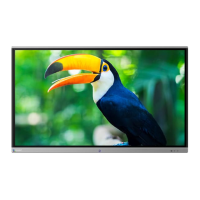
Press the ▲/ ▼buttons to highlight Fan ON Time.
Press the ENTER Button.
Press the ▲/▼ buttons to select ON/20 Min/30
Min and press the ENTER button to confirm. When
ON is selected, the display’s fan will operate
constantly. If 20 Min or 30 Min are selected, the
display fan will operate for those durations when
the temperature selected in Temperature Setting is
met.
.◆ SETUP Temperature Setting
Press ◁ or the Menu Button to move or go back
to the previous menu options.
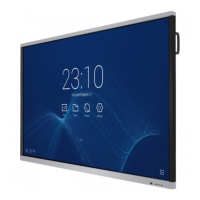
Press the ▲/▼ buttons to highlight the
Temperature Setting Menu, and press the ENTER
button to adjust the level.
Press the ◁/▷ buttons to select the temperature
setting at which the fan will operate. Values
between 35˚C~80˚C are possible. Press the ENTER
button to select the level.
After finishing your adjustments, press the [Exit] button to exit the OSD MENU.


 To Next Page