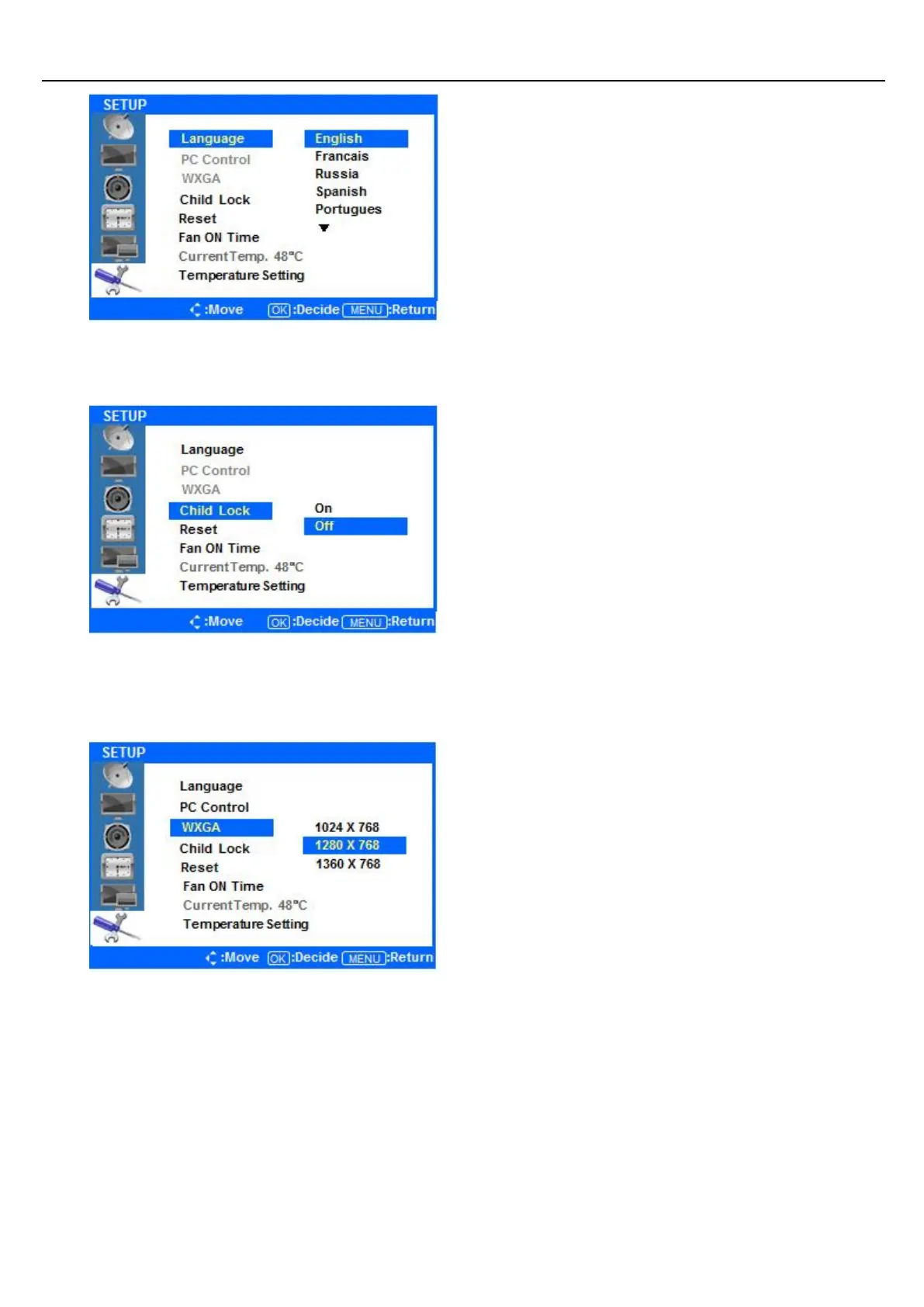
Press the ▲/▼ buttons to select Language, and
press the ENTER button to view and select
available languages. Use the ▲/▼ buttons to
highlight the language you would like to use and
press the ENTER button to select it.
◆ Setup Child Lock (deactivate display buttons)
Press ◁ or the Menu Button to move or go back
to the previous menu options.
Press the ▲/ ▼ buttons to highlight Child Lock,
and press the ENTER Button.
Press the ▲/▼ buttons to select ON or OFF. Press
the ENTER button to choose either option. ON will
lock the display’s buttons so that you can only
control through the remote.
◆ SETUP WXGA
Press ◁ or the Menu Button to move or go back
to the previous menu options.
Press the ▲/▼ buttons to highlight the WXGA
Menu, and press the ENTER button to view the
available resolutions.
Press the ▲/▼ buttons to highlight your desired
resolution, and press the ENTER button to select it


 To Next Page