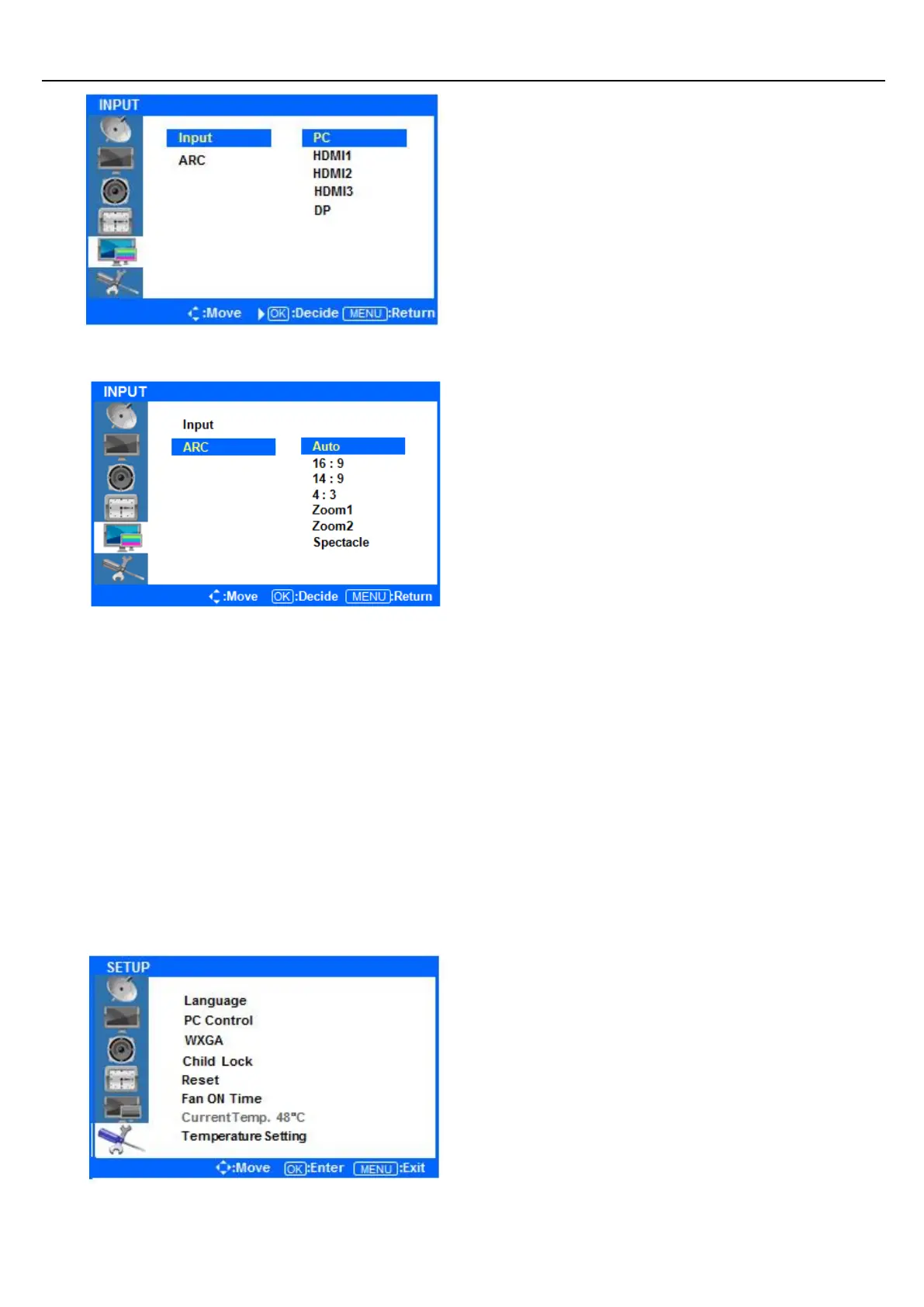
Press the ▲/▼ buttons to highlight either
PC/HDMI1/ HDMI2/HDMI3/DP. Once the desired
input is highlighted, press the ENTER button to
select it.
Only sources that are connected to the display can
be selected.
◆ Selecting the screen ratio
Press ◁ or the Menu Button to move or go back
to the previous menu options.
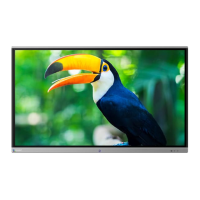
Press the ▲/▼ buttons to highlight ARC (Auto Ratio
Control), and press the ENTER button to view the
available settings.
Press the ▲/▼ buttons to select either AUTO/16:9/
14:9/4:3/Zoom1/Zoom2/Spectacle. After highlighting
the desired screen ration, press the ENTER button to
select it.
After finishing the adjustment, Press the [Exit] Button to exit the OSD MENU.
Setup Menus
◆ Press the [MENU] Button.
The OSD Main MENU will be shown.
◆ Entering the SETUP MENU
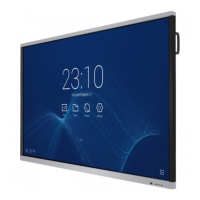
Press the ▲/▼ buttons to highlight SETUP and
press the ENTER Button.


 To Next Page