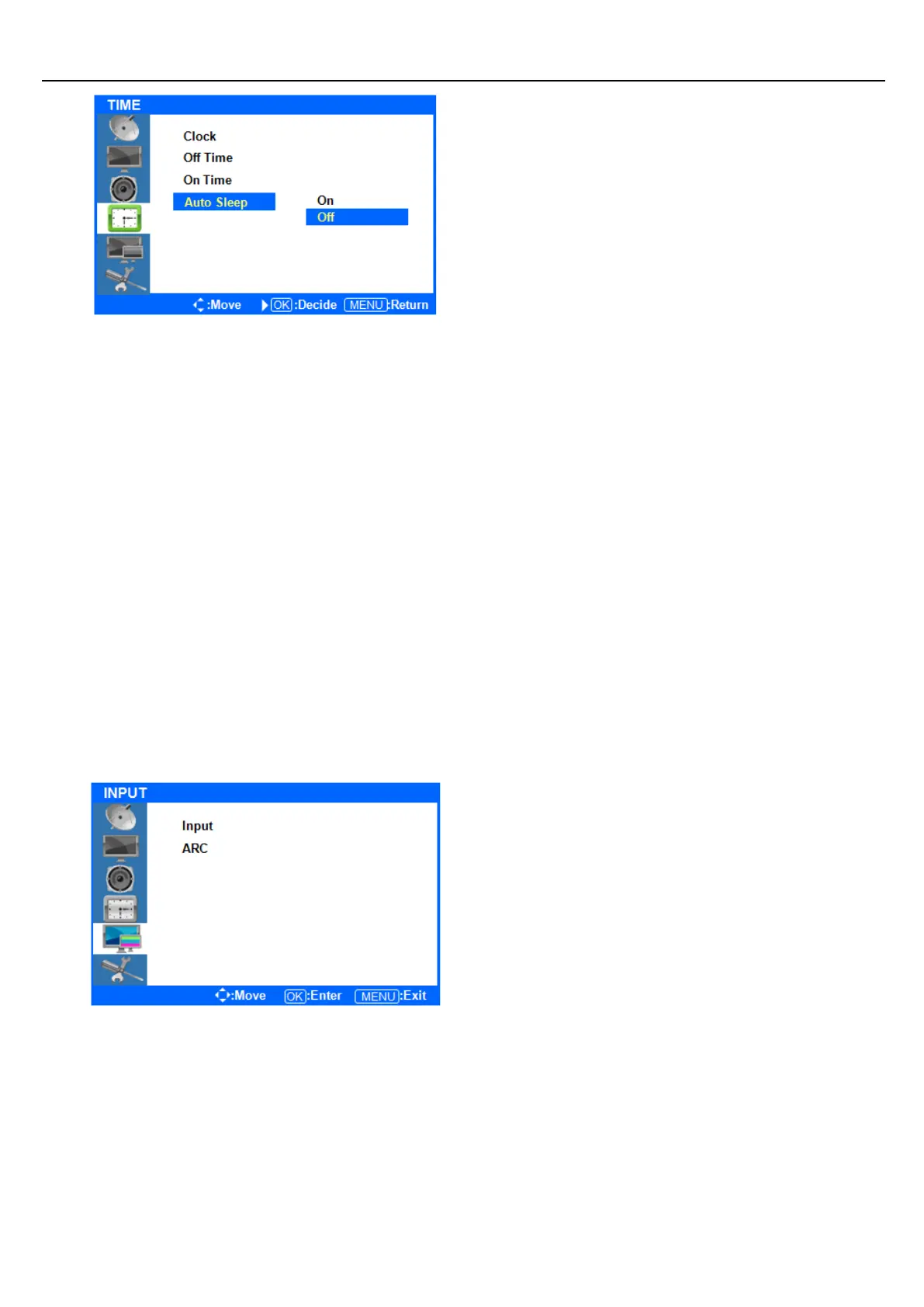
If Auto Sleep mode is ON, the screen will go to
sleep when no input signal is received and 5
minutes have passed.
Press ◁ or the Menu Button to move or go back
to the previous menu options.
Press the ▲/▼ buttons to highlight Auto Sleep,
and press the ENTER button to change the
settings.
Press the ▲/▼ buttons to select OFF or ON, and
press the ENTER button to select it.
After finish your adjustments, press the [Exit] Button to exit out of the OSD MENU.
Input Menus
◆ Press the [MENU] Button.
The OSD Main MENU will show.
◆ Entering the Input MENU
Press ▲/▼ Button to highlight Input, Press the
ENTER button to enter and view the available
settings.



 To Next Page