Press the ▲/▼ buttons to adjust the time, and press
the ENTER button to confirm it.
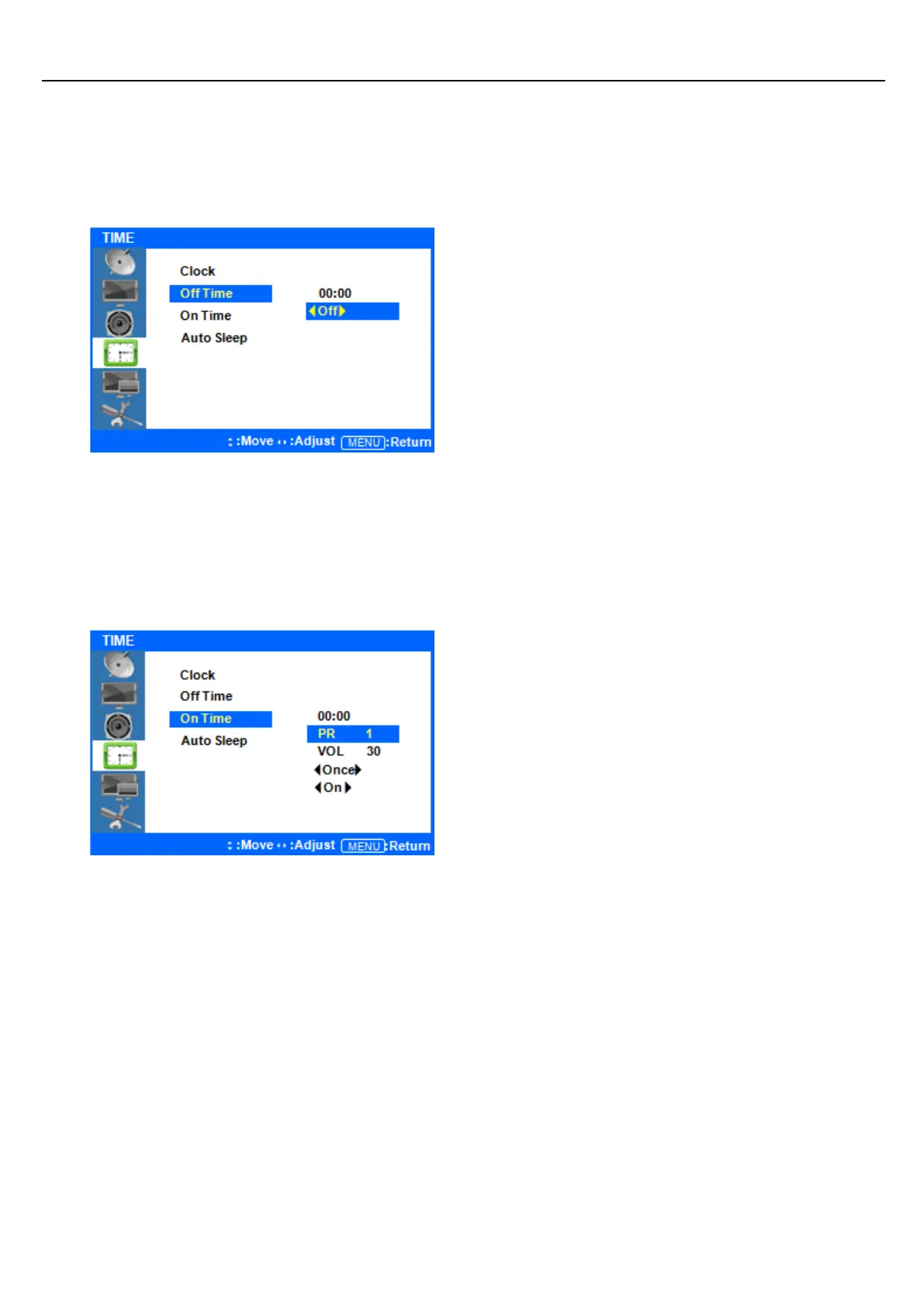
◆ Setup System OFF Time
Press ◁ or the Menu Button to move or go back
to the previous menu options.
Press the ▲/▼ buttons to highlight Off Time, and
press the ENTER button to select it.
Press the ▲/▼ buttons to highlight Off, and press
the ◁/▷ buttons to turn this feature on or off.
Press the ▲/▼ buttons to highlight the time, and
press ◁/▷ buttons to adjust the minutes and
hours. Set the time you would like the display to
automatically power off. Exit to save these settings.
Press ◁ or the Menu Button to move or go back
to the previous menu options.
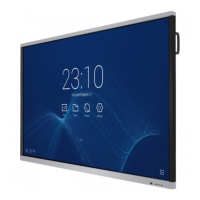
Press the ▲/▼ buttons to highlight On Time, and
press the ENTER button to adjust the settings.
Press the ▲/▼ buttons to highlight the time, and
press ◁/▷ buttons to adjust the minutes and
hours. Set the time you would like the display to
automatically power off.
Use the ▲/▼ buttons to highlight VOL and use the
◁/▷ buttons to set the volume level you would
like the display to automatically turn on at. The
other options allow you to choose how often you
want the display to automatically turn on
(once/daily). Finally, you can choose to have this
feature ON or OFF. Exit to save your settings.



 To Next Page