Press ◁ or the Menu Button to move or go back
to the previous menu options.
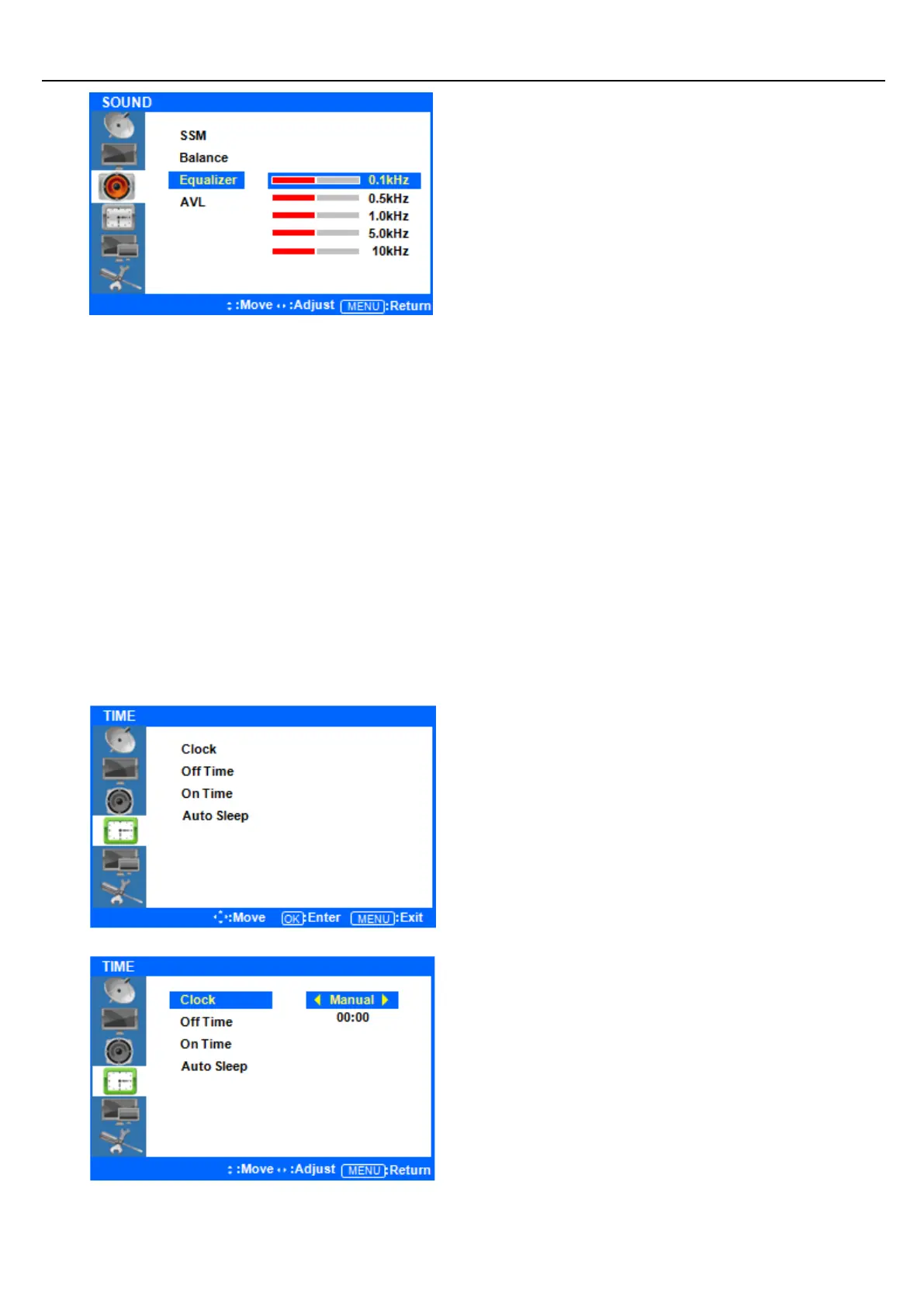
Press ▲/▼ Button to highlight the Equalizer
Menu, press the ENTER button to view the
settings.
Press the ▲/▼ buttons to highlight one of the
0.1/0.5/1.0/5.0/10kHz values. Press the ENTER
button to select the value and change its setting.
Press the ◁/▷ buttons to adjust the frequency
setting.
AVL mode is not supported.
After finishing your adjustments, press the [Exit] button to exit the OSD MENU.
Time Menus
Setup your system’s clock and automatic ON/OFF times.
◆ Press the [MENU] Button.
The OSD Main MENU will be shown.
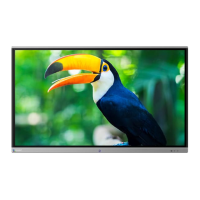
◆ Entering the TIME MENU
Press the ▲/▼ buttons to move up to the TIME
Menu. Press the ENTER button to view the options
in the menu.
◆ Setup System Clock
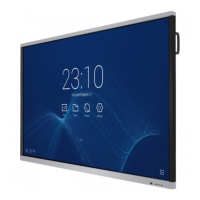
Press the ▲/▼ buttons to highlight the Clock Menu.
Press the ENTER button to view and adjust the time
setting. Your display will not automatically detect
the time. You must set the time manually. Auto
mode is not available.
Press the ▲/▼ buttons to highlight Manual, and
press the ENTER button to select it.


 To Next Page