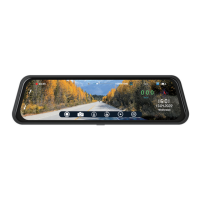
VTR93MHD Streaming Media Rear-View Mirror Monitor
Precautions
Ɣ Micro-SD card: CLASS 10, or above, required.
• Micro-SD card specification varies from one brand to another, and it
may not function as expected when used with VTR93MHD.
• If VTR93MHD shows an error message, format the micro-SD card
from the menu of VTR93MHD. If the error continues, please reset
VTR93MHD or replace the micro-SD card.
Ɣ The micro-SD card must be formatted before use.
• All files will be deleted when formatting the micro-SD card. Please
backup the important files before format.
• Loop recording records over the oldest recording file when the
memory is full. Depending on the memory card size, the recording
hours vary. Please backup important recording files accordingly asall
files will be overwritten, eventually.
• Please format the micro-SD card every month for recording stability.
Ɣ Do not force the memory card into the slot as it can damage the card or
VTR93MHD. When the micro-SD card is inserted properly and in the right
direction, a micro-SD card will drop into the card slot and only gentle
press is needed at the end to secure – with click sound – in the card slot.
Ɣ The battery lifespan will continuously decrease upon usage. Please
charge the battery every month to preserve the battery life.
Ɣ The straps must be installed properly and firmly to prevent shaking while
driving or falling off due to light impact.
Ɣ Install VTR93MHD in a dry environment: the monitor is not water
resistant nor waterproofed.
Ɣ Avoid the camera from facing the sun (direct sunlight) to record or take
pictures.
Ɣ .HHSWKHIURQWZLQGVKLHOGDQGFDPHUDOHQVHVFOHDQ&OHDQWKHPUHJXODUO\
2


 To Next Page