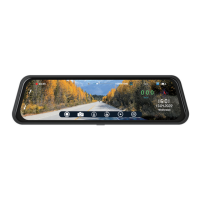
VTR93MHD Streaming Media Rear-View Mirror Monitor
6
Function
A. Power Function
Cigarette jac
nrut ot ni -gulp
power on
Hard-wired turn the key to accessories position
The power will be supplied to VTR93MHD. The BOYO logo will
appear first, and then the icons and the camera(s) will be displayed.
Recording will start automatically.
Cigarette jac
nrut ot gu l p - nu
power off
Hard-wired key turned to off position
The power will be cut from VTR93MHD. 10 second count down
starts. Recording stops and files are safely closed. The BOYO logo
will appear first, and then the screen goes black.
On/Off Button Power on state long press to turn power of
Recording stops and files are safely closed. The BOYO logo will
appear first, and then the screen goes black.
On/Off Button Power off state long press to turn power on
The long press will display the BOYO logo first, and then, the
camera(s) will be displayed.
In low battery, VTR93MHD displays ‘Low Battery’ and will
automatically save the last file and shut down.
On/Off Button Display on state short press
to turn display
of
The display power turned off and the screen goes black.
On/Off Button Display off state short press
To turn display
on
The display power turned on and the screen turns on – icons &
camera.
Note: In low battery, VTR93MHD displays ‘Low Battery’ and will
automatically save the last file and shut down.


 To Next Page