BpTRU Operator’s Manual
46
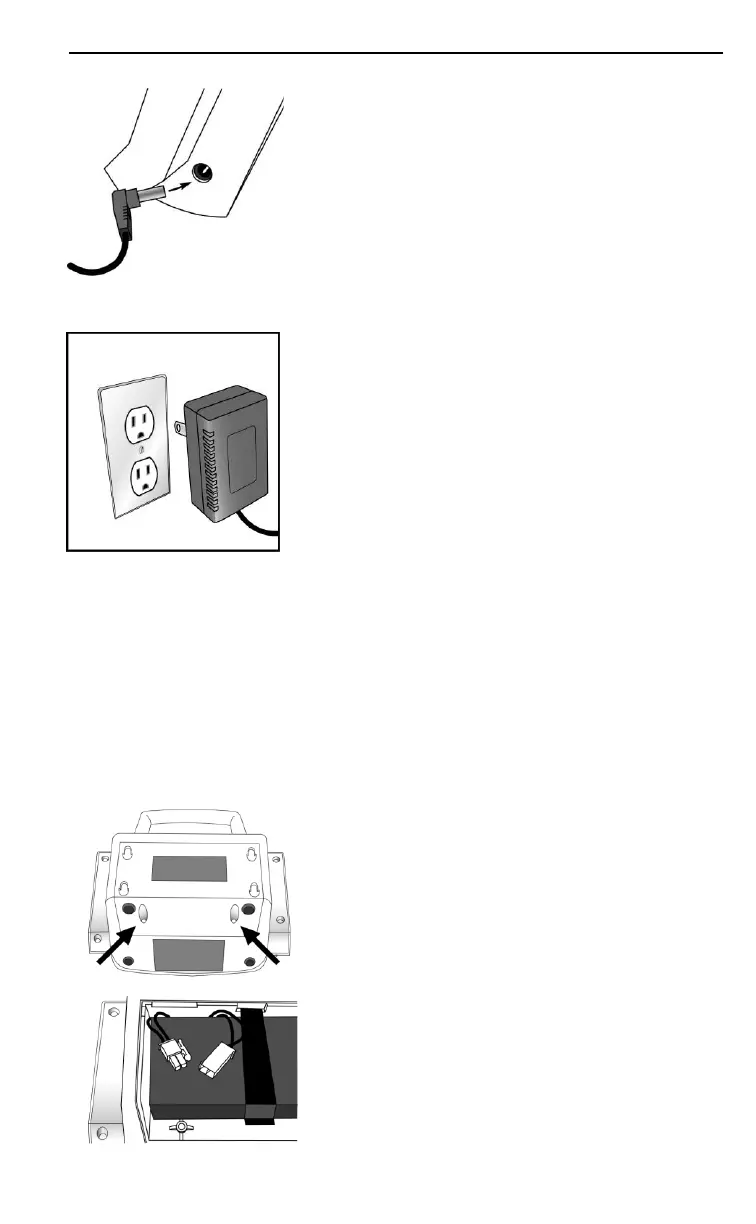
1. Insert the output plug of the DC
power supply into the power
receptacle on the BpTRU.
2. Insert the input plug of the DC
power supply into an AC wall
outlet.
Powering the BPM200 and BPM300
The BPM200 and BPM300 are shipped with the internal,
rechargeable battery disconnected to prevent discharge
and to prolong battery life. They include a DC universal
input power supply with a cord set specific to each
geographical region.
1. Open the battery door at the back of
the BpTRU. Use a Phillips
screwdriver (provided) to remove
both screws.
2. Join the two battery connectors. The
connectors only fit one way.
3. Close the battery door and secure it
with the two screws.


 To Next Page