Accessory Module Installation
-20-
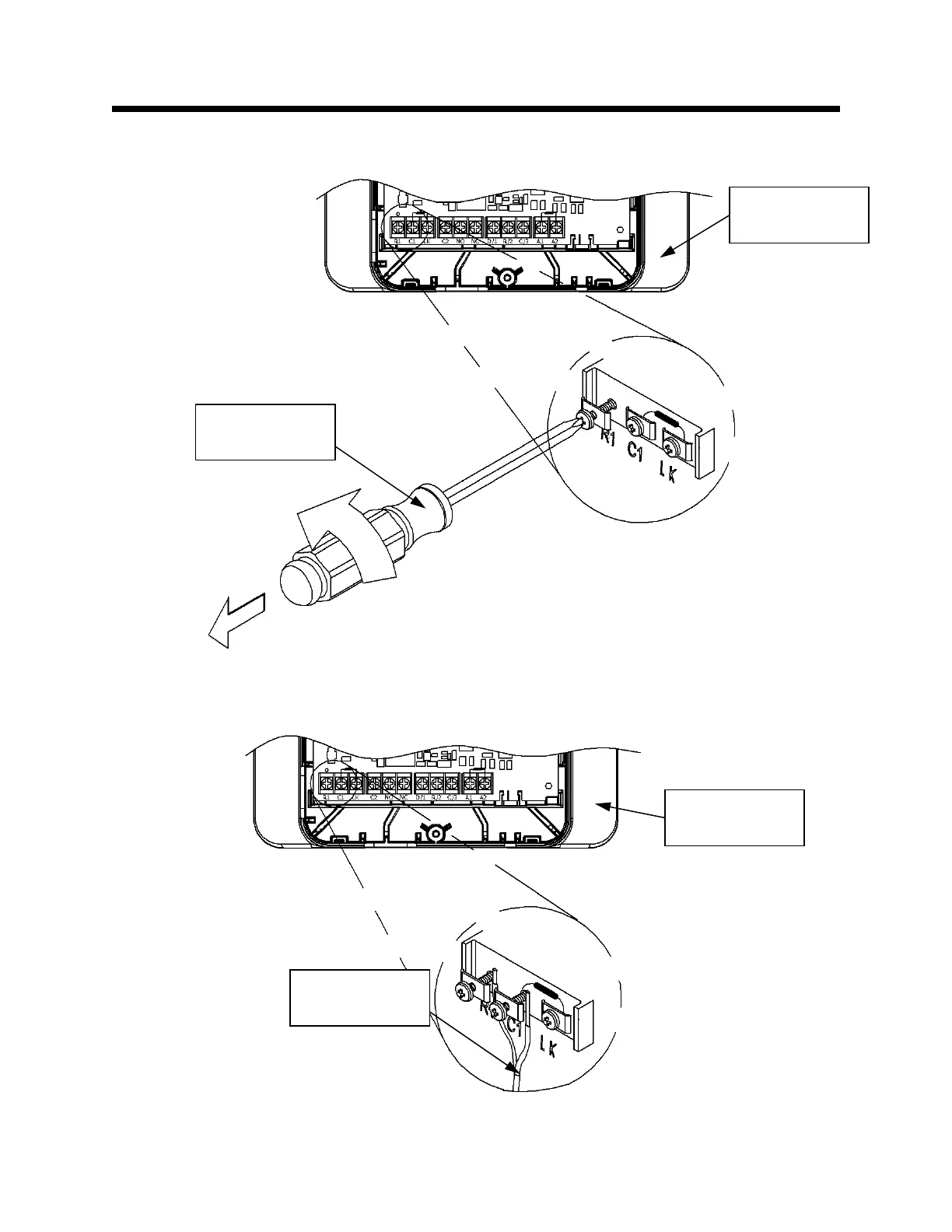
Prepare to Connect the Transformer Wire Harness to the Accessory Module
Step 15: Loosen the (2) Philips head screws on the Accessory Module, labeled “R1” and “C1.” This is
shown in Figure 15.
Insert the Transformer Wire Harness into the Accessory Module
Step 16: Insert each wire stripped end of the Transformer wire harness under the screws labeled “R1”
and “C1.” This is shown in Figure 16.
Figure 16
Accessory
Module
Transformer
Wire Harness
Figure 15
Accessory
Module
Philips head
screwdriver


 To Next Page