Accessory Module Installation
-22-
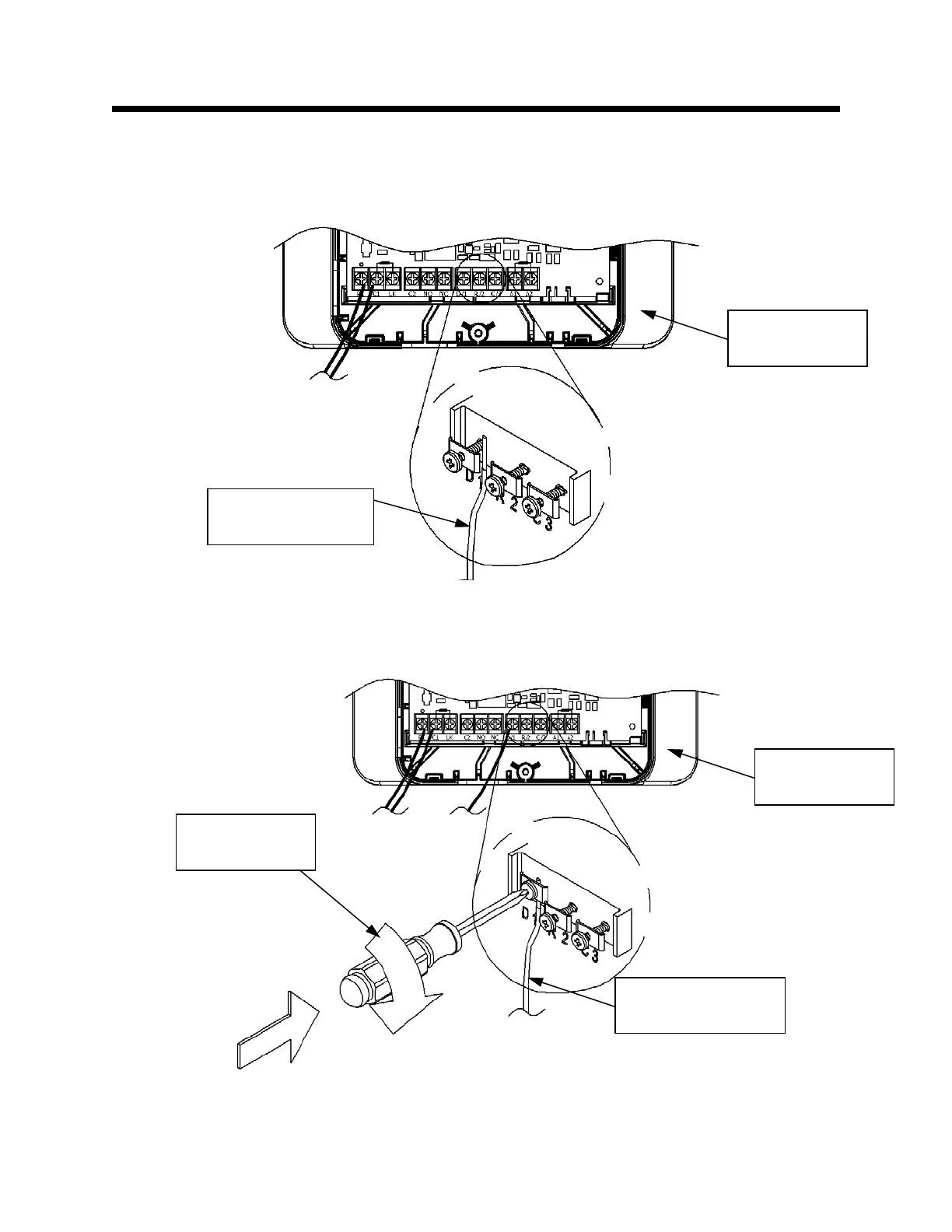
Assemble the WV4460 Wire Harness and Accessory Module
Step 19: Insert the red wire, from the WV4460 wire harness, under the screw labeled “D/1.” This is shown
in Figure 19.
Connect the WV4460 Wire Harness and Accessory Module
Step 20: Tighten the screw labeled “D/1,” as shown in Figure 20.
Fi
ure 19
Fi
ure 20
Accessory
Module
WV4460 Wire
Harness Red Wire
Accessory
Module
WV4460 Wire
Harness Red Wire
Philips head
screwdriver


 To Next Page