EasyManua.ls Logo

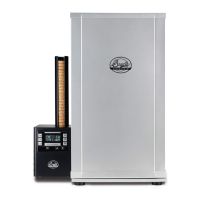
Bradley Smoker P10 - User Manual

Bradley Smoker P10
126 pages
Print Icon
To Next Page IconTo Next Page
Loading...
1 | Page
Owner’s Manual
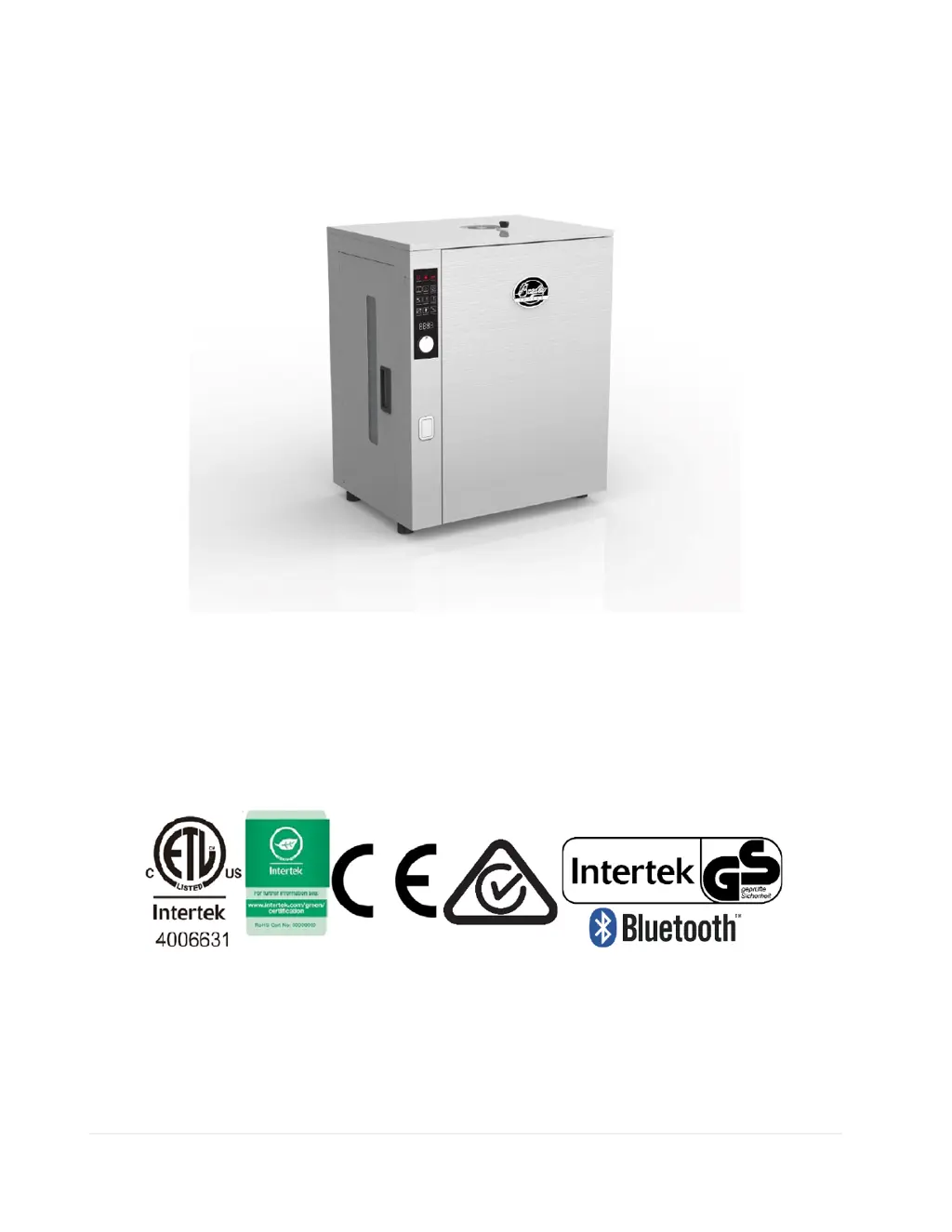
Bradley 5 Rack Capacity Digital Smoker Professional Series
120v MODEL BS1019BT
220 - 240v MODEL BS1019BTCE
Bradley Technologies Canada Inc.
1-866-508-7514
info@bradleysmoker.com
www.bradleysmoker.com
Printed in China/ Imprimé en Chine/ Impreso en China/ Gedruckt in China
March 2020/ Mars 2020/ Marzo de 2020/ rz 2020
V 3.ϱ

Other manuals for Bradley Smoker P10

Questions and Answers

  • W
    William ScottAug 12, 2025
    What to do if bisquette is jammed in Bradley Smoker P10?
    • C
      Christopher FernandezAug 12, 2025
      If you receive a 'PLEASE CHECK YOUR SMOKER, JAMMED BISQUETTE' error on your Bradley Smoker Smokers, it means a bisquette is stuck. To resolve this, you should clear the jammed bisquette.
  • B
    Beverly ReeseAug 15, 2025
    How to fix heat element failure in Bradley Smoker P10 Smokers?
    • M
      Michael TannerAug 15, 2025
      If the heat element fails in your Bradley Smoker Smokers, the suggested solution is to change the faulty heating element.
  • S
    smithshawnAug 19, 2025
    How to fix bisquette burner failure in Bradley Smoker Smokers?
    • S
      Sara CobbAug 20, 2025
      If the bisquette burner fails in your Bradley Smoker Smokers, you should change the faulty heating element.
  • K
    Kelsey GatesAug 23, 2025
    What to do for cabinet temperature sensor failure in Bradley Smoker P10 Smokers?
    • T
      Tony SmithAug 23, 2025
      If you encounter a 'CABINET TEMPERATURE SENSOR FAILURE' message on your Bradley Smoker Smokers, check the sensor and its connections. If needed, the sensor replacement procedure can be found on page 25.
  • J
    Jessica MorrisAug 27, 2025
    What to do for bisquette burner temperature sensor failure in Bradley Smoker P10 Smokers?
    • G
      gsmithAug 27, 2025
      If your Bradley Smoker Smokers displays 'BISQUETTE BURNER TEMPERATURE SENSOR FAILURE', check the sensor and its connections. Refer to page 24 for instructions on replacing the sensor.
  • T
    thomasjamesAug 31, 2025
    What to do if meat probe 1/2 is not connected to Bradley Smoker P10?
    • J
      james41Aug 31, 2025
      If your Bradley Smoker Smokers shows 'MEAT PROBE 1 /2 NOT CONNECTED', check the sensor and its connections.
  • D
    Dalton JohnstonSep 3, 2025
    What to do if meat probe 1 is not connected properly to Bradley Smoker Smokers?
    • C
      ccontrerasSep 4, 2025
      If your Bradley Smoker Smokers indicates 'MEAT PROBE 1 NOT CONNECTED PROPERLY', disconnect and reconnect the probe properly.
  • F
    Felicia BridgesSep 7, 2025
    What to do if meat probe 2 is not connected properly to Bradley Smoker P10 Smokers?
    • J
      Jaime JonesSep 7, 2025
      If your Bradley Smoker Smokers displays 'MEAT PROBE 2 NOT CONNECTED PROPERLY', disconnect and reconnect the probe properly.

Summary

Safety Warnings and Precautions

Basic Safety Precautions

Covers fundamental safety rules for operating the smoker, including handling and usage.

Power Cord Extension Cable Safety

Guidelines for using extension cords safely with the smoker, including rating and length.

Outdoor Use and Safety Guidelines

Carbon Monoxide Hazard Warning

Highlights the risks of carbon monoxide and the necessity of outdoor, ventilated use.

Operational Safety When in Use

Instructions and precautions for operating the smoker safely during use.

Post-Use Safety and Cleaning

Procedures for cleaning and safely handling the smoker after operation.

General Maintenance Procedures

Maintenance Safety Precautions

Safety measures to follow during maintenance and cleaning procedures.

Maintenance Procedures

Detailed steps for cleaning and maintaining the smoker's components.

Post-Maintenance Steps

Steps to reassemble and store the smoker after cleaning.

External Components Identification

Cabinet Internal Components

Assembly Instructions

How to Assemble Smoker

Step-by-step guide for putting together the Bradley smoker unit.

Handling of Packaging

Instructions for the proper disposal of packaging materials.

Electrical Connection Set-Up

Procedure for safely connecting the smoker to a power source.

First Time Seasoning Setup

Seasoning Method

Process for seasoning the smoker to remove initial odors and prepare for use.

Operating Guidelines

Getting Started

Initial steps and procedures for operating the smoker after seasoning.

Doing Cold Smoke

Specific instructions for using the smoker for cold smoking applications.

Optimum Use Recommendations

Display Function Overview

Rotary Selection and Dial Knob

Explanation of how to use the rotary dial and selection knob for controls.

Display Functions Explained

Rotary Dial; Selection

Detailed operation of the rotary dial for selecting and adjusting settings.

Power On; Off

How to turn the smoker on and off using the control panel.

Child Lock

Instructions for activating and deactivating the child lock feature.

Temperature Adjustment

Procedure for setting and adjusting the smoker's internal temperature.

Cook Time Adjustment

How to set and adjust the cooking timer for the smoker.

Smoke Time Adjustment

Procedure for setting and adjusting the smoke duration.

Bisquette Advancement

How to manually advance the bisquette dispenser for smoke production.

Meat Probes 1;2

Using and setting the meat probes for temperature monitoring.

Temperature F; C

How to switch between Fahrenheit and Celsius temperature display.

Custom Recipe

Instructions for uploading and using custom recipes via USB.

Bluetooth Connection

Guide for connecting the smoker to a smart device via Bluetooth.

Firmware Update Process

Before Contacting Support

Troubleshooting and Error Codes

Error Codes Explained

Explanation of error codes displayed by the smoker and their remedies.

Quick Repairs

Main Heating Element Replacement

Procedure for replacing the main heating element.

Bisquette Burner and Sensor Removal

Steps for removing and replacing the bisquette burner and its sensor.

Cabinet Sensor and High Limit Switch Removal

Procedure for replacing the cabinet sensor and high limit switch.

Control Display Panel Removal

Instructions for removing and replacing the smoker's control display panel.

Specifications

Electrical and Capacities

Details electrical ratings, internal volume, and rack capacity of the smoker.

Operating Specifications

Covers cook time, smoke time, temperature ranges, and meat probe specifications.

Warnings and Compliance Information

FCC Compliance Statement

Information regarding FCC rules and regulations for the device.

Canadian Compliance Statement

Details on compliance with Innovation, Science and Economic Development Canada's RSS.

Radiation Exposure Statement

Information on RF radiation exposure limits for the equipment.

Warranty and Product Disposal

Warranty Requirements and Limitations

Outlines the terms, conditions, and limitations of the product warranty.

Correct Product Disposal

Guidance on environmentally responsible disposal of the product.

Bradley Smoker P10 Specifications

General IconGeneral
ModelP10
TypeElectric Smoker
Number of Racks4
MaterialStainless Steel
Control TypeDigital
Automatic FeedYes
Auto Feed Bisquette SystemYes
Voltage120V
Cooking Area990 square inches
Power500W
Weight24.49 kg
Temperature RangeUp to 280°F (140°C)

Related product manuals