3
3 sec.
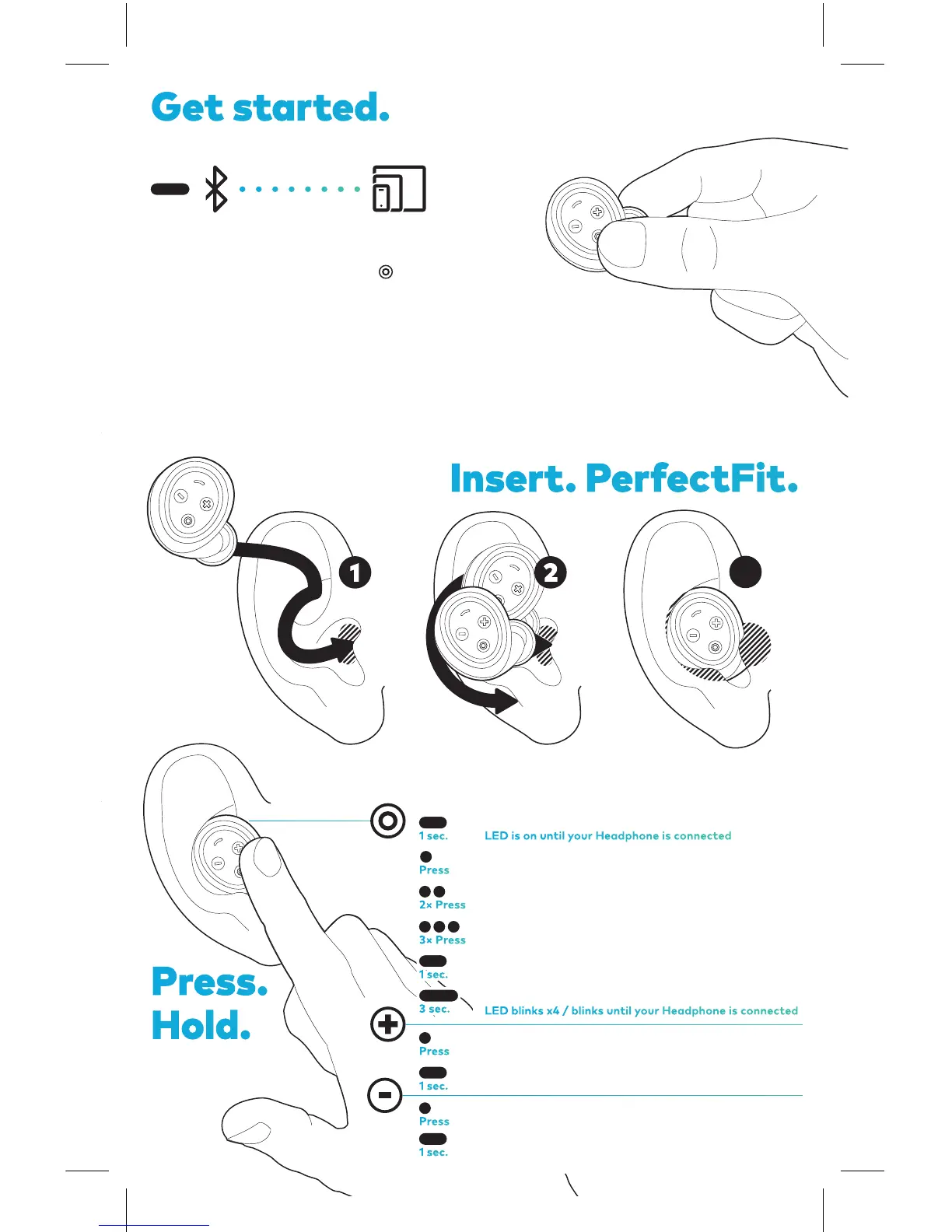
Power on & connect to last device
Play / Pause / Answer call
Next track
Previous track
End call / Voice Assistant
Power off / Pairing mode
To enter pairing mode hold for 3 seconds
until the right LED starts blinking.
Select BRAGI HP in the Bluetooth
settings on your device.
Before pairing to a new device, make sure
your Headphone is switched off.
Press.
Hold.
Volume up
Audio Transparency on
Volume down
Audio Transparency off
Get started.
Insert. PerfectFit.
Try different FitTips for the PerfectFit.
LED is on until your Headphone is connected
LED blinks x4 / blinks until your Headphone is connected
1 sec.
1 sec.
1 sec.
1 sec.
Press
Press
Press
2× Press
3× Press
3 sec.



 To Previous Page