Note: This guide does not replace the user manuals.Page 2-4
LOCK AND UNLOCK MONITOR POSITION
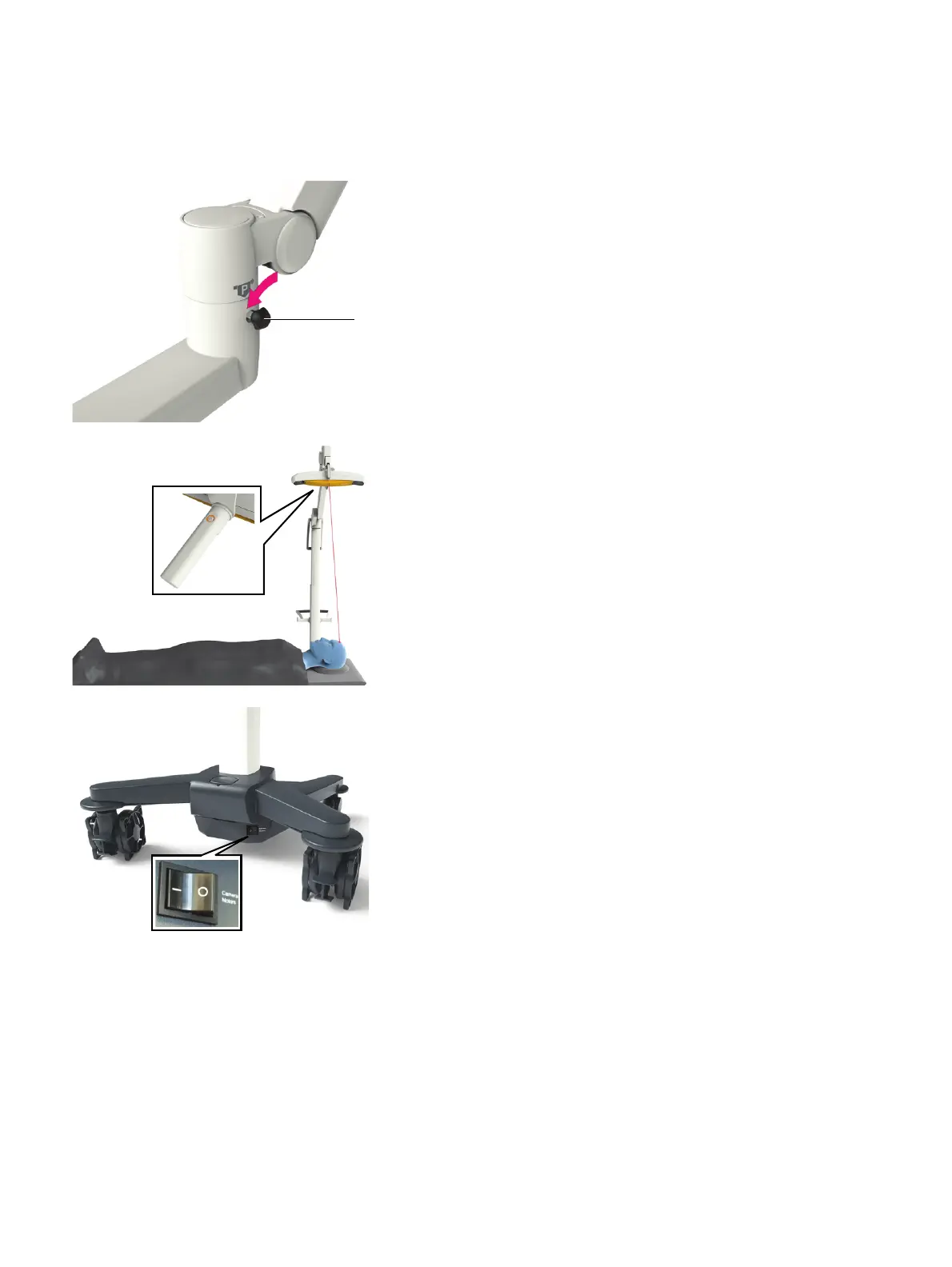
• Lock each joint by tightening the locking knob a so
that the monitor does not move when touched.
• To unlock, loosen the locking knob a until the joint
moves easily.
ADJUST CAMERA MANUALLY
• Press the laser button on the back of the camera
handle to activate the positioning laser.
• Position the camera using the laser beam so that the
operating field is in the center of the camera field of
view.
NOTE: Instruments must be in the camera field of
view to be tracked.
ADJUST CAMERA WITH CONTROLS
• Ensure the camera monitor switch is turned on.
• Use the controls in the software to adjust the
camera. A beep sounds while the camera is moving.
a



 To Next Page