Brainlab AG
Olof-Palme-Str. 9
81829 Munich
Germany
Europe, Africa, Asia, Australia: +49 89 99 15 68 44
USA and Canada: +1 800 597 5911
Japan: +81 3 3769 6900
Latin America: +55 11 33 55 33 70
France: +33-800-67-60-30
E-mail: support@brainlab.com
COPYRIGHT:
This guide contains proprietary information
protected by copyright.
No part of this guide may be reproduced or
translated without the express written permission
of Brainlab.
LIABILITY:
This guide is subject to change without
notice and does not represent a
commitment on the part of Brainlab.
For further information, please refer to
the “Limitations of Liability” section in
the Brainlab Standard Terms and
Conditions of Sale.
Page 4-4
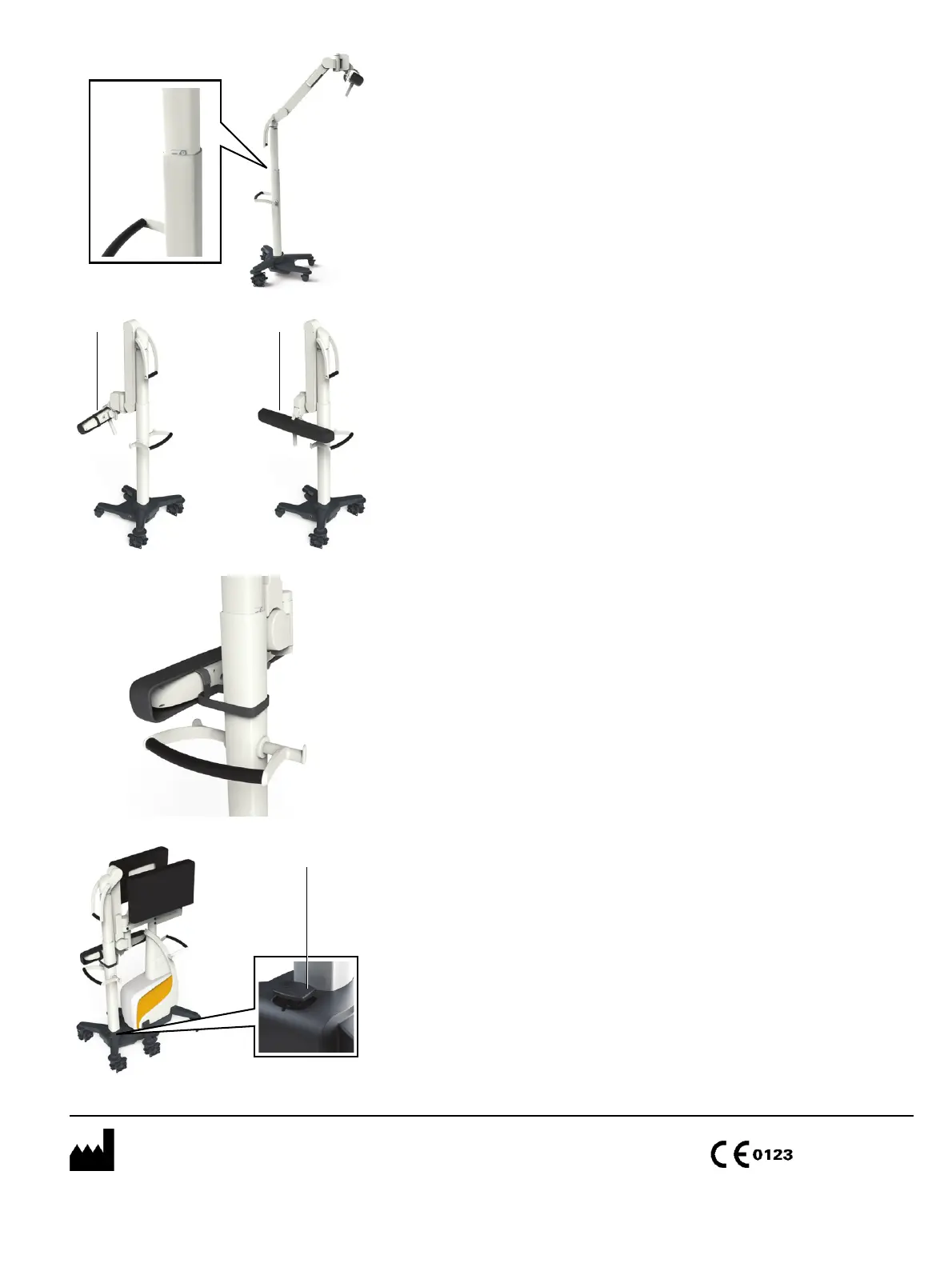
POSITION CAMERA CART: STEP 1
• Locate the park symbol on the camera post. You
may need to raise the camera to see the park
symbol.
• Press the button on the telescopic post handle to
move the post into park position.
POSITION CAMERA CART: STEP 2
• Fold the camera arm down with the camera handle
until firmly aligned to the post a.
• Rotate the camera to the side with the camera
handle s.
POSITION CAMERA CART: STEP 3
• Fix the camera to the post with the Velcro protection
cover strap.
*60917-17EN*
Document Revision: 1.0
Article Number: 60917-17EN
DOCK AND UNDOCK CURVE
• After positioning Monitor Cart and Camera Cart for
docking, engage the Monitor Cart brakes.
• Push the docking pedal down if popped up a.
•Push Camera Cart into Monitor Cart quickly until
the docking pedal pops up a.
To undock, push down docking pedal and pull apart.
a s
a



 To Previous Page