EasyManua.ls Logo

Brainstorm SR-112 - User Manual

Brainstorm SR-112
24 pages
Print Icon
To Next Page IconTo Next Page
Loading...
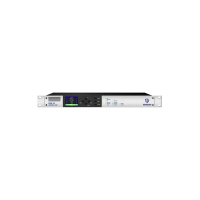
SR-112
Time Code Distripalyzer
Owners manual
Version 4.01
October 2016
All materials herein © Brainstorm Electronics, Inc.
Brainstorm Electronics reserves the right to change or modify the
contents of this manual at any time.
Credits
Concept: AID, Brainstorm Electronics
Software: Gerry Lester
Manual: Bernard Frings, Gerry Lester
Technical Assistance: Jim Pace
Brainstorm Electronics, Inc.
www.brainstormtime.com

Other manuals for Brainstorm SR-112

Question and Answer IconNeed help?

Do you have a question about the Brainstorm SR-112 and is the answer not in the manual?

Summary

2. Installation

2.2. INSTALLING THE SR-112

Guidelines for mounting the SR-112 in a standard 19" rack and wiring precautions.

3. I;Os Description and Cable Requirements

4. Quick Start

5. Front Panel Displays & LEDs

5.1. LCD DISPLAY - STATUS PAGES

Explains the 32-character LCD display and its five status pages.

5.2. TIME CODE READER (8 DIGIT NUMERIC DISPLAY)

5.5. WARNING LEDS

6. Navigation Keys

7. Menu Navigation

8. Menus Description

8.1. MENU 01: MODE

Explains the three operating modes: Reshape, Repair, and Generate.

8.9. MENUS 91-94: ETHERNET

9. Reshaping and distributing time code

9.2. RESHAPING DISTORTED TIME CODE

Details how the SR-112 corrects distorted time code from analog tape machines.

10. Time Code Analyzer

10.1. TIME CODE FORMAT AND FRAME RATE

Explains how to identify incoming time code format and frame rate.

10.2. VIDEO PHASE

10.3 PHASE WITH 50 or 60 HZ VIDEO

10.4 REPORTING TIME CODE ERRORS

10.6 RESET

12. Ethernet

13. Firmware Updates

13.1. FIRMWARE UPDATE PAGE

Explains how to access the firmware update page and select files.

13.3 PROGRAMMING SEQUENCE

13.4 PROGRAMMING ERRORS

13.5 LOADER

14. User Bits

APPENDIX C: TIME CODE ERROR MESSAGES

Brainstorm SR-112 Specifications

General IconGeneral
BrandBrainstorm
ModelSR-112
CategoryRecording Equipment
LanguageEnglish