EasyManua.ls Logo

Braun 3767 - User Manual

Braun 3767
23 pages
Print Icon
To Next Page IconTo Next Page
Loading...
If you should require further
assistance, please call our
Consumer Service line.
KR 1577-8027
TH 1-800-295-545
PH 1-800-1-888-8008
MY 1 800 815 380
SG 8001 205 607
Internet:
www.oralb.com
www.braun.com
www.service.braun.com
www.oral-b.co.kr
Braun GmbH
Frankfurter Straße 145
61476 Kronberg/Germany
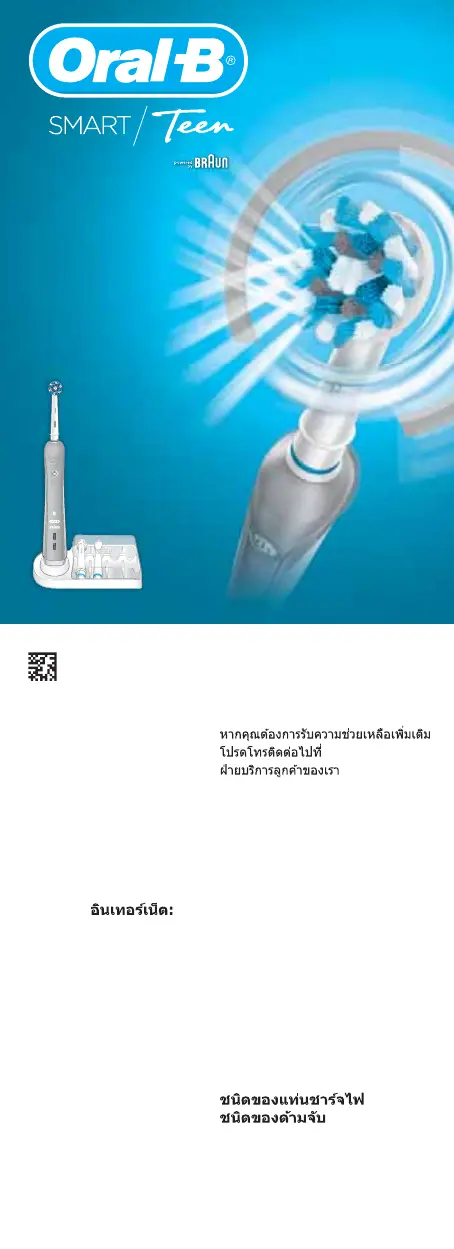
Charger type 3757
Handle type 3767
91156537/I-17
KR/TH/EN
91156537
Charger Type 3757
Handle Type 3767
OralO
r
a
l
-
B
Oral-B
3757
3767
91156537_D601_KR_ASIAN.indd 2591156537_D601_KR_ASIAN.indd 25 25.04.17 08:5925.04.17 08:59
Business Use - P&G AUTHORIZED 91478324 Rev 001 Effective Date 2017-04-27 Printed 2018-11-01 Page 24 of 24

Questions and Answers

  • T
    Tracy DominguezAug 11, 2025
    How to reset a Braun Electric Toothbrush to factory settings?
    • J
      John JosephAug 11, 2025
      To reset your Braun Electric Toothbrush to factory settings (to restore original app functionality), press and hold the on/off button for 10 seconds until all indicator lights double blink simultaneously. Note that radio transmission may be deactivated or reactivated during the reset, but it will be reactivated after the reset is complete.
  • E
    egrahamAug 17, 2025
    What to do if my Braun 3767 Electric Toothbrush handle is not operating during first use?
    • C
      Christopher JamesAug 17, 2025
      If your Braun Electric Toothbrush handle isn't operating during its first use, it might be due to a very low battery charge level (no light illuminates). Charge it for at least 30 minutes.
  • V
    Vanessa RobinsonAug 30, 2025
    What to do if my Braun 3767 handle does not operate with the existing SmartGuide?
    • S
      Steven BakerAug 30, 2025
      If your Braun Electric Toothbrush handle isn't operating with the existing SmartGuide, here are some things to consider: 1. Synchronization issues: Try synchronizing the handles again via the SmartGuide settings in the battery compartment by pressing «h/min» for 3 seconds. Then turn on the handle you want to synchronize, followed by the second handle. Press «h/min» or «set» to exit synchronization mode. 2. Radio transmission: Activate radio transmission on your toothbrush (when it's turned off) by pressing the on/off button for 3 seconds until all indicator lights blink simultaneously. 3. Compatibility: The handle may not be compatible with the existing SmartGuide. 4. Handle Limit: You can only synchronize a total of 2 handles. Change handles via SmartGuide settings.
  • S
    stevecooperSep 4, 2025
    Why doesn't my Braun 3767 Electric Toothbrush handle operate any timer?
    • D
      Dr. Ralph HillSep 4, 2025
      If your Braun Electric Toothbrush handle does not operate any timer, it might be because the timer has been modified or deactivated via the app. Use the app to change the timer settings or perform a factory reset.
  • A
    Adam TuckerNov 22, 2025
    Why is my Braun 3767 handle not working with the Oral-BTM App?
    • J
      Jonathan CarpenterNov 22, 2025
      If your Braun Electric Toothbrush handle isn't operating properly with the Oral-BTM App, here are a few things to check: * Make sure the Oral-BTM App is turned on. * Ensure that the Bluetooth interface is activated on your smartphone (refer to your smartphone's user manual for instructions). * Activate radio transmission on the handle by pressing the on/off button for 3 seconds. * If the Bluetooth connection has been lost, briefly turn your toothbrush on and off to reconnect, or repair the handle and smartphone via the app settings. Keep your smartphone close when using it with the handle. * Confirm your smartphone supports Bluetooth 4.0 (or higher)/Bluetooth Smart, as this is required for pairing. * Note that radio transmission is deactivated while the handle is on the plugge...

Braun 3767 Specifications

General IconGeneral
Model Number3767
TypeElectric Toothbrush
Oscillating-RotatingYes
BatteryLithium-ion
Charging TimeUp to 12 hours
WaterproofYes
ModesDaily Clean, Sensitive, Whitening, Gum Care, Deep Clean
Included Accessoriescharger
Pressure SensorYes
Timer2-minute timer with quadrant pacing
Usage TimeUp to 12 days (when brushing 2 times a day for 2 minutes)

Related product manuals