EasyManua.ls Logo

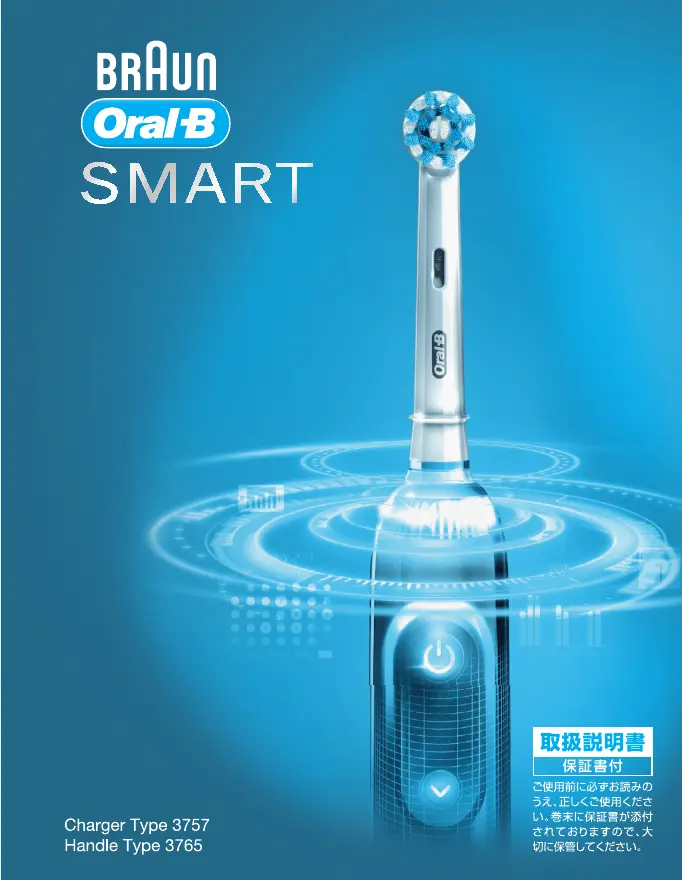
Braun 3765 - User Manual

Braun 3765
27 pages
Print Icon
To Next Page IconTo Next Page
Loading...
91657528_D700_JP.indd 1 24.01.18 10:57
91657528_D700_JP.indd 191657528_D700_JP.indd 1 01.02.18 11:1101.02.18 11:11
Booklet, 120 x 155 mm, 28 pages (incl. 4 pages cover), 2/2c = black + PMS300u
CSS APPROVED Effective Date 27Feb2018 GMT - Printed 29Mar2018 Page 1 of 28

Other manuals for Braun 3765

Questions and Answers

  • J
    jenniferphelpsAug 10, 2025
    Why is my Braun Electric Toothbrush handle not charging?
    • L
      Lisa SpencerAug 10, 2025
      If your Braun Electric Toothbrush handle isn't charging, it could be due to a very low battery level, in which case the charging lights might not flash immediately and it can take up to 30 minutes. Also, make sure the ambient temperature for charging is within the recommended range of 5 °C to 35 °C.
  • K
    Keith RiveraAug 17, 2025
    How to reset my Braun Electric Toothbrush to factory settings?
    • M
      Michelle CampbellAug 17, 2025
      To reset your Braun Electric Toothbrush to its original app functionality/factory settings, press and hold the on/off button for 10 seconds until all indicator lights double blink simultaneously.
  • F
    Felicia KennedyAug 25, 2025
    What to do if my Braun 3765 handle does not operate with the Oral-B app?
    • L
      Laura ObrienAug 26, 2025
      If your Braun Electric Toothbrush handle isn't working with the Oral-B app, here are some things to check: * Ensure the Oral-B app is turned on. * Activate the Bluetooth interface on your smartphone. * Make sure radio transmission is activated on the handle by pressing the on/off and mode buttons for 2 seconds until the radio transmission display turns on. * Pair the handle and smartphone again via the app settings, keeping your smartphone close by. * Confirm your smartphone supports Bluetooth 4.0 (or higher). * Note that radio transmission is deactivated when the handle is on the plugged-in charger. * Download the latest version of the Oral-B app.
  • A
    acurtisSep 1, 2025
    What to do if my Braun Electric Toothbrush handle is not operating during first use?
    • T
      Tracy BauerSep 1, 2025
      If your Braun Electric Toothbrush handle isn't operating during its first use, it's likely that the battery has a very low charge level. Charge it for at least 30 minutes.

Summary

Safety Precautions

General Safety Guidelines

Provides essential safety guidelines and warnings for using the appliance.

Warning Symbols and Cautions

Explains safety symbols for potential hazards like death, injury, or damage.

Correct Brushing Technique

Step-by-Step Brushing Guide

Step-by-step guide on how to brush teeth correctly for optimal results.

Charging and Operation

Connecting and Charging the Toothbrush

Instructions for connecting the toothbrush to the charger and initial charging.

Connectivity and Smartphone Integration

Connecting to Your Smartphone

Guides on pairing the toothbrush with a smartphone and using the Oral-B app.

Troubleshooting and Support

Warranty and Service Information

Warranty Card and Claims

Information on the warranty card, purchase date, and how to claim service.

English Safety and Operation

English Troubleshooting and Warranty

Product Guarantee and Repair (English)

Details the terms and conditions of the manufacturer's guarantee and repair policies.

Warranty Repair Regulations

Free Repair Conditions and Service (English)

Specific rules for obtaining free repairs and service contact information.

Braun 3765 Specifications

General IconGeneral
Model Number3765
TypeElectric Toothbrush
Brush Head MovementOscillating-Rotating
Brush Head Replacement IndicatorYes
WaterproofYes
Power SourceRechargeable battery
Timer2-Minute Timer
Included AccessoriesCharging Station, Brush Head(s)

Related product manuals