EasyManua.ls Logo

Braun 58488 - User Manual

Braun 58488
8 pages
Print Icon
To Next Page IconTo Next Page
Loading...
Visit our website at: http://www.harborfreight.com
Email our technical support at: productsupport@harborfreight.com
Owners Manual & Safety Instructions
Save This Manual Keep this manual for the safety warnings and precautions, assembly,
operating, inspection, maintenance and cleaning procedures. Write the product’s serial number in the
back of the manual (or month and year of purchase if product has no number). Keep this manual and the
receipt in a safe and dry place for future reference. 22c
When unpacking, make sure that the product is intact
and undamaged. If any parts are missing or broken,
please call 1-888-866-5797 as soon as possible.
Copyright
©
2021 by Harbor Freight Tools
®
. All rights reserved.
No portion of this manual or any artwork contained herein may be reproduced in
any shape or form without the express written consent of Harbor Freight Tools.
Diagrams within this manual may not be drawn proportionally. Due to continuing
improvements, actual product may differ slightly from the product described herein.
Tools required for assembly an d se rv ic e may n ot b e in cl uded.
Read this material before using this product.
Failure to do so can result in serious injury.
SAVE THIS MANUAL.
Question and Answer IconNeed help?

Do you have a question about the Braun 58488 and is the answer not in the manual?

Summary

Warning Symbols and Definitions

Important Safety Information

Stay Alert and Use Common Sense

Emphasizes attentiveness and avoiding operation under the influence.

Dress Appropriately for Operation

Advises against loose clothing, jewelry, and long hair near moving parts.

Maintain Proper Footing and Balance

Stresses the importance of footing for control and safety.

Secure Idle Appliances from Children

Warns that appliances are dangerous for untrained persons.

Inspect for Damage and Malfunctions

Highlights checking for binding, breakage, or other conditions affecting operation.

Maintain Appliance Labels and Plates

Advises keeping important information labels legible and contact for replacements.

Battery Use and Care

Lithium Battery Safety Warnings

Details critical safety precautions for lithium batteries.

Keep Battery Dry

Simple instruction to maintain battery dryness.

Prohibited Battery Actions

Lists actions to avoid with the battery (open, drop, short-circuit, puncture, etc.).

Charge Battery According to Instructions

Directs users to follow specific charging procedures.

Product Specifications

Battery Specifications

Details battery type and voltage.

Battery Capacity

States the battery's milliampere-hour capacity.

Lantern Functions and Components

Front Component Overview

Identifies front-facing parts like the power switch and lights.

Rear Component Overview

Identifies rear-facing parts like the charging port cover.

Charging the Lantern

Initiating the Charging Process

Explains when the lantern needs to be recharged.

Connecting the DC Adapter

Guides on plugging the DC adapter into the lantern and power source.

Understanding Charging Status

Describes the charge indicator light colors.

Post-Charging Procedures

Details disconnecting, closing the cover, and storage.

Operating the Lantern

Powering On and Light Modes

Explains how to turn on the main light and cycle through intensities.

Bottom Light and SOS Modes

Describes operation of the bottom light and SOS functions.

Handle and Glare Guard Usage

Covers extending handles for hanging/carrying and attaching the glare guard.

Maintenance and Battery Disposal

Pre-Use Inspection Guidelines

Lists checks to perform before each use for safety and operation.

Cleaning and Care Instructions

Advises on cleaning the exterior with a damp cloth.

Battery Removal and Disposal

Provides steps for accessing, removing, and properly disposing of batteries.

Limited 90 Day Warranty

Overview

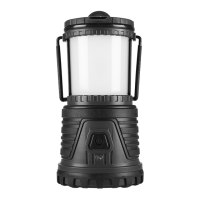
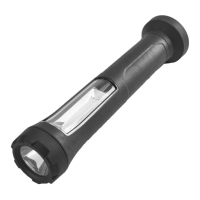
The Braun Rechargeable LED Work Light is a versatile and robust lighting solution designed for various applications, from outdoor adventures to workshop tasks. This owner's manual provides comprehensive instructions for its safe operation, maintenance, and care, ensuring users can maximize its utility and longevity.

Function Description

The primary function of the Braun Rechargeable LED Work Light is to provide illumination in various settings. It features multiple lighting modes, including a main light with adjustable intensity, a bottom light, and an SOS light for emergency signaling. The device is powered by a rechargeable lithium-ion battery, offering cordless operation and portability. Its design incorporates a handle for easy carrying or hanging, and a removable glare guard to direct light and reduce harshness. The integrated charging port allows for convenient recharging using a standard DC adapter.

Usage Features

The Braun Rechargeable LED Work Light is designed for user-friendly operation with several key features:

  • Multiple Lighting Modes: The lantern offers a main light with three intensity levels (low, medium, full brightness), a bottom light with two intensity levels (full brightness, low light), and a top red SOS light for emergencies. This versatility allows users to select the appropriate illumination for different tasks and situations, conserving battery life when full brightness is not required.
  • Intuitive Power Switch: A single power switch controls all lighting functions. A short press cycles through the main light intensities, while a 3-second press activates the bottom light or the SOS light. This simplified control scheme makes the lantern easy to operate, even in low-light conditions.
  • Rechargeable Battery System: The lantern is equipped with a rechargeable lithium-ion battery, eliminating the need for disposable batteries and offering a more sustainable and cost-effective lighting solution. The charging process is straightforward: simply pull back the charging port cover, plug in the included DC adapter cable, and connect it to a 5VDC power source (such as a computer's USB port).
  • Charge Indicator: A clear charge indicator next to the charging port provides visual feedback on the battery status. It illuminates red during charging and turns green when the battery is fully charged, allowing users to easily monitor the charging progress.
  • Portable and Versatile Design: The lantern features extendable handles, which can be used for carrying, hanging the light, or even setting the lantern upside down for upward illumination. This enhances its adaptability for various uses, whether suspended in a tent, carried on a trail, or placed on a work surface.
  • Removable Glare Guard: A removable glare guard is included, allowing users to attach and position it as desired. This feature helps to direct light and minimize glare, improving visibility and comfort, especially in close-up work or when trying to avoid disturbing others.
  • Storage Compartment: The bottom of the lantern houses a storage compartment, accessible by twisting off the cover. This compartment is designed to store the DC adapter cable, ensuring all components are kept together and readily available. It also helps to protect the charging port from water intrusion when the cover is securely closed.
  • Water Intrusion Prevention: The charging port cover is designed to be securely closed after charging to prevent water intrusion, enhancing the durability and reliability of the lantern in various environments.
  • Battery Preservation: The manual emphasizes the importance of turning off the lantern after use to preserve battery charge and extend the service life of the LEDs. It also recommends allowing 20 seconds between switching the lantern on and off to further protect the LEDs.
  • Safety First: The manual strongly advises users to read all safety warnings and instructions before operation to prevent electric shock, fire, or serious injury. It highlights the importance of staying alert, dressing properly, avoiding overreach, and storing the appliance out of reach of children.

Maintenance Features

Proper maintenance is crucial for ensuring the longevity and optimal performance of the Braun Rechargeable LED Work Light. The manual outlines several key maintenance procedures:

  • Regular Inspection: Before each use, users are instructed to inspect the general condition of the lantern. This includes checking for loose hardware, misalignment or binding of moving parts, cracked or broken parts, damaged electrical wiring, and any other condition that may affect its safe operation. This proactive approach helps identify potential issues before they escalate.
  • Cleaning: The exterior of the lantern should be cleaned regularly to prevent dust from accumulating. A damp cloth can be used for cleaning, followed by thorough drying. This simple cleaning routine helps maintain the device's appearance and prevents debris from interfering with its components.
  • No User-Serviceable Parts: The manual explicitly states that there are no user-serviceable or replacement parts in the lantern or DC adapter. This means that any repairs beyond basic cleaning and inspection should be performed by a qualified technician to avoid damage or voiding the warranty.
  • Battery Disposal: Detailed instructions are provided for the proper disposal of the lithium-ion batteries. Users are guided to access the batteries by twisting and removing the bottom cover, then removing four screws from inside the storage compartment. Wires should be cut using insulated wire clippers, and the batteries removed. The manual stresses that Li-ion batteries must be recycled or disposed of properly and should not be short-circuited, incinerated, or opened. This ensures environmental responsibility and safety during disposal.
  • Storage: After use, the lantern should be turned off, cleaned, and recharged before being stored indoors, out of children's reach. This practice helps preserve the battery charge and protects the device from environmental damage.
  • Cool-Down Period: Before performing any inspection, maintenance, or cleaning procedures, users are advised to turn off the power switch, unplug the lantern from its DC adapter (if used), and allow it to cool completely. This prevents accidental operation and reduces the risk of burns or electrical shock.
  • Addressing Abnormalities: In the event of abnormal noise or vibration, users are instructed to have the problem corrected before further use, emphasizing the importance of addressing operational issues promptly to prevent serious injury or further damage to the lantern.

Braun 58488 Specifications

General IconGeneral
BrandBraun
Model58488
CategoryWork Light
Light SourceLED
Power SourceBattery
Number of Batteries3
ColorBlack

Related product manuals