EasyManua.ls Logo

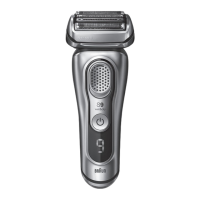
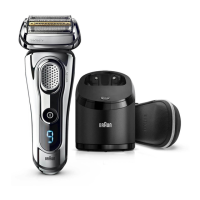
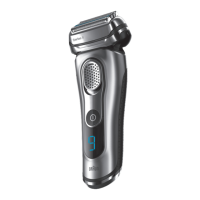
Braun 9075cc - User Manual

Braun 9075cc
41 pages
Print Icon
To Next Page IconTo Next Page
Loading...
www.braun.com
Type/Modèle/Modelo
5790, 5791
Series 9
9090cc
9075cc
9070cc
9050cc
9030s
Types wet&dry
Modèles peau sèche et mouillée
9095cc w&d
9080s
w&d
9040s
w&d
96644925_Series_9_NA_S1.indd 196644925_Series_9_NA_S1.indd 1 06.06.14 08:1506.06.14 08:15
Stapled booklet, 148 x 210 mm, 44 pages (incl. 8 pages cover), 2/2c = cyan + black
CSS APPROVED Effective Date 14Jul2014 GMT - Printed 28Jan2016 Page 1 of 44

Questions and Answers

  • S
    smithloriSep 7, 2025
    What to do if cleaning does not start on my Braun 9075cc Electric Shaver Clean&Charge Station?
    • C
      Christine TorresSep 7, 2025
      If cleaning does not start when you press the start button on your Braun Electric Shaver's Clean&Charge Station, make sure the shaver is correctly placed in the station, aligning the contacts. Also, ensure the cleaning cartridge contains enough cleaning fluid; if the level indicator blinks red, insert a new cartridge. Finally, check if the appliance is in stand-by mode and press the start button again.
  • P
    palmerrachelSep 7, 2025
    Why is my Braun 9075cc blinking and not charging?
    • A
      alexanderharrisSep 7, 2025
      If your Braun Electric Shaver is not charging completely and keeps blinking, it's likely that the ambient temperature is outside the recommended range. The ideal temperature for charging is between 5 °C and 35 °C.

Braun 9075cc Specifications

General IconGeneral
TypeElectric Shaver
SeriesSeries 9
Model9075cc
Shaver TypeFoil
Blades4
Precision TrimmerYes
Wet & Dry UseYes
Cordless OperationYes
Battery TypeLithium-ion
Battery Life60 minutes
Charging Time1 hour
Travel LockYes
Shaving TechnologySyncroSonic
Cleaning SystemClean & Charge Station
Quick Charge5 minutes for 1 shave
DisplayLED

Related product manuals