EasyManua.ls Logo

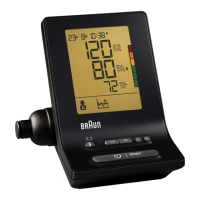
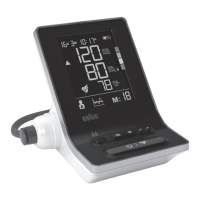
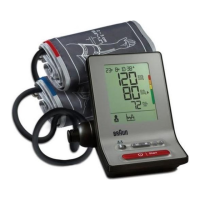
Braun ActivScan 9 - User Manual

Braun ActivScan 9
114 pages
Print Icon
To Next Page IconTo Next Page
Loading...
ActivScan
9
BUA 7200

Other manuals for Braun ActivScan 9

Questions and Answers

  • L
    Lance GreenAug 18, 2025
    How to fix calibration error on Braun ActivScan 9 Blood Pressure Monitor?
    • S
      Samuel BuckleyAug 18, 2025
      To fix a calibration error on your Braun Blood Pressure Monitor, remove and then reinsert the batteries. If the problem continues, contact customer support.
  • V
    Victor JohnsonAug 20, 2025
    How to troubleshoot ERRO R 254 on Braun Blood Pressure Monitor?
    • D
      Denise MillsAug 20, 2025
      To troubleshoot 'ERRO R 254' on your Braun Blood Pressure Monitor, first remove and then reinsert the batteries. If the problem continues after that, it is advisable to contact customer support.
  • K
    karen66Aug 23, 2025
    How to resolve pump time error on Braun ActivScan 9 Blood Pressure Monitor?
    • K
      Kevin ChapmanAug 23, 2025
      To resolve a pump time error on your Braun Blood Pressure Monitor, re-fit the cuff, and then take a measurement again.
  • S
    Sarah RodriguezAug 26, 2025
    How to fix device internal error on Braun ActivScan 9?
    • J
      Jonathan GutierrezAug 26, 2025
      To fix a device internal error on your Braun Blood Pressure Monitor, remove and then reinsert the batteries. If the problem persists, contact customer support.
  • M
    Matthew ShawAug 28, 2025
    How to resolve ERROR FIRMWARE on Braun ActivScan 9?
    • L
      Laura LopezAug 28, 2025
      To resolve the 'ERROR FIRMWARE' message on your Braun Blood Pressure Monitor, re-initiate the firmware download process or follow the on-screen instructions from the Braun App.
  • T
    Todd WilliamsAug 30, 2025
    What to do if my Braun ActivScan 9 device does not turn on and the screen is black?
    • L
      Laura ThorntonAug 30, 2025
      If your Braun Blood Pressure Monitor isn't turning on and the screen is black, try replacing the batteries with new ones, ensuring they are correctly inserted. If the issue continues, it is advisable to contact consumer support.
  • L
    Lisa WilliamsSep 2, 2025
    Why does my Braun Blood Pressure Monitor say 'Batteries are low'?
    • J
      Jessica AllenSep 2, 2025
      If your Braun Blood Pressure Monitor indicates that the batteries are low, it means you should prepare to replace them with new ones soon.
  • S
    smithalexSep 4, 2025
    What to do if my Braun ActivScan 9 shows an empty battery warning?
    • J
      Joseph HensleySep 4, 2025
      If your Braun Blood Pressure Monitor displays an empty battery warning, you should insert new batteries or double-check that the current batteries are correctly inserted.
  • L
    Lisa HawkinsSep 7, 2025
    How to fix measuring error on Braun ActivScan 9 Blood Pressure Monitor?
    • L
      Lori HallSep 7, 2025
      If you are getting a measuring error on your Braun Blood Pressure Monitor, try re-positioning the cuff and then repeat the measurement.
  • W
    Walter DanielSep 9, 2025
    What to do if my Braun ActivScan 9 Blood Pressure Monitor shows 'Out of Range Results Error'?
    • M
      mirandasharonSep 9, 2025
      If your Braun Blood Pressure Monitor displays an 'Out of Range Results Error', relax for a short while, then repeat the measurement. Also, ensure that the cuff is correctly positioned on your arm.

Summary

Product Description

Intended Use and Blood Pressure Basics

Safety Information and Precautions

Details critical safety advice and precautions for using the device.

Measurement Accuracy Guidelines

Device Basics and Battery Handling

Covers device controls, basic operation, and battery insertion/replacement.

Navigating the Device Menu

Setting Date and Time

Guide on how to correctly set the date and time on the device for accurate readings.

User Profile and Measurement Setup

Measurement Posture and Cuff Placement

Explains correct body posture and cuff placement for accurate measurements.

Understanding and Utilizing Readings

Data Management and Tracking

Calendar View and Bluetooth Connectivity

Troubleshooting Common Issues

Braun ActivScan 9 Specifications

General IconGeneral
ModelActivScan 9
TypeUpper Arm Blood Pressure Monitor
Measurement MethodOscillometric
DisplayLCD
Cuff Size22-42 cm
Power Source4 x AA batteries
Average Reading FunctionYes
Irregular Heartbeat DetectionYes
Wireless ConnectivityBluetooth
Automatic Shut-offYes
Measurement Range (Pressure)0-299 mmHg

Related product manuals