EasyManua.ls Logo

Braun HB901AI - User Manual

Braun HB901AI
32 pages
Print Icon
To Next Page IconTo Next Page
Loading...
1
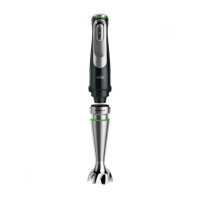
MultiQuick 9
Hand blender
Type HB901AI
www.braunhousehold.com/register
Register your product
5722114416_HB901-MQ91-25-35-38-47_Baltics.indd 1 21.06.21 15:11
Stapled booklet, 148 x 210 mm,  pages (incl. 8 pages cover), 1/1c = black Print Spec J 92194885

Questions and Answers

  • R
    Richard HaynesJul 26, 2025
    Why my Braun Blender does not operate?
    • D
      Dustin WongJul 26, 2025
      If your Braun Blender isn't working, first, ensure it's properly plugged into a power outlet. Next, check the fuse or circuit breaker in your home to see if it has tripped. If neither of these steps resolves the issue, contact Braun Service.
  • D
    Dale NicholsAug 5, 2025
    What to do if my Braun HB901AI Blender is hot and does not operate?
    • K
      Kevin ByrdAug 5, 2025
      If your Braun Blender overheats and stops working, it's likely that the overheat protection has been activated. To resolve this, allow the device to cool down for one hour. After this cooling period, the blender should be operational again.
  • P
    Philip WardAug 15, 2025
    What to do if the safety button light is solid red and imode selector lights are all flashing on my Braun Kitchen Appliances?
    • C
      Cynthia JohnsonAug 15, 2025
      If the safety button light is solid red and all imode selector lights are flashing on your Braun Kitchen Appliances device, it means the device is overheated. To resolve this, let the device cool down for one hour. It will be ready for use again when the imode selector light stops flashing and the safety button light flashes.

Summary

Braun MultiQuick 9 Hand Blender Overview

Product Identification and Registration

Identifies the hand blender model and provides product registration information.

Parts and Accessories

How to Use the Appliance: Smartspeed and ActiveBlade

Smartspeed Variable Speed Control

Explains how to use the Smartspeed switch for variable speed control and different modes.

Hand Blender Operation and Safety

Details initial setup, switching on the appliance, and safety button functions.

ActiveBlade Shaft Assembly and Use

Guides on attaching, using, and detaching the ActiveBlade shaft with safety cautions.

How to Use the Appliance: Whisk and Puree Accessories

Whisk Accessory: Assembly, Operation, and Tips

Covers whisk attachment, usage, best results, and operational limits.

Puree Accessory: Usage and Precautions

Details puree accessory use, preparation, safety warnings, and operational limits.

How to Use the Appliance: Chopper and Grinder Accessories

Chopper Accessory: Operation and Cautions

Explains chopper usage for various foods, including cautions and processing guides.

Grinder Accessory: Assembly and Operation

Guides for using the coffee and spice grinder, including assembly and operational limits.

Care and Cleaning

Warranty and Service

Troubleshooting Guide

Braun HB901AI Specifications

General IconGeneral
TypeHand blender
Turbo functionYes
Chopping functionYes
Ice crushingYes
Material blender footStainless steel
Voltage220-240 V
MaterialPlastic and Stainless Steel
Frequency50/60Hz

Related product manuals